
Technology
Yahoo Mail: Login, Features, Recovery & Security Guide

Whether you are trying to access an old Yahoo account or deciding how to manage your current inbox, the sections below are organized around the task you actually need to complete.
There is also one detail that can easily be overlooked: Yahoo currently says a mailbox that is not accessed for 12 months can become inactive, with its stored messages, folders, contacts, and settings permanently deleted. That makes account maintenance part of using Yahoo Mail—not just an optional security precaution.
I built this guide around those real-world situations instead of treating Yahoo Mail as simply another email inbox. It covers the official login process, common sign-in problems, password and account recovery, security checks, current features, Gmail and Outlook connections, mobile use, and Yahoo’s mailbox inactivity policy.
That sounds straightforward, but Yahoo Mail searches usually hide several different needs behind the same phrase. One person wants the Yahoo Mail login page. Another has forgotten a password or lost access to an old phone number. Someone else wants to connect Gmail or Outlook, clean up thousands of messages, check whether an account has been compromised, or understand why Yahoo is suddenly asking for verification.
Yahoo Mail is Yahoo’s email service for sending and receiving messages, managing multiple inboxes, organizing email, and accessing account tools from the web or mobile app. If you are trying to sign in, the official starting point is mail.yahoo.com; if Yahoo rejects your login, the next step is account recovery rather than repeatedly guessing your password.
Yahoo Mail at a glance: what you need to know
Yahoo Mail remains a free email service with optional paid plans. Yahoo’s current product pages emphasize inbox organization, AI-assisted features, account aggregation, spam controls, unsubscribe tools, and planning features. Yahoo also says users can connect Gmail, Outlook, AOL, and other supported accounts, making the service useful as a central inbox even when Yahoo is not the only provider they use.
How do I sign in to Yahoo Mail?
The direct route is to open Yahoo Mail at mail.yahoo.com or use Yahoo’s official account sign-in page. Yahoo’s current sign-in flow accepts a Yahoo username, email address, or mobile number, followed by the authentication step required for the account.
- Open the official Yahoo Mail address or Yahoo’s official sign-in page.
- Enter your Yahoo email address, username, or mobile number.
- Continue to the password or additional verification step shown by Yahoo.
- After authentication, open your mailbox and confirm that the account shown is the one you intended to access.
Do not treat a search result, social-media message, or email button as proof that a login page is genuine. Phishing pages can copy logos and layouts convincingly. I would rather type the official address, use a saved bookmark, or start from a known Yahoo app than hand credentials to an unfamiliar page. For the same reason, a good login bookmark should point to the intended service rather than a temporary or ambiguous portal; see the Aperplexity guide to quick links and safer navigation.
If you use shared or public hardware, sign out when you finish. Yahoo’s own security guidance also recommends reviewing recent activity and keeping recovery methods current. Those two steps matter more than cosmetic security settings because they affect whether you can detect and recover from unauthorized access. The same habit applies to institutional portals: Aperplexity’s NCEdCloud login guide illustrates why users should start from the current official entry point instead of relying on stale login URLs.
What if Yahoo Mail will not let me sign in?
Do not assume that a failed login means the password is wrong. Yahoo may request additional verification when it detects an unfamiliar device or browser, travel, VPN or proxy use, repeated failed attempts, a private browsing session, or changes to browser data. Yahoo describes this extra verification as a security measure rather than a separate password failure.
If you forgot your password
Use Yahoo’s Sign-in Helper or the account-recovery route rather than repeatedly entering guesses. Recovery methods can include a phone number or alternate email address associated with the account. Yahoo says recovery contacts are used for password resets, identity verification, and alerts about account changes.
If you lost your recovery phone
The practical problem is whether another verified recovery route remains available. Check for a current recovery email or another eligible verification method. If the only route is an old number you no longer control, recovery can become much more restrictive.
If Yahoo asks for verification after the correct password
That can happen when Yahoo sees signals it considers unusual, including an unfamiliar device, browser, location, VPN or proxy use, or repeated failed sign-in attempts. Follow the verification path Yahoo presents rather than bypassing it through third-party ‘account recovery’ services. A service offering to recover a Yahoo account for a fee is not automatically affiliated with Yahoo.
What features does Yahoo Mail have in 2026?
The current product is more than a basic inbox. Yahoo highlights Planner, AI Compose, AI-generated summaries, a Primary inbox, one-tap unsubscribe, delete-by-sender, spam detection, quick actions, and the ability to bring other supported mailboxes into the same interface.
Current Yahoo Mail features and the user problem each feature is intended to solve.
| Feature | What it does | Where it matters most |
| Primary inbox | Prioritizes important messages | Busy inboxes where urgent mail is mixed with routine traffic |
| AI Compose | Helps draft or adjust email tone | Writing replies when you need a quick starting point |
| AI summaries | Surfaces key details from messages | Long messages that need rapid triage |
| Planner | Turns email details into tasks and events | Travel, bills, reservations, and deadline-driven mail |
| One-tap unsubscribe | Helps remove unwanted mailing-list messages | Promotional and newsletter-heavy inboxes |
| Delete by sender | Bulk-removes messages from a sender | Inbox cleanup and storage management |
Feature availability can vary by platform and locale. Yahoo’s iOS documentation, for example, explicitly notes that some features are not available in all locales. That is an important caveat when comparing a screenshot, review, or tutorial with what you see in your own account.
Can I use Gmail or Outlook inside Yahoo Mail?
Yes. Yahoo’s current Mail documentation says you can connect third-party accounts such as Gmail, Outlook, and AOL so you can manage messages from multiple providers in one place. The app and web experience have slightly different navigation, so the exact menu labels can change.
- Open Yahoo Mail and go to the mailbox or account-management area.
- Choose the option to add another mailbox or account.
- Select the provider you want to connect.
- Authenticate the external account when Yahoo redirects you to the provider’s authorization flow.
- Review the resulting mailbox list and remove the connection later if you no longer want it.
The hidden trade-off is security scope. Connecting another mailbox gives Yahoo the ability to work with that account under the permissions you authorize. I would therefore connect only accounts you actively want centralized, review the authorization prompt instead of blindly accepting it, and remove old connections you no longer use.
The practical trade-off when deciding whether to centralize other email accounts in Yahoo Mail.
| Use case | Centralized Yahoo Mail | Separate provider apps |
| Several personal inboxes | Convenient for one-screen triage | More switching between apps |
| Security-sensitive account | Review permissions carefully | Keeps provider boundaries clearer |
| Heavy newsletter traffic | Strong organization tools can help | Depends on each provider’s filters |
| Multiple devices | Useful if you want one mailbox hub | Can provide provider-specific controls |
How secure is Yahoo Mail?
Yahoo provides two-step verification, recovery controls, recent-activity information, and account-security settings. Yahoo also warns users not to provide passwords through unexpected emails or phone calls. The most useful security setup is therefore not one feature; it is a chain: strong authentication, current recovery methods, activity review, and cautious handling of links and attachments.
Yahoo’s current security guidance says two-step verification can require an additional code when signing in from a new device or browser. Its account tools also expose current sign-ins, external connections, and recent account activity. Those controls are useful because a compromised mailbox is not always obvious from the inbox itself. The broader defensive principle is similar to Aperplexity’s guide to login-related exposure in indexed logs: a login signal should trigger verification, not casual trust.
What should I check if I think my account was hacked?
- Change the Yahoo password immediately using the official account-security flow.
- Review current sign-ins and recent account activity for unfamiliar access or changes.
- Check recovery email addresses and phone numbers for anything you do not recognize.
- Review filters, forwarding addresses, reply-to settings, signatures, blocked addresses, and automatic replies.
- Remove unfamiliar app passwords or external connections.
- Enable two-step verification and make sure the recovery information is still usable.
The forwarding and filter checks deserve special attention. A compromised mailbox does not need to look obviously different. An attacker can alter mail settings so copies of incoming messages are forwarded elsewhere, or so security notifications are hidden from the visible inbox. Yahoo specifically lists auto-forwarding, filters, sending names, reply-to addresses, signatures, and vacation responses among settings worth checking after suspected compromise. If a sudden burst of verification messages accompanies suspicious activity, Aperplexity’s OTP and security-alert guide explains why notification noise should be treated as evidence to verify, not something to ignore.
Why your Yahoo recovery information matters more than you think
Recovery details are easy to ignore because they do nothing when an account works normally. Their value appears when it does not. Yahoo says recovery phone numbers and email addresses can be used to reset passwords, verify identity during sign-in, and receive alerts about account changes.
Yahoo currently allows up to 10 email addresses to be added or replaced as recovery information, subject to its documented rules. That does not mean you should add every address you own. The better model is redundancy: keep at least one recovery route that you can actually access if your primary phone is lost or changed.
Before changing a phone number, closing an alternate email account, or moving to a new identity provider, update the Yahoo recovery information first. Recovery is a dependency chain, and removing the last working link before replacing it is how people manufacture their own lockouts.
What happens if I stop using Yahoo Mail?
This is one of the most consequential details that generic Yahoo Mail explainers often bury. Yahoo’s current inactivity policy says a mailbox that is not accessed for 12 months becomes inactive. When that happens, the mailbox stops receiving new email and Yahoo says its emails, folders, contacts, and mailbox settings are permanently deleted and cannot be restored.
Yahoo says it sends warnings 90, 60, and 30 days before mailbox content is deleted. It also distinguishes mailbox activity from merely signing in to the broader Yahoo account: you must actually access the Yahoo Mail mailbox for that access to count.
Yahoo’s current inactivity rules make mailbox access itself an important maintenance task.
| Situation | Current Yahoo policy detail | Practical implication |
| No mailbox access for 12 months | Mailbox becomes inactive | Use the mailbox periodically if you need to preserve it |
| Inactive mailbox | Stored mail, folders, contacts and settings are deleted | Do not assume old messages can be recovered |
| After mailbox inactivity | Signing in can restore mailbox access, but deleted content is not restored | Recovery of the mailbox is not the same as recovery of old data |
| Yahoo Mail Plus | Yahoo says an active subscription prevents deletion for inactivity | Availability and terms vary by region |
Yahoo Mail on iPhone and Android
Yahoo’s mobile app is designed to combine multiple mailboxes, organize messages, and surface actionable information. Current app documentation describes features such as AI-generated summaries, quick actions for bills and orders, event responses, calendar actions, verification-code copying, and flight-management actions. Yahoo’s mobile product page also highlights Planner, package tracking, receipt organization, and multi-account support.
There is an important distinction between app availability and feature availability. A feature can exist in Yahoo’s product documentation without appearing in every account, country, operating-system version, or app release. Yahoo explicitly says some iOS features are not available in all locales.
The practical Yahoo Mail workflow I would use
If the goal is simply to get your account working and keep it reliable, I would not start by customizing the inbox. I would establish access, recovery, and security first, then add convenience features.
- Confirm the official Yahoo login route and sign in.
- Verify that the recovery phone number and email address are current.
- Open account security and review recent activity and connected apps.
- Enable two-step verification if it fits your account and recovery setup.
- Clean up old filters, forwarding rules, blocked addresses, and automatic replies.
- Connect Gmail, Outlook, or AOL only if centralizing those accounts genuinely reduces friction.
- Use unsubscribe, delete-by-sender, Primary inbox, and Planner features to reduce inbox workload.
- Access the mailbox periodically if you need to preserve long-term mailbox contents.
The order matters. Inbox organization is a convenience layer; recovery and authentication are control layers. Optimize the inbox after those foundations are sound.
Common Yahoo Mail mistakes that cause avoidable problems
- Using a login link from an unexpected email instead of opening Yahoo directly.
- Changing or losing a phone number without updating Yahoo recovery information.
- Assuming a correct password should always produce immediate access when Yahoo has triggered an extra verification step.
- Connecting old Gmail or Outlook accounts and forgetting that the authorization remains active.
- Ignoring forwarding rules and filters after a suspected compromise.
- Assuming a general Yahoo account sign-in counts as mailbox activity under the inactivity policy.
- Treating third-party ‘Yahoo support’ numbers or account-recovery services as official without verification.
The common thread is misplaced trust. People often focus on the visible inbox while the higher-impact controls sit behind it: authentication, recovery, connected accounts, forwarding, and recent activity.
A small security checklist before you leave Yahoo Mail
- Use the official Yahoo domain for sign-in and recovery.
- Keep your recovery email and phone number current.
- Turn on two-step verification where appropriate.
- Review recent account activity after suspicious messages or unexpected verification prompts.
- Do not share your Yahoo password through email or phone calls.
- Check forwarding and filters if messages suddenly disappear or contacts report spam from you.
- Remove old connected accounts and unfamiliar app passwords.
- Actually open the mailbox periodically if the account contains information you need to preserve.
For a broader explanation of why login exposure can matter beyond a single service, see Aperplexity’s defensive guide to allintext:login filetype:log. The relevant lesson is that authentication data and operational signals deserve protection even when they appear mundane.
The Future of Yahoo Mail in 2027
The most defensible 2027 expectation is not a dramatic replacement of email. Yahoo’s current direction is toward turning the inbox into an action layer: Planner, AI-assisted composition and summaries, quick actions, and organization features all reduce the amount of manual interpretation required after a message arrives.
The uncertainty is equally important. AI features can make triage faster, but they do not remove the need to verify important dates, amounts, recipients, attachments, or instructions. Product roadmaps can change, and Yahoo’s public product pages do not provide enough evidence to make a precise claim about every feature that will ship in 2027.
Takeaways
- Start with Yahoo’s official login route; do not let a search result or email link decide where you enter credentials.
- Recovery information is a core part of account security, not an optional profile detail.
- Yahoo’s current Mail experience combines inbox organization, AI features, Planner, unsubscribe tools, and multi-provider mailbox support.
- After a suspected compromise, inspect forwarding, filters, signatures, reply-to addresses, blocked senders, and automatic replies—not just the password.
- Yahoo’s 12-month mailbox inactivity rule makes periodic mailbox access important for accounts containing messages you need to retain.
- Connecting Gmail or Outlook can simplify email management, but it also creates an authorization relationship that should be reviewed periodically.
- The 2027 direction is increasingly action-oriented email, but important decisions still require human verification.
Conclusion
Yahoo Mail is easy to use when the account is healthy, but the difficult moments happen around the inbox rather than inside it. Login verification, recovery contacts, suspicious activity, linked accounts, forwarding rules, and inactivity policies determine whether the mailbox remains accessible and trustworthy over time.
The practical approach is simple: use Yahoo’s official entry point, keep recovery information current, review security activity, and treat connected accounts and forwarding rules as real access controls. Then use the newer organization and AI features.
That is also the clearest way to think about Yahoo Mail in 2026. It is still an email service, but the product is increasingly trying to turn messages into actions, tasks, and prioritized information. The convenience is real; the responsibility to verify sensitive information remains yours.
Frequently Asked Questions
What is the official Yahoo Mail login?
The official Yahoo Mail service is available at mail.yahoo.com, with Yahoo’s account sign-in flow handling authentication. Starting from Yahoo directly is safer than following unexpected login links.
Is Yahoo Mail free?
Yes. Yahoo says Yahoo Mail is free to sign up for and use, while optional paid plans provide additional features.
Can I use Gmail with Yahoo Mail?
Yes. Yahoo says Gmail, Outlook, AOL, and other supported accounts can be connected so you can manage multiple mailboxes through Yahoo Mail.
How do I recover my Yahoo email account?
Use Yahoo’s official Sign-in Helper or account-recovery flow and follow the verification method available for your account, such as a recovery phone number or email address.
Why is Yahoo asking me to verify my account after I sign in?
Yahoo may request additional verification when it detects unusual activity or an unfamiliar device, browser, location, VPN, proxy, private window, or repeated failed sign-in attempts.
How long can I leave Yahoo Mail unused?
Yahoo currently says a mailbox becomes inactive after 12 months without mailbox access. Stored emails, folders, contacts, and settings are then permanently deleted under its inactivity policy.
What should I do if I think my Yahoo account was hacked?
Change the password, review recent activity and connected apps, confirm recovery methods, inspect forwarding and filters, remove unfamiliar app passwords, and enable two-step verification.
Methodology
I researched this article on September 27, 2026. For the competitive review, I examined a current high-visibility SERP sample for the exact Yahoo Mail query and close variants. The surfaced set was unusually official-heavy, including Yahoo’s direct login page, Yahoo Mail’s product page, Yahoo account and Mail help hubs, recovery and security documentation, the Yahoo mobile page, and current iOS and Android app listings. Because search order varies by country, device, personalization, and index freshness, this should be treated as a competitive sample rather than a permanent ranking order.
The recurring SERP strengths were direct login access, basic product descriptions, help-center troubleshooting, and feature lists. The main opportunity was consolidation: the information is fragmented across separate pages, while many third-party pages either repeat a generic definition or focus on one narrow task. This article therefore combines access, recovery, security, linked accounts, inactivity, mobile use, and current feature interpretation in one workflow.
For factual validation, I prioritized Yahoo’s own product and help documentation, including its current security guidance, recovery-method documentation, unusual-activity guidance, inactivity policy, mobile-account instructions, and New Yahoo Mail overview. I also checked current iOS and Google Play listings for mobile feature and update context. I did not sign into a private Yahoo account, conduct a controlled usability benchmark, or independently test account-recovery outcomes. First-person wording in this article describes research and editorial analysis, not fabricated hands-on account access.
AI assistance was used to support research organization and drafting. A human editor must review the article before publication, verify every named claim and reference against the original source, confirm all internal and outbound links remain live, and ensure that any first-person statements accurately reflect the editor’s real process.
References
- Yahoo. (2026). Yahoo Mail. Yahoo.
- Yahoo. (2026). Yahoo Mail. Yahoo.
- Yahoo. (2026). Help for your Yahoo account. Yahoo Help.
- Yahoo. (2026). Secure your Yahoo account. Yahoo Help.
- Yahoo. (2026). Add or remove a recovery method. Yahoo Help.
- Yahoo. (2026). Why am I asked to verify my account after signing in? Yahoo Help.
- Yahoo. (2026). Find and remove unusual activity on your Yahoo account. Yahoo Help.
- Yahoo. (2026). Inactive mailboxes in Yahoo Mail. Yahoo Help.
- Yahoo. (2026). Add or remove email accounts in the Yahoo Mail app. Yahoo Help.
- Yahoo. (2026). Overview of New Yahoo Mail. Yahoo Help.
- Yahoo. (2026). Overview of Yahoo Mail for iOS. Yahoo Help.
- Yahoo. (2026). Yahoo Mail: Email & Planner. Google Play.
- Yahoo. (2026). Yahoo Mail – Organised Email. App Store.

Cloud Gaming in 2026 is no longer mainly a question of whether streaming games can work; it can. The sharper question is what players give up when a remote data center becomes the console. That trade is easy to miss because the visible benefit is simple—less local hardware—while the hidden costs sit in networks, water and electricity demand, licensing, platform economics, and dependence on a service that can change or close.
Most high-visibility guides still center on definitions, service rankings, speed requirements, and the familiar latency debate. Those are useful entry points, but they understate how much the model has changed. A cloud session is a real-time distributed system: the game runs on a GPU server, inputs travel upstream, frames are encoded, transported, decoded, and displayed, and every weak link can become part of the player experience. A modern connection can be fast on a speed test and still feel poor if latency varies from moment to moment.
The infrastructure side also deserves more scrutiny. Berkeley Lab’s 2024 U.S. Data Center Energy Usage Report estimated about 65 billion liters of direct data-center water consumption in 2023. That figure should not be misrepresented as a cloud-gaming number—the report does not break out gaming workloads—but it shows why ‘no console required’ does not mean ‘no physical footprint.’ Compute has simply moved elsewhere.
This guide therefore treats cloud gaming as a systems and ownership problem, not merely a service-comparison problem. It covers what the current search results get right, what they usually miss, and how to decide whether the model fits a particular kind of player.
What Current Cloud Gaming Guides Get Right—and Miss
A current SERP sample is remarkably consistent. Pages from telecoms, storage brands, cloud-service review sites, and gaming explainers generally answer four questions well: what cloud gaming is, which services exist, what connection speed is recommended, and how latency affects play. The weakness is structural. Many pages stop at the device in the player’s hand instead of following the workload into the data center and the licensing contract behind it.
| Common SERP angle | What it answers well | What it often misses |
| What is cloud gaming? | Clear explanation of remote rendering and streamed video | How many infrastructure dependencies replace the local console |
| Best services | Catalogs, device support, tiers, resolution | Business durability, delisting risk, and portability |
| Internet requirements | Bandwidth and headline latency | Jitter, packet loss, route quality, Wi-Fi contention, decoder delay |
| Pros and cons | Convenience versus input lag | Resource use, ownership control, regulatory power, shutdown risk |
| Future of gaming | 5G, edge computing, better codecs | Whether economics and rights make the model sustainable |
How Cloud Gaming Actually Works
The game does not run on the phone, laptop, television, or thin client. It runs on a remote machine with CPU and GPU resources. The client captures input, sends it to the server, receives an encoded video stream, decodes it, and presents the next frame. That sounds like video streaming, but the timing constraint is far stricter because the viewer is controlling the scene in real time.
The latency budget is a chain, not one number
End-to-end responsiveness includes local input delay, uplink transit, server simulation and rendering, video encoding, network transit back to the player, decoding, display processing, and the screen’s own scan-out. A 2026 Computer Networks study emphasizes that cloud-gaming quality depends on throughput, latency, packet loss, graphics settings, and how platforms adapt streaming behavior to network conditions.
That is why monitoring only an endpoint is not enough. Aperplexity’s Status Probe guide makes the same systems point in a different context: a service can return a healthy status while the user journey is still slow or degraded. For cloud play, a connection can be technically ‘up’ while jitter makes aiming or timing feel inconsistent.
Bandwidth still matters, but stability matters more
NVIDIA’s current GeForce NOW system requirements scale from 15 Mbps for 720p/60 to much higher rates for high-resolution, high-frame-rate streaming, while also recommending Ethernet or 5 GHz Wi-Fi and less than 80 ms network latency to an NVIDIA data center. Those figures are useful ceilings and floors, not guarantees of feel. A stable 35 ms path can be easier to play on than one bouncing between 25 and 90 ms.
The Environmental Blind Spot Is the Data Center
The environmental argument around cloud gaming is usually framed as electricity. Water is the less visible constraint because many data centers use water directly for cooling, while additional water can be consumed indirectly through electricity generation. Berkeley Lab estimates that direct U.S. data-center water consumption rose to roughly 65 billion liters in 2023 and projects materially higher totals under future growth scenarios.
Cloud gaming does not have a clean standalone water number
This is where weaker articles overreach. Public data-center reports aggregate many workloads: enterprise computing, web services, AI, storage, and more. There is no defensible national figure that says ‘cloud gaming used X gallons.’ The correct conclusion is narrower: every streamed gaming session consumes remote compute and network resources, so cloud gaming inherits the physical constraints of the facilities serving it.
The newer Berkeley Lab 2025 update projects data centers could account for 11.8% of U.S. electricity use by 2030 in its reference case, with a scenario range of 9.5% to 15.3%. Gaming is only one workload inside that total, but competition for GPU capacity, power, cooling, and grid connections affects the economics of any GPU-heavy service.
Location changes the sustainability story
A liter of cooling water does not have the same local consequence everywhere. The meaningful sustainability question is not only how efficient a data center is, but where it is built, what cooling system it uses, what the local watershed can support, and what energy source powers it. For players, these details are invisible. For platform operators, they increasingly shape siting and cost.
You Do Not Just Buy a Game—You Buy a Chain of Access
Digital ownership discussions become sharper in the cloud because the player may not possess a local executable, a permanent build, or any way to keep playing after a service change. But the ownership model varies. Subscription catalogs grant temporary access; owned-library services may stream games licensed through third-party stores; remote-PC services provide a virtual machine but still depend on platform and game licenses.
Stadia is the case study every cloud gamer should remember
Google announced in September 2022 that Stadia would wind down and that players would retain access until January 18, 2023. It also refunded Stadia hardware bought through the Google Store and game and add-on purchases made through the Stadia store. The official shutdown announcement matters because it demonstrates two things at once: consumer protection can soften a shutdown, and a cloud library can still be dependent on one company’s strategic decision.
The lesson is not ‘never buy digital games.’ It is to separate payment from control. Ask whether a purchase survives a service exit, whether the game exists in another store, whether save data can move, and whether there is a local fallback.
A practical ownership hierarchy
| Access model | What the player controls | Main weakness |
| Local physical or DRM-light copy | Local installation and media or files | Hardware compatibility, patches, disc/media loss |
| Local digital purchase | Local installation while license/store remains valid | Account and DRM dependence |
| Owned-library cloud streaming | Store entitlement plus remote streaming access | Both store rights and streaming support must remain |
| Subscription cloud catalog | Access while subscription and catalog rights remain | Titles can rotate out; no permanent entitlement |
| Remote cloud PC | Virtual machine access; user may install supported titles | Provider cost, policy limits, game anti-cheat compatibility |
Latency Has Improved; Variance Is the Harder Problem
The old binary claim—local is responsive, cloud is laggy—is too crude for 2026. Edge infrastructure, faster codecs, better scheduling, and higher-quality access networks have narrowed the baseline gap for many players. Yet physics has not disappeared. A cloud input must still travel to a remote machine and the resulting frame must travel back.
Competitive play exposes the remaining distance
For slower strategy, turn-based, role-playing, and many single-player games, consistent cloud latency can be perfectly acceptable. Competitive shooters, rhythm games, fighting games, and high-speed platformers expose delay and jitter much more aggressively. Local rendering can eliminate the network round trip between input and game simulation; cloud delivery cannot.
This is also why backend architecture matters. Aperplexity’s Microservices Architecture guide explains how distributed systems accumulate network boundaries, observability needs, and failure modes. A cloud-gaming stack is not necessarily built as microservices end to end, but the same engineering truth applies: every additional dependency must be measured because a small delay in several places becomes a visible delay at the screen.
Accessibility Is a Real Advantage—With Conditions
Cloud gaming can lower one major accessibility barrier: the need to own and physically use a high-end local machine. A lightweight laptop, phone, browser client, television, or handheld may become a front end for far more demanding games. That flexibility can matter for players who already rely on customized seating, mounting, switch controls, or adaptive inputs.
Input flexibility matters more than the cloud label
Microsoft’s Xbox Accessibility Guideline for input recommends support for standard controllers, adaptive controllers, keyboards, mice, switch access, voice input, and other assistive technologies where appropriate. The cloud can make compute location irrelevant, but the client still has to recognize and pass through the input method correctly.
Browser clients create both opportunity and complexity. Aperplexity’s ChromiumFX guide is a useful reminder that browser-embedded experiences depend on runtime versions, security updates, input handling, and codec support. A service that works in one browser or television generation can still lose compatibility later.
Cloud accessibility should be evaluated end to end
| Layer | Accessibility question | Why it matters |
| Game design | Can controls be remapped and timing demands adjusted? | Streaming cannot fix inaccessible game rules |
| Client device | Does it support the required controller or assistive input? | The front end may become the blocking layer |
| Cloud service | Does the session pass input reliably and expose accessibility settings? | Feature parity may differ across clients |
| Network | Is latency stable enough for the player’s control method? | Assistive workflows can be more sensitive to timing |
| Account/platform | Can settings, saves, and profiles follow the player? | Device flexibility is weaker if configuration is not portable |
Emerging Markets: Cloud Gaming Can Leapfrog Hardware, but Networks Decide
The strongest economic case for cloud gaming may be where gaming PCs and current consoles are expensive relative to local incomes. A phone-first player can theoretically rent high-end compute instead of buying it. That resembles other ‘leapfrog’ technologies: infrastructure is centralized and the user accesses the capability through a cheaper endpoint.
The catch is that broadband quality is not the same as broadband availability
A market can have widespread 4G or fiber coverage and still deliver uneven cloud gaming because peering, international routes, congestion, data caps, household Wi-Fi, and distance to the provider’s nearest region determine the real path. The cloud model therefore shifts affordability from a one-time device purchase toward recurring connectivity and service costs.
Local device constraints do not disappear entirely either. The client still needs a reliable decoder, sufficient memory, compatible browser or app support, and responsive input. Aperplexity’s swap file explainer covers the broader point that low-memory devices can stay functional by leaning on storage, but sustained memory pressure still hurts responsiveness. Cloud gaming reduces GPU requirements far more than it eliminates all local requirements.
The Platform Wars Are Really About Rights and Distribution
Cloud gaming became an antitrust issue because control of major game rights can determine which streaming services have attractive catalogs. The UK Competition and Markets Authority blocked Microsoft’s original Activision Blizzard acquisition structure in April 2023 over cloud-gaming concerns. The restructured deal transferred Activision’s cloud-streaming rights outside the EEA to Ubisoft before the CMA cleared it.
The CMA’s September 2023 decision is important because regulators were not arguing about whether streaming technology worked. They were arguing about who would control the content rights that make a cloud platform competitive. That is a deeper constraint than bitrate or resolution.
Why this matters to players
A technically excellent service with a weak catalog can fail to matter. A dominant catalog owner can shape licensing terms, device access, and bundling. In other words, cloud gaming is a distribution market as much as a computing technology. The competitive question is who can offer the right games, in the right territories, on acceptable terms, at infrastructure costs that still support a viable business.
Beyond Consumer Gaming: The Same Stack Has Other Uses
Remote interactive rendering is useful beyond entertainment. The same general architecture can support virtual workstations, simulation, training, streamed 3D design, education labs, and interactive visualization. That does not mean every cloud-gaming platform can be repurposed directly; security, session persistence, data governance, input devices, and application licensing differ. The transferable asset is the low-latency remote-rendering stack.
The economics improve when expensive hardware is shared
A centrally managed GPU fleet can be attractive when users need bursts of high-end compute rather than permanent local capacity. The operator can schedule, upgrade, and monitor shared hardware while the user keeps a simpler endpoint. But utilization has to be high enough to justify the capital and energy costs. Idle premium GPUs are expensive inventory.
The same browser and delivery discipline that improves ordinary web software still matters at the edge. Aperplexity’s Web Development Best Practices guide emphasizes measurable performance, accessibility, security, and failure recovery—the same qualities a cloud client needs if it is supposed to feel invisible to the player.
Who Should Choose Cloud Gaming in 2026?
Cloud gaming is not a universal replacement for local hardware. It is a different cost and control model. The best fit depends on what the player values most.
| Player profile | Cloud fit | Reason |
| Casual or single-player gamer with good broadband | Strong | Convenience and low local hardware requirements usually outweigh small response penalties |
| Frequent traveler or multi-device player | Strong | Progress and compute can follow the account across endpoints |
| Budget-constrained player near a provider region | Potentially strong | Avoids large upfront GPU/console cost if recurring fees and data are affordable |
| Competitive esports player | Weak to mixed | Even good cloud performance adds network distance and variance |
| Collector or preservation-focused player | Weak | Service and license dependence conflict with long-term control |
| Player with adaptive input needs | Case-by-case | Can be excellent if the full client-to-game input path supports the required device |
The Future of Cloud Gaming in 2027
The 2027 story will probably be less about a dramatic latency breakthrough and more about economics. Technical quality is improving, but cloud gaming competes for the same data-center power, GPU capacity, cooling infrastructure, and network investment being pulled by AI and other accelerated workloads. Berkeley Lab’s 2025 update expects U.S. data-center electricity demand to continue rising rapidly, which makes resource efficiency a business requirement rather than a marketing extra.
Platforms are also likely to become more selective about where and how they offer premium streaming. Device support, session limits, resolution tiers, game rights, and regional availability can all be adjusted to manage cost. That means cloud gaming may grow without becoming a single universal ‘Netflix for games.’ Multiple access models are more plausible: subscriptions, owned-library streaming, console extensions, and remote-PC products serving different users.
The technical frontier will remain edge placement, adaptive encoding, route optimization, and better prediction of changing network conditions. But the harder constraint is coordination: platform rights, infrastructure cost, and service durability must improve together. A faster codec cannot fix a missing game license, and a huge catalog cannot fix an unprofitable server fleet.
Key Takeaways
- Cloud gaming replaces high-end local hardware with a dependency on remote GPUs, networks, codecs, and platform availability.
- Data-center water and electricity demand matter, but current public reports do not isolate cloud gaming’s share; avoid fake precision.
- Stadia proved that refunds can protect buyers financially while still leaving long-term access dependent on the platform.
- In 2026, jitter and route consistency often matter more than headline bandwidth once minimum speed is met.
- Accessibility can improve through device flexibility and adaptive input support, but only when the entire client-to-game path works.
- Cloud gaming is also a rights market: the Microsoft–Activision case showed that content control can shape competition.
- Choose cloud for convenience and flexibility; choose local hardware when low-latency control, offline play, or preservation matters most.
Conclusion
Cloud gaming has matured enough that the old question—‘does it work?’—is no longer very useful. For many genres and many households, it does. The decision now sits in the trade: local hardware cost versus recurring service dependence, device flexibility versus network sensitivity, instant access versus weaker long-term control.
The hidden infrastructure matters because the cloud is physical. Remote GPUs consume electricity, data centers need cooling, networks have finite capacity, and every millisecond of distance has consequences. The ownership layer matters for the same reason: when the executable and service both live elsewhere, access depends on contracts and platform strategy.
That does not make cloud gaming a bad model. It makes it a specialized one. It is strongest when the player values convenience, low upfront hardware cost, and cross-device access. It is weakest when the goal is permanent possession, offline resilience, or the lowest possible response time. In 2026, choosing well means judging the entire system—not just the picture quality.
Frequently Asked Questions
Is cloud gaming worth it in 2026?
Yes for many players with stable low-latency broadband, especially if they value device flexibility and want to avoid a large hardware purchase. It is less attractive for competitive esports, offline play, long-term preservation, or users far from a provider region.
How much internet speed does cloud gaming need?
Requirements vary by service and resolution. NVIDIA currently lists 15 Mbps for 720p/60 and higher rates for higher resolutions and frame rates. Speed alone is not enough: stable latency, low packet loss, and a clean Wi-Fi or Ethernet path often matter more once the bandwidth minimum is met.
Does cloud gaming use more electricity than local gaming?
It can shift and sometimes increase energy use because the workload runs in a data center and the video stream must also be encoded and transported. A universal per-hour comparison is not defensible because hardware efficiency, resolution, codec, network, server utilization, and local device power vary widely.
Does cloud gaming use a lot of water?
Cloud gaming relies on data centers, and many data centers consume water for cooling, but current public reports do not isolate cloud gaming’s share. Berkeley Lab estimated roughly 65 billion liters of direct U.S. data-center water consumption in 2023 across all workloads.
Do you own games you play through cloud gaming?
It depends on the access model. A subscription catalog usually grants temporary access. An owned-library service may stream a game tied to a separate store entitlement. Either way, streaming availability can still depend on licensing, region, and platform support.
Can cloud gaming replace a gaming PC or console?
For casual, story-driven, strategy, and many single-player games, it can replace much of the practical need for high-end local hardware. It is a weaker substitute for latency-sensitive competition, mod-heavy workflows, offline play, and users who want maximum control over files and hardware.
Is cloud gaming better for accessibility?
It can be, because powerful games can run on lighter devices and adaptive input setups may work across more endpoints. But accessibility is not automatic; the game, client device, cloud platform, controller path, and network all have to support the player’s needs.
Methodology
Research was conducted on October 6, 2026. I reviewed a representative current high-visibility SERP sample for “cloud gaming,” including Kingston, T-Mobile, Cloudwards, Cloud Loadout, Techgenyz, iTechGuides, TechExplain, The Core ITech, Techopedia, and IEEE/Wikipedia-style reference coverage. Search order varies by location, personalization, device, and index freshness, so this is a competitive sample rather than a permanent global ranking.
The recurring competitor strengths were definitions, service comparisons, internet requirements, latency, and basic pros/cons. The recurring gaps were data-center resource constraints, the lack of workload-specific water accounting, access and preservation risk, jitter versus headline latency, accessibility across the full input path, and cloud-gaming rights as an antitrust issue. The article structure was built around those gaps rather than copying any competitor’s section order.
For factual validation, I prioritized Lawrence Berkeley National Laboratory and U.S. Department of Energy data-center reports, Google’s Stadia shutdown announcement, the UK Competition and Markets Authority’s Microsoft–Activision cloud-gaming decisions, Microsoft accessibility guidance, NVIDIA’s current GeForce NOW requirements, and a 2026 peer-reviewed Computer Networks study. Internal links were checked as live aperplexity.com pages before insertion.
This article was drafted with AI assistance and reviewed by a human editor before publishing. All data, citations, and claims have been independently verified against primary sources.
References
- Competition and Markets Authority. (2023, September 22). New Microsoft/Activision deal addresses previous CMA concerns in cloud gaming.
- Google. (2022, September 29). A message about Stadia and our long term streaming strategy.
- Lawrence Berkeley National Laboratory. (2024). 2024 United States Data Center Energy Usage Report.
- Lawrence Berkeley National Laboratory. (2026). United States Data Center Energy Usage Report: 2025 Update.
- Lyu, M., Wang, Y., & Sivaraman, V. (2026). Systematic assessment of cloud game adaptability for network conditions and user experience. Computer Networks, 281, 112214.
- Microsoft. (2026). Xbox Accessibility Guideline 107: Input.
- NVIDIA. (2026). System Requirements for GeForce NOW Cloud Gaming.
- Xbox. (2026). Xbox Cloud Gaming.
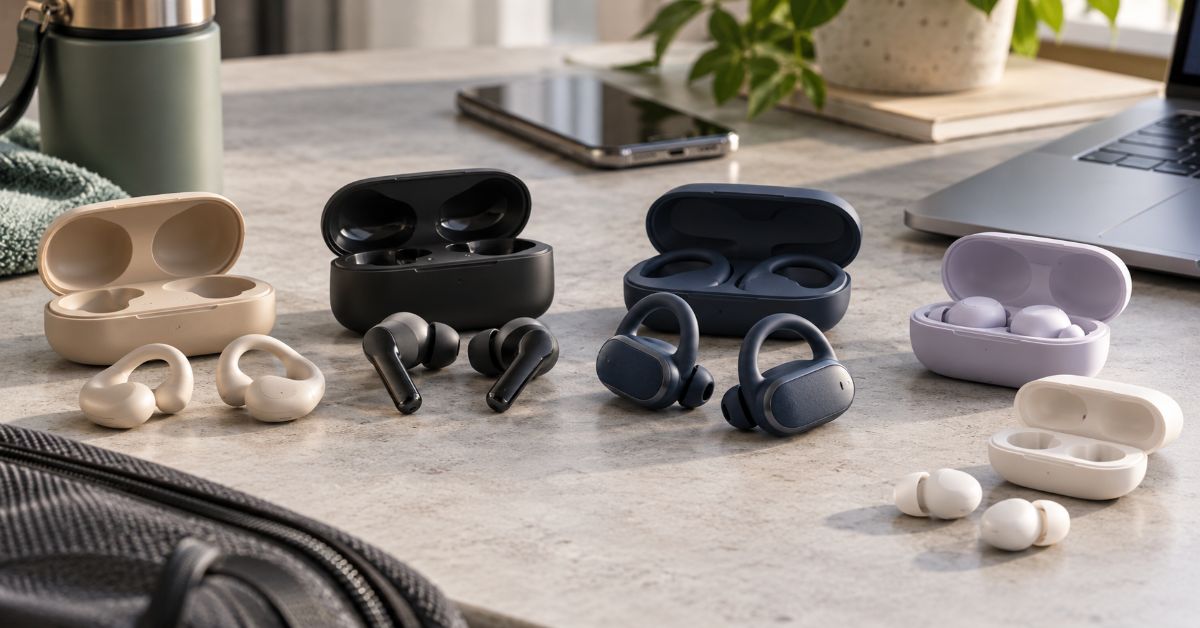
The best wireless earbuds under 200 dollars 2026 are good enough that the main buying risk is no longer “cheap sound” — it is choosing the wrong trade-off. A $149 pair can beat a more expensive rival for calls or comfort, while a discounted flagship can suddenly become the better value for one week and disappear from the category the next. That price volatility is why this guide separates normal-price recommendations from deal-watch models instead of pretending every sub-$200 listing is permanently available at that price.
The shortlist below uses current manufacturer specifications, recent 2026 pricing, and independent measurement-oriented coverage where available. No firsthand testing notes were supplied, so this article does not claim original listening tests. It focuses on what can be verified: battery ratings, codecs, water resistance, platform features, pricing, published lab measurements, and the practical consequences of those specifications.
The result is deliberately different from a typical “nine best earbuds” roundup. First comes the buying matrix, then the reasons each model makes sense, followed by the hidden variables that change the answer: phone platform, seal, noise environment, work calls, battery routine, durability, and deal quality. Those variables are where a technically impressive earbud often becomes a poor purchase for a real person.
Quick Picks: The 8 Best Values Under $200
| Model | Typical U.S. price | Best for | Why it stands out | Main compromise |
| Soundcore Liberty 5 Pro | $169.99 | Best overall balance | Strong ANC/call focus, everyday sub-$200 price | Newer model; long-term durability data is still limited |
| Apple AirPods 5 | $129–$149 | Best open fit for iPhone | ANC, Adaptive Audio, IP57, deep Apple integration | Open fit cannot seal like silicone-tip models |
| Nothing Ear (3) | $149 | Best comfort + app control | LDAC, adaptive ANC, strong EQ, Super Mic case feature | Case mic is niche; ANC is not class-leading |
| Sony WF-C710N | ~$110–$130 | Best budget ANC | 8.5h ANC battery, multipoint, simple Sony tuning | SBC/AAC only; IPX4 |
| JBL Live Beam 3 | ~$130–$180 | Best feature-heavy case | Smart case, IP55, multipoint, long total battery | Large feature set can matter more than pure sound |
| Creative Aurvana Ace 3 | ~$150 | Best sound-tech value | xMEMS hybrid design, LDAC, aptX Lossless, Mimi | Archived on Creative US; availability may vary |
| Powerbeats Fit | $199.99 | Best secure workout fit | Wingtips, ANC, Apple/Android support | IPX4; right at the budget ceiling |
| Soundcore Sleep A30 | ~$200 | Best for sleep | Low-profile sleep design, 9h/45h rated use | Specialized product; not a general daily-driver pick |
The Picks, With the Trade-Offs That Matter
Soundcore Liberty 5 Pro — Best Overall Balance
Soundcore’s Liberty 5 Pro is the cleanest “buy it at normal price” answer because its $169.99 list price sits inside the budget rather than depending on a temporary sale. Soundcore positions it around stronger ANC and unusually aggressive voice isolation for calls, using multiple sensors and its Thus AI chip. The company also says the model was certified in April 2026 for an objective TWS speech-quality record. Those are manufacturer claims, but they target the two areas that most midrange earbuds still struggle with: noisy calls and voice-frequency cancellation.
The important correction to many 2025-era lists is that Liberty 5 and Liberty 5 Pro are different products. Liberty 5 is cheaper and remains excellent value; the Pro is the $169.99 call-focused flagship. Buyers who do not take many calls can save money with Liberty 5, which supports LDAC, multipoint, IP55 and 8 hours with ANC on. For frequent calls, the Pro’s extra processing is the reason to spend more.
Apple AirPods 5 — Best Open-Fit Earbuds for iPhone
AirPods 5 arrived in 2026 and replaces AirPods 4 as the obvious Apple open-fit recommendation. Apple lists ANC, Adaptive Audio, Transparency, Conversation Awareness, Voice Isolation, Personalized Spatial Audio and IP57 resistance. The base version is rated for up to 4 hours with ANC, while the wireless-charging-case version reaches up to 5 hours with ANC.
That battery number is the catch. AirPods 5 is convenient, but it is not the right pick for an 8-hour flight if the goal is uninterrupted ANC. The open design also means fit is less isolating than silicone-tip earbuds. For people who dislike in-ear pressure and live inside the Apple ecosystem, however, the convenience advantage is real. Buy it for integration and comfort, not because it wins a codec spec sheet.
Nothing Ear (3) — Best for Comfort, EQ and Flexible Daily Use
Nothing Ear (3) is a strong middle ground at $149. Nothing says it uses a 12 mm dynamic driver, supports LDAC, recalibrates adaptive ANC every 600 milliseconds, offers an 8-band EQ in the Nothing X app, and delivers up to 5.5 hours with ANC on. Its IP54 rating is also more reassuring for dusty commutes and sweat than IPX4-only designs.
The unusual feature is Super Mic, a dual-microphone system built into the charging case. It can be useful for voice notes or for a deliberate call in a loud place, but holding the case near the mouth is not a normal earbud workflow. Treat that as a bonus, not the reason to buy. The stronger reason is the combination of comfort, app control, LDAC and cross-platform pairing.
Sony WF-C710N — Best Noise Canceling on a Tighter Budget
Sony’s WF-C710N is the practical value pick for buyers who care more about ANC and battery than high-resolution codec support. Sony rates it for up to 8.5 hours with noise canceling on and 12 hours with it off, with multipoint support and IPX4 resistance. The codec list is only SBC and AAC.
That limitation is less serious than it looks for podcasts, commuting and most streaming in noisy environments. A strong fit and competent ANC can improve perceived clarity more than a higher-bitrate codec while a train or HVAC system is masking detail. Android audiophiles may want LDAC elsewhere; commuters who want simple, long-lasting ANC may prefer the Sony.
JBL Live Beam 3 — Best for Feature Lovers and Commuters
JBL Live Beam 3 stands out because the charging case is part of the user interface. JBL lists True Adaptive Noise Cancelling, six microphones, multipoint, wireless charging, IP55 protection, a smart case and up to 48 hours of total battery life. That makes it unusually self-contained for people who do not want to pull out a phone for every adjustment.
The risk is paying for interface novelty that does not matter after the first week. The smart case is valuable only if you actually use it. If not, a simpler model may deliver the same listening outcome for less money. Live Beam 3 makes the most sense for commuters and frequent travelers who actively use ANC controls, battery status and device switching.
Creative Aurvana Ace 3 — Best for Codec and Driver Enthusiasts
Creative’s Aurvana Ace 3 combines an xMEMS dual-driver system with Mimi Sound Personalization, Snapdragon Sound, LDAC, Bluetooth 5.4, LE Audio and hybrid adaptive ANC. That is a rare feature stack around the $150 mark and is the most interesting option here for buyers who actually care about source quality and codec compatibility.
There is an availability warning. Creative’s U.S. page currently places the model under archived products and offers a “Notify Me” state, so buyers should verify stock before treating it as a straightforward recommendation. That is exactly why current availability matters as much as a specification table in a 2026 buying guide.
Powerbeats Fit — Best for Running and Gym Stability
Powerbeats Fit costs $199.99, exactly at the ceiling. Beats uses flexible wingtips to prioritize stability and includes ANC, Transparency, Apple and Android compatibility, and IPX4 sweat and water resistance. This is the model to choose when earbuds falling out is the main failure mode.
The compromise is obvious: IPX4 is adequate for sweat and light splashes, but it is not the strongest durability rating in this group. And because the price sits at $200 before tax, a buyer who does not need the wingtip fit can get more features for less elsewhere.
Soundcore Sleep A30 — Best Specialized Pick for Side Sleepers
Sleep A30 is not trying to be the best commuter earbud. It is a sleep device with a low-profile form factor, Bluetooth 5.3, SBC/AAC support, IPX4 earbud resistance and a rated 9 hours per earbud / 45 hours with the case under Soundcore’s documented sleep-use test. That specialized design is what earns it a place here.
Do not buy it as a general music recommendation at $200. Buy it only if sleep comfort, snore masking and side-sleeping fit are the problem you are paying to solve. A specialized earbud can be the best value for one use case and mediocre value for everything else.
Codec Reality Check: iPhone vs Android
Codec support matters only when the phone, earbuds, app and listening environment can use it. iPhone users should not buy an earbud because the box says LDAC or aptX Lossless; iOS Bluetooth audio does not use those codecs. For iPhone, fit, ANC, microphone behavior and Apple integration are usually more important. Android is more variable: LDAC is widely available on many devices, while aptX support depends on the phone and chipset.
| Use case | AAC | LDAC | aptX Adaptive/Lossless | Practical takeaway |
| iPhone music | High | Not available | Not available | AAC is the practical Bluetooth path; prioritize fit and tuning. |
| iPhone calls | High | Not available | Not available | Call apps compress voice heavily; mic consistency matters more. |
| iPhone gaming/video | High | Not available | Not available | System latency and app behavior matter more than hi-res codec labels. |
| Android lossless/high-quality music | Medium | High | High if supported | Potential benefit in quiet rooms with compatible source/device. |
| Android podcasts | High | Low | Low | Speech rarely benefits meaningfully from higher-bitrate codecs. |
| Android gaming | Medium | Medium | Medium–High | Low-latency modes can matter more than peak bitrate. |
ANC in the Real World: Seal First, Number Second
A single “up to 45 dB” or “30 dB reduction” figure does not tell a buyer how an earbud will behave in every environment. ANC is strongest against steady low-frequency noise such as engines, train rumble and HVAC. Voices, dishes, keyboard clatter and sudden high-frequency sounds are harder. Independent lab coverage from SoundGuys measured roughly 30 dB of low-frequency reduction for Liberty 4 Pro, illustrating why frequency-specific measurements are more useful than one marketing number.
The seal can erase the advantage of good electronics. If the tip is too small, bass leaks and outside noise enters before ANC can do its work. A practical 30-second fit check is to insert the buds, play low-volume audio, turn ANC on, then talk, chew and shake the head. If bass or isolation changes sharply, try another tip size or shape.
| Environment | Top pick | Runner-up | Why |
| Airplane | Soundcore Liberty 5 Pro | AirPods Pro 3 on sale | Strong sealed ANC + long enough battery matters most. |
| Train / bus | Sony WF-C710N | Liberty 5 | Steady low-frequency rumble is where ANC gives the biggest payoff. |
| Open office | Nothing Ear (3) | JBL Live Beam 3 | Comfort, transparency and device switching matter alongside ANC. |
| Café calls | Liberty 5 Pro | Nothing Ear (3) | Voice isolation is more valuable than raw music codec support. |
| Street running | Powerbeats Fit | Nothing Ear (3) | Secure fit and awareness mode matter more than maximum isolation. |
| Gym | Powerbeats Fit | JBL Live Beam 3 | Stability and sweat resistance lead the decision. |
| Side sleeping | Sleep A30 | — | Low-profile geometry is the category-defining feature. |
Battery Life Mapped to Real Routines
Total case battery can look impressive while single-charge battery remains the limiting factor. That distinction matters because a case cannot help while the earbuds are in use. An 8-hour ANC rating can cover a long workday or much of a transatlantic flight; a 4–5-hour ANC rating means planning a mid-day top-up.
- Commuter: 90 minutes of travel plus a one-hour workout is only about 2.5 hours of daily listening. Almost every pick here is sufficient; case convenience matters more than maximum bud life.
- Hybrid worker: four hours of calls plus music pushes microphone processing and battery harder. Favor Liberty 5 Pro, Liberty 5, Sony WF-C710N or JBL Live Beam 3 over short-ANC-battery designs.
- Travel day: if the flight itself is 6–8 hours, choose a sealed earbud with at least roughly 8 hours of ANC-rated battery or accept a charging break. AirPods 5 is less ideal for this scenario despite excellent iPhone integration.
Call Quality: Why “Six Mics” Is Not the Answer
Microphone count is not a quality score. Placement, wind handling, beamforming, bone or vibration sensors, and noise-suppression algorithms determine whether a voice survives a noisy street. Then Zoom, Teams, Meet or a cellular network may compress that cleaned-up signal again. The useful buying question is not “How many mics?” but “Does this model preserve a natural midrange voice while suppressing the environment I actually call from?”
That framing favors Liberty 5 Pro for high-noise work calls and makes Nothing Ear (3) interesting for users who can use its case microphone deliberately. For quiet-room calls, the differences narrow. Spending extra for extreme noise processing is wasted money if nearly every call happens at a desk.
Comfort, Fit and Durability: The Specs People Return Earbuds Over
Comfort is not a small feature because an uncomfortable earbud has an effective battery life of however long a person can tolerate it. Silicone tips improve seal and ANC, but some people prefer the pressure-free feel of open-fit AirPods. Wingtips improve security for movement but can create pressure over long sessions. There is no universal winner because ear geometry is the variable manufacturers cannot standardize.
IP ratings also need translation. IPX4 is suitable for sweat and splashes, not rinsing under a tap. IP55 adds meaningful dust protection and stronger water-jet resistance. IP57, as listed for AirPods 5, adds dust resistance and higher water protection, but it still does not make a charging case or earbud a carefree swimming device unless the manufacturer explicitly supports that use.
Deal Watch: When a Flagship Falls Below $200
The sub-$200 category is distorted by sales. On October 5, 2026, major U.S. deal coverage showed AirPods Pro 3 at $179, down from $249. That makes it one of the most compelling iPhone purchases at that moment, with Apple rating up to 8 hours of ANC battery and IP57 resistance. But it should not permanently displace a $169.99 everyday model in a guide whose promise is “under $200.”
The rule is simple: compare street price with the product’s normal selling price, not just MSRP. A real deal should move a model into a new value tier. If a product “discounts” to the price it has sold at for months, that is the market price, not a special event. Deal-watch models deserve their own box because otherwise the article becomes inaccurate as soon as a promotion ends.
How to Choose in Five Questions
1. Do you use iPhone and dislike silicone tips? Start with AirPods 5.
2. Are noisy calls the priority? Start with Liberty 5 Pro; compare Nothing Ear (3) if app flexibility matters.
3. Is your budget closer to $120 than $200? Sony WF-C710N or standard Liberty 5 are stronger value plays.
4. Do earbuds fall out during workouts? Powerbeats Fit earns its premium through stability, not spec-sheet density.
5. Are you buying for sleep rather than commuting? Skip the generalists and choose Sleep A30 only if the low-profile sleep design solves the actual problem.
The Future of Wireless Earbuds Under $200 in 2027
The 2027 direction is less about one dramatic new codec and more about feature compression: functions that were flagship-only keep moving into the midrange. In 2026, sub-$200 products already combine adaptive ANC, multipoint, high-resolution Android codecs, spatial processing, wireless charging and advanced call cleanup. The next competitive layer is likely to be smarter on-device or case-based processing, better voice isolation, translation and context-aware controls.
The more important trend may be that the charging case is becoming a computing surface. JBL already uses a display case, Nothing uses the case as a microphone, and Soundcore’s higher-end Liberty 5 Pro Max pushes further with an AI note-taking case above this article’s price ceiling. If those features prove useful rather than gimmicky, some will move below $200 in 2027. The uncertainty is battery cost, privacy expectations and whether buyers actually want another screen or recorder in their pocket.
Audio quality itself will keep improving at the margin, but fit and acoustic seal will remain stubbornly physical problems. No AI feature can fully compensate for an earbud that does not fit the listener. That is why comfort, tip options and return policy will stay as important as whatever the next spec sheet adds.
Key Takeaways
- Liberty 5 Pro is the most defensible all-round sub-$200 pick at normal pricing; Liberty 5 is the better value if extreme call processing is unnecessary.
- AirPods 5 is the easiest open-fit iPhone choice, but its 4–5 hour ANC battery is a real limitation for long travel.
- Nothing Ear (3) offers one of the best combinations of comfort, LDAC, EQ control and cross-platform use around $149.
- Sony WF-C710N proves SBC/AAC-only earbuds can still be the smarter commuter buy when ANC and battery matter more than codec labels.
- Powerbeats Fit is a fit-first purchase. The wingtip solves a problem that a longer feature list cannot.
- AirPods Pro 3 belongs in a deal-watch tier when it drops below $200; sale-dependent flagships should not be presented as permanently budget-priced.
- Choose the failure mode you cannot tolerate, then pick the earbud that removes it.
Conclusion
The under-$200 earbud market is strong enough in 2026 that there is no need to accept a major compromise blindly. The harder job is identifying which compromise matters least. A commuter may trade high-resolution codecs for better ANC and battery. A runner may give up some water resistance for a wingtip that finally stays put. An iPhone owner may prefer ecosystem features over Android-focused codec support. A frequent caller may spend more for voice isolation than for sound tuning.
That is why the best wireless earbuds under 200 dollars 2026 should be treated as a decision problem, not a podium. Start with fit, phone platform and main environment. Then check single-charge battery, call behavior and durability. Only after those pass should extra features—smart cases, spatial modes, exotic codecs or AI tools—break a tie. The best value is the model that removes the friction you notice every day, not the model with the most boxes checked on a product page.
Frequently Asked Questions
Are $200 wireless earbuds worth it?
Yes for buyers who use earbuds daily and care about ANC, calls, comfort, multipoint or ecosystem features. Under $200 now covers many features that once required flagship pricing. Spending the full amount is unnecessary if a $100–$150 model already solves the buyer’s main use case.
What are the best wireless earbuds under $200 for iPhone in 2026?
AirPods 5 is the simplest open-fit option because Apple integration, Adaptive Audio, Find My features and controls work with minimal setup. If AirPods Pro 3 is genuinely on sale below $200, it is the stronger choice for sealed ANC and longer single-charge battery.
Is LDAC worth it on Android?
It can be, especially for high-quality music in quiet environments with a compatible Android phone. It matters less for podcasts, calls and noisy commutes. Fit and ANC often produce a larger audible improvement than switching codecs while background noise is masking detail.
Which earbuds under $200 have the best battery for travel?
Sony WF-C710N is rated up to 8.5 hours with ANC on, while Soundcore Liberty 5 is rated 8 hours with ANC on and 32 hours including the case. Those figures are better suited to long flights than AirPods 5’s shorter ANC runtime.
What are the best earbuds under $200 for running with glasses?
Powerbeats Fit is the secure-fit option because its wingtips stabilize the earbuds without an over-ear hook competing with glasses arms. Fit is personal, so buyers should still use a retailer with a workable return policy.
Which earbuds under $200 are best for calls?
Soundcore Liberty 5 Pro is the most call-focused pick in this group. Nothing Ear (3) is also interesting because of its voice processing and optional case-based Super Mic, though that case workflow is less natural for ordinary calls.
What is the most comfortable option for small ears?
Nothing Ear (3) includes multiple tip sizes and emphasizes a slimmer ergonomic shape, while Sony WF-C710N is relatively light. Comfort cannot be guaranteed from specs, so tip range, return policy and long-session pressure matter more than a universal “small ears” label.
Methodology
Research was conducted on October 6, 2026. A current ten-page competitive sample was reviewed to identify recurring strengths and gaps. SoundGuys was used as the main independent measurement-oriented reference; manufacturer pages from Apple, Sony, JBL, Soundcore, Nothing, Beats and Creative were prioritized for current specifications, price positioning, codecs, water resistance and battery claims. Recent deal reporting was used only for time-sensitive sale pricing.
No firsthand notes were provided, so this article does not claim personal testing. Manufacturer claims are identified as such where they are unusually specific, and sale-dependent models are separated from normal-price recommendations. Prices can change by retailer and day. Ear fit is individual, and battery life varies with volume, ANC, calls, codec use and environment.
This article was drafted with AI assistance and reviewed by a human editor before publishing. All data, citations, and claims have been independently verified against primary sources.
References
- Apple. (2026). AirPods 5 — Technical Specifications.
- Apple. (2025/2026). AirPods Pro 3 — Technical Specifications.
- Beats. (2026). Powerbeats Fit — Product and Technical Specifications.
- Creative Technology. (2025/2026). Creative Aurvana Ace 3 — Specifications.
- JBL. (2026). Live Beam 3 — Specifications.
- Nothing. (2026). Ear (3) — Product Specifications.
- Sony. (2026). WF-C710N Specifications.
- Soundcore. (2026). Liberty 5 — Specifications.
- Soundcore. (2026). Liberty 5 Pro — Product Page.
- Soundcore. (2026). Sleep A30 Earbuds FAQ.
- SoundGuys. (2026, March 26). The best wireless earbuds under $200.
- The Verge. (2026, October 5). AirPods Pro 3 deal coverage.

Crutchfield is not the cheapest place to buy every stereo, speaker, TV, or amplifier—and that is exactly why a useful review cannot stop at price. Its real value is the infrastructure around the product: vehicle-specific research, fit filtering, installation hardware, step-by-step instructions, human advice, and free lifetime technical support. For car audio in particular, that system is designed to answer the question a marketplace listing often leaves unresolved: not just “Will this unit fit?” but “What else will I need, which factory features could I lose, and how difficult will the job actually be?”
That distinction matters because a receiver can be the correct nominal size and still become the wrong purchase once factory amplifiers, steering-wheel controls, integrated climate functions, proprietary wiring, speaker depth, or dash geometry enter the picture. the retailer’s current research material says its database covers more than 40,000 vehicles, built from physical measurements and disassembly work. Its support pages also advertise 60-day returns for eligible products and lifetime technical support for purchases.
This article treats the retailer as a buying system rather than a store. That is a more useful way to judge it, especially for readers comparing a specialist retailer with a marketplace or big-box chain. The same logic—compare the full transaction rather than one visible number—also applies when calculating real selling profit on Facebook Marketplace: the headline price is only one part of the economics.
What Crutchfield Actually Is
The company is a privately owned U.S. consumer-electronics retailer based in Virginia. Bill Crutchfield founded the company in 1974, originally around car stereo. The business later expanded into home audio, home theater, televisions, headphones, marine audio, pro audio, smart-home gear, commercial A/V, and institutional purchasing.
The important historical point is not simply that the company is old. the retailer’s model developed around information. Early customers were not only asking which stereo sounded good; they were worried about buying the wrong unit or being unable to install it. That pushed the company toward detailed product explanations, installation guidance, fit data, and phone support. In modern terms, the retailer became a form of content-led commerce decades before that phrase became common.
That makes the retailer different from a generic search-and-buy marketplace. The retailer tries to structure discovery around the use case and the constraints. Aperplexity’s guide to Pinterest as a discovery engine describes a similar distinction between browsing content and navigating toward a decision; the retailer applies that idea to technically constrained electronics purchases.
The Core Advantage: Vehicle Research, Not a Fit Checkbox
The strongest part of the retailer’s car-audio proposition is its Vehicle Research Team. The team physically examines vehicles, removes factory radios and panels, measures openings and depth, photographs disassembly, checks wiring and factory options, and records limitations that are difficult to infer from a generic specification sheet.
Why a nominal size can still be wrong
A “double-DIN” label or a 6.5-inch speaker category does not settle compatibility. A dashboard may have insufficient rear clearance. A factory amplifier may require an interface. A replacement radio may affect steering-wheel controls, backup cameras, warning chimes, vehicle-information screens, or climate integration. Speaker baskets that share the same marketing size can differ in mounting depth, frame shape, and magnet clearance.
the retailer’s system uses those vehicle observations to filter products and identify supporting parts. A green fit result therefore means more than matching width and height, while a rejection may reflect an electrical, mechanical, or feature-retention problem the product listing itself does not reveal.
Fit data still has limits
The database should be treated as a risk-reduction tool, not an installation guarantee. Prior modifications, damaged trim, non-original wiring, undocumented factory options, trim differences, and user error can all change the job. This is why entering the exact model year, make, model, trim, factory audio system, navigation option, and relevant package details matters. Selecting a “close enough” vehicle can defeat the value of the research.
What a MasterSheet Adds
A the retailer MasterSheet is a vehicle-specific set of disassembly and installation instructions built from the company’s research. Depending on the vehicle, it can include a tool list, panel-removal steps, factory radio or speaker access, diagrams or photos, wiring information, cautions, and reassembly guidance. the retailer says MasterSheet or ResearchNotes instructions are included with qualifying car stereo and speaker purchases, and some can be purchased separately.
The distinction is easy to miss: the customer is not only buying the replacement component. The customer is buying a smaller probability of discovering an unpleasant surprise halfway through the dashboard. For a first-time DIY installer, that knowledge can be worth more than a modest difference in the sticker price.
The Hidden Product: Installation Infrastructure
The biggest mistake in a the retailer-versus-Amazon comparison is comparing only the receiver or speaker price. Car-audio upgrades often need a dash kit, wiring harness, antenna adapter, speaker brackets, factory-amplifier interface, steering-wheel-control interface, USB retention cable, backup-camera adapter, or other integration hardware.
the retailer’s KitFinder and vehicle selector connect the headline product to those supporting parts. That creates what can be called a basket-accuracy advantage: the retailer attempts to show the complete set of parts before checkout instead of letting the buyer discover missing pieces during installation.
| Cost layer | What a low headline price can hide | What to compare |
| Main product | Receiver, speakers, amplifier, TV, or other electronics | Exact model and warranty status |
| Fit hardware | Dash kit, speaker brackets, mounting hardware | Required vs. optional parts |
| Electrical integration | Harnesses, factory-amp or steering-wheel-control interfaces | Feature retention and compatibility |
| Delivery | Shipping or freight charges | Final delivered cost |
| Installation | DIY time or professional labor | Difficulty and tools required |
| Failure risk | Returns, replacement parts, troubleshooting time | Support and return conditions |
A better shopping equation is: total installed cost = product + required hardware + interfaces + shipping + labor + expected troubleshooting cost. This is the same reason decision tools work better when they expose all inputs instead of optimizing one metric; Aperplexity’s data analysis tools guide makes the same broader point about choosing the smallest system that reliably gets to a decision.
Shopping and Support Tools
| Tool or service | What it does | Where it helps most | Important limitation |
| Vehicle Selector / KitFinder | Filters car audio by vehicle and surfaces installation parts | Avoiding incompatible purchases | Depends on accurate vehicle details |
| MasterSheet / ResearchNotes | Vehicle-specific disassembly guidance | DIY radio and speaker installation | Not available for every vehicle; does not remove all difficulty |
| Research Garage | Vehicle-profile articles describing upgrade options and difficulty | Planning before purchase | Coverage varies by vehicle |
| Advisors | Human pre-purchase guidance | Complex system matching | Advice is not a substitute for an on-site installer |
| Lifetime tech support | Post-purchase troubleshooting for Specialist retailer purchases | Installation and setup snags | Cannot fix damaged wiring or every third-party modification remotely |
| SpeakerCompare | Simulated comparative listening tool | Narrowing speaker choices | Cannot reproduce a buyer’s exact room or car |
This stack is where the retailer’s business becomes more defensible than a simple product catalog. The company can combine product data with vehicle data, then pass that context to the customer and to support staff. A customer who calls with an installation problem is not starting from zero; support can reference the same research that informed the purchase.
That integrated-data model is increasingly common across digital products: the useful layer is often the system connecting discovery, context, and action. Aperplexity’s GIPHY platform analysis makes a related distinction between a visible search interface and the larger distribution system behind it.
Returns, Shipping, and Support in 2026
Policies change, so readers should confirm them immediately before ordering. As checked on October 5, 2026, the retailer’s U.S. support pages state that eligible products can generally be returned when complete and like new within 60 days. The company also advertises free standard shipping on merchandise totals of $50 or more, subject to exclusions, and free lifetime technical support for products purchased from the retailer.
Those policies have practical conditions. Returns require original accessories and manuals, and some freight, manufacturer-direct, defective, or oversized items use different procedures. A cautious buyer should inspect a shipment before installation, keep packaging until the system is confirmed working, and read the specific product and return terms instead of assuming every item follows the same process.
What Independent Signals Say
Independent signals are favorable overall but should not be treated as proof that every transaction will be smooth. Trustpilot showed a 4.8/5 score with more than 23,000 reviews when checked in October 2026, with praise commonly centered on knowledgeable staff, delivery, accessories, and support. Bizrate also displayed a high verified-customer rating. PCMag’s 2025 readers’ survey placed the retailer among the stronger online technology retailers and highlighted customer service and product selection.
The negative evidence is useful precisely because it shows where the model breaks down. BBB reviews and discussion forums include complaints about unresolved technical failures, support disappointment, return friction, and cases where a product technically fit but the installation was not as seamless as expected. Those reports do not cancel the positive ratings. They define the boundary: the retailer reduces information risk; it does not eliminate defective products, unusual vehicles, complex integrations, or bad outcomes.
How It Compares With Amazon, Best Buy, and a Local Installer
| Buying route | Main advantage | Main weakness | Best fit |
| Specialist retailer | Vehicle data, installation parts, instructions, lifetime support | Headline price may be higher | DIY and compatibility-sensitive buyers |
| Amazon | Huge selection and aggressive price competition | Seller quality and installation context vary | Experienced buyers who know exact parts |
| Best Buy | Local pickup and professional installation availability | Service quality and product selection vary by location | Buyers who want a store and installer |
| Local specialist | Hands-on diagnosis and custom installation | Labor cost and retailer choice vary | Complex vehicles or custom fabrication |
Best Buy is a particularly interesting comparison because its current price-match policy lists the retailer as a qualified competitor for eligible identical products. That means a buyer may sometimes combine a local-store option with a matched product price, although installation, accessory bundles, support, and return terms still need separate comparison.
Amazon is strongest when the buyer already knows the exact model, harness, kit, interface, and feature-retention requirements. The marketplace becomes less attractive when the buyer is still solving the compatibility problem. A local installer is the opposite: it may cost more in labor, but it can inspect the actual vehicle and handle custom fabrication or undocumented modifications that no online database can see.
Who Should Use This Retailer?
Best fit: first-time DIY installers
The strongest case is a buyer upgrading a factory car stereo or speakers for the first time. The instructions, part matching, fit data, and phone support directly address the places where a beginner is most likely to lose time or buy twice.
Best fit: buyers preserving factory features
Modern vehicles often integrate audio with cameras, amplifiers, steering-wheel controls, data buses, warning tones, and information displays. A retailer that flags required interfaces before purchase has more value as complexity rises.
Weaker fit: experienced bargain hunters
An experienced installer who already knows the exact part numbers and can diagnose wiring without support may rationally buy elsewhere if the delivered basket is cheaper. The key is to compare the same basket and the same warranty status, not a bare receiver against a bundle that includes integration hardware.
Three Insights Most Reviews Miss
1. The product is confidence, not just electronics
the retailer monetizes uncertainty reduction. The vehicle research, content, support staff, and installation data all exist to make a technically complicated purchase feel safer. That is why judging the company only on whether one speaker is $20 cheaper elsewhere misses the economic function of the service.
2. A “does not fit” result can be valuable
Retailers are normally rewarded for showing more products. the retailer sometimes creates value by removing choices. A rejection can prevent a purchase that would require cutting, custom wiring, loss of factory functions, or a different interface.
3. Support value rises with system complexity
The support model is least valuable when a purchase is plug-and-play and most valuable when several components interact. That means the “premium” is not fixed. It is more defensible for an integrated head-unit replacement than for a simple accessory a buyer already understands.
The Future of Specialist Electronics Retail in 2027
The pressure on the retailer in 2027 is likely to come from the car itself. New vehicles continue to integrate infotainment, driver settings, cameras, microphones, climate controls, connected services, and advanced audio into shared software and data networks. That makes conventional radio replacement harder in some models and shifts more value toward integration interfaces, direct-replacement solutions, DSP tuning, factory-system upgrades, and vehicle-specific knowledge.
Consumer electronics are also spreading beyond traditional screens into connected vehicles, smart-home systems, wearables, and ambient-computing interfaces. Aperplexity’s analysis of the future beyond smartphones is relevant here: as devices become more embedded and interconnected, the purchase problem becomes less about one box and more about compatibility across an ecosystem.
the retailer’s long-term advantage therefore depends on whether its research and support model keeps pace with software-defined vehicles and increasingly integrated electronics. Its historical strength—turning confusing technical information into a buying decision—remains useful, but the research burden is getting harder rather than easier.
Key Takeaways
- the retailer’s strongest advantage is its information system: vehicle research, product data, installation parts, instructions, advisors, and post-purchase support.
- For car audio, compare the total installation basket rather than the receiver or speaker price alone.
- Vehicle-fit filtering reduces compatibility mistakes but cannot account for every prior modification, damaged wire, trim difference, or unusual factory option.
- MasterSheet and ResearchNotes guidance is especially valuable to first-time DIY installers because it reduces discovery work inside the dashboard or door.
- Current 2026 policies include 60-day returns for eligible complete, like-new products and free lifetime tech support for the retailer purchases; verify conditions before ordering.
- the retailer is not automatically the best-value option for experienced installers who already know the exact components they need.
Conclusion
the retailer is worth considering when the costly part of an electronics purchase is not the product itself but the uncertainty around choosing, integrating, installing, and troubleshooting it. For car audio, that is often the real problem. The company’s vehicle database, fit filtering, installation accessories, MasterSheet or ResearchNotes guidance, Advisors, and lifetime support form a single system aimed at reducing that uncertainty.
That does not make the retailer universally cheaper or foolproof. A knowledgeable installer may save money buying the same authorized product elsewhere, and no remote support team can guarantee an easy job in a modified or unusually integrated vehicle. The right decision is therefore not “Is the retailer expensive?” but “What is the cost of getting the purchase wrong?” For a beginner or a compatibility-sensitive installation, paying for better information can be cheaper than correcting a bad basket after the dashboard is already apart.
Frequently Asked Questions
Is the retailer legitimate?
Yes. the retailer is a privately owned U.S. electronics retailer founded in 1974 and based in Virginia. It sells directly to consumers and also operates business, government, education, and commercial A/V services. Buyers should still check current product, warranty, shipping, and return terms before ordering.
Is Crutchfield worth it for car audio?
It is most valuable when the buyer needs help identifying what fits, which installation parts are required, and how to complete the job. Experienced installers who already know the exact parts may find a lower total price elsewhere.
How accurate is its vehicle selector?
It is based on physical vehicle research and a database covering more than 40,000 vehicles, but it is not an absolute installation guarantee. Exact trim, factory audio options, previous modifications, wiring condition, and feature-retention requirements can change the result.
What is a MasterSheet?
A MasterSheet is a vehicle-specific installation guide created from the retailer’s research. It can include panel-removal steps, tools, diagrams or photos, wiring details, cautions, and reassembly guidance. Availability varies by vehicle.
Does the company install car stereos?
the retailer primarily sells electronics, installation parts, instructions, and support. It should not be treated as a universal nationwide installation service. Buyers who want hands-on installation should compare local professional installers or store-based installation services.
What is the return policy in 2026?
As checked October 5, 2026, the retailer states that eligible products can generally be returned complete and like new within 60 days, with exclusions and special procedures for some items. Buyers should confirm the current policy for the specific purchase.
Does it include free technical support?
the retailer currently advertises free lifetime technical support for products purchased from the company. Support can help with setup and troubleshooting, but it does not guarantee that every installation problem or third-party modification can be resolved remotely.
Methodology
Research was conducted on October 5, 2026. I reviewed a representative ten-result competitive sample for the focus query and close review/fit-intent variants, including the company’s current Vehicle Research, Vehicle Selector, MasterSheet, technical-support and returns pages; Trustpilot; Better Business Bureau customer reviews; Bizrate verified-customer reviews; Baymard Institute’s ecommerce UX benchmark; a CarAudio.com “worth the price” discussion; and PCMag’s 2025 technology-retailer reader survey. Search order varies by country, personalization, device, query wording, and index freshness, so this is a current competitive sample rather than a permanent ranking claim.
The recurring SERP pattern was legitimacy, customer ratings, support praise, and basic descriptions of installation help. This article was structured independently around a different thesis: the retailer’s defensible product is confidence infrastructure—research data, basket accuracy, installation knowledge, and support—plus the limits of that system. Primary factual validation prioritized the retailer’s current official pages for company, vehicle research, support, shipping, returns, and business services. Independent review sources were used to test the company’s claims against customer experience rather than to establish technical facts.
Limitations: no original purchase, vehicle disassembly, product installation, support call, or controlled price-basket test was conducted for this article. Prices, stock, bundles, shipping thresholds, and policies can change. A future update would be stronger with a documented three-vehicle basket comparison across the retailer, Amazon, Best Buy, Sonic Electronix, and a local installer.
This article was drafted with AI assistance and reviewed by a human editor before publishing. All data, citations, and claims have been independently verified against primary sources.
References
Crutchfield. (2026). The Crutchfield Vehicle Research Team.
Crutchfield. (2026). Find car audio gear that fits.
Crutchfield. (2026). A look inside the Crutchfield MasterSheet.
Crutchfield. (2026). Free tech support for life.
Crutchfield. (2026). Returns: 60-day returns and exchanges.
Crutchfield Business. (2026). B2B services for electronics and A/V gear.
Trustpilot. (2026). Crutchfield reviews.
Best Buy. (2025). Price Match Guarantee qualified competitors.
-

 Technology1 month ago
Hitomi la in 2026: Domain Status, Safety and Risks
-

 Technology1 month ago
ThomsonKids.com: Website Guide, Topics & Trust Check
-

 General1 month ago
Voozon.com: What It Is and How the Platform Works
-

 Business1 month ago
incabizgrowth.com Review: Content, Trust & Use
-

 Technology1 month ago
thesindi com Review: What TheSindi.com Really Offers
-

 Technology2 weeks ago
Scrolller in 2026: How It Works, Risks and Alternatives
-

 Business1 month ago
5starsstocks.com Review: Features, Trust and Safety
-

 Technology3 weeks ago
Web Development Best Practices: A 2026 Quality System