
Technology
Status Probe: How Health Checks Really Work

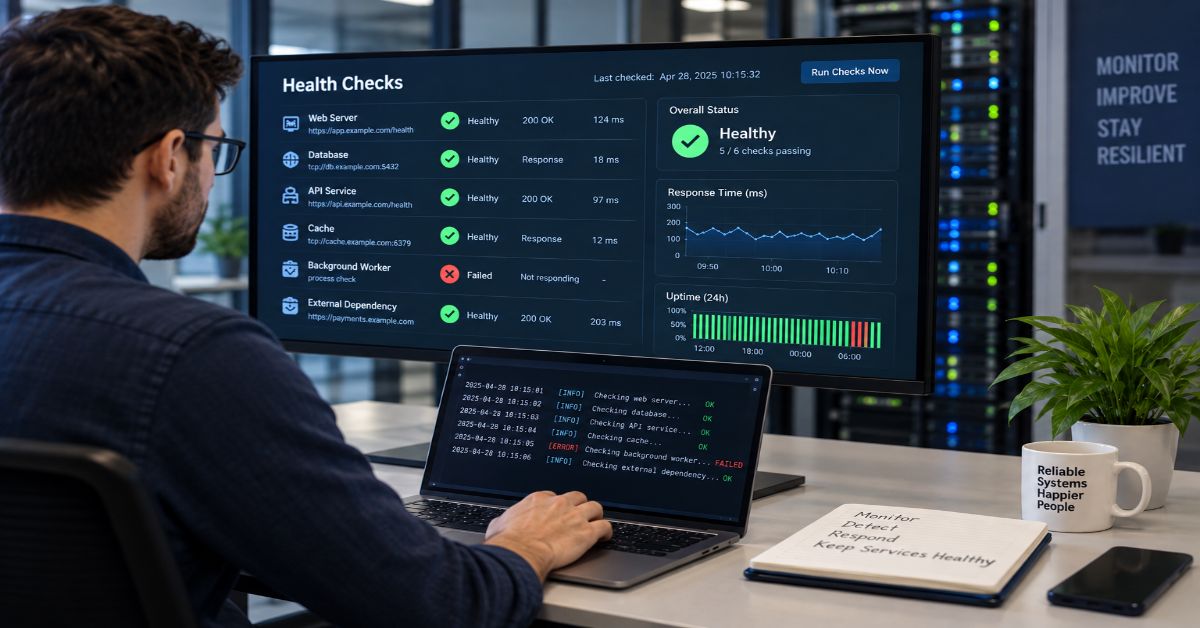
A status probe is a small, repeatable check that asks whether a service, endpoint, container, device, or dependency is healthy enough for a specific action. I found the important catch is that the term is not standardized: one probe may merely test reachability, while another can remove a server from load-balancer rotation or trigger a container restart. That difference is the part most short definitions miss.
In practical monitoring, the probe sends a known request, observes a measurable response, evaluates it against success criteria, and then feeds a policy. The request might be an HTTP GET, a TCP connection, a gRPC health call, an ICMP echo, a local command, or a vendor-specific program. The policy might say healthy, degraded, not ready, failed, or unknown. What matters is not the word “probe” by itself, but the contract between the test and the action that follows.
That is why I would not treat a successful ping as proof that an application works. A host can answer ICMP while its database pool is exhausted. A web server can return HTTP 200 while serving the wrong content. A deep dependency check can also create the opposite problem by ejecting every healthy application instance when one shared database has a temporary fault. Google SRE author Rob Ewaschuk makes the broader monitoring point through the “four golden signals”: latency, traffic, errors, and saturation. A probe is one signal, not a complete observability strategy (Ewaschuk, 2017).
I use the phrase in this guide as a general monitoring concept, then separate the product-specific meanings used by Kubernetes, Azure, AWS, IBM CICS, and Dell OpenManage. That makes the definition useful whether you arrived here from networking, cloud operations, APIs, or a vendor manual.
What Does the Term Mean?
A health probe is a diagnostic operation performed on a schedule or on demand to determine whether a target satisfies a defined health condition. The target can be a host, port, process, API route, container, application component, or managed resource. The probe result becomes useful only when the monitoring system knows what “success” means and what to do with failure.
The simplest version is black-box monitoring: test externally visible behavior from outside the target. Google SRE defines black-box monitoring as testing behavior the way a user would see it (Ewaschuk, 2017). White-box checks, by contrast, use internal metrics, logs, or instrumented endpoints. A mature monitoring design often needs both because an external probe can prove that a symptom exists while internal telemetry helps explain why.
Why is the term easy to misunderstand?
The exact phrase appears in several unrelated technical systems. IBM CICSPlex SM uses a STATDEF “STATDEF status definition” for a user program that runs at specified intervals. Dell OpenManage uses DellStatusProbe as an SNMP status data type with values such as OK, upper or lower threshold states, and failed. Those meanings are legitimate, but they are not the same thing as a generic HTTP uptime check. The current search results mix these meanings, which is why context matters more than a one-line dictionary definition (IBM, n.d.; Dell Technologies, n.d.).
How Do Health Probes Work?
I break the mechanism into five parts because this exposes where false confidence usually enters the design.
1. Choose a target. Examples include /health, port 443, a gRPC health service, a process command, or a device metric.
2. Send a known diagnostic. Keep the request cheap and deterministic enough to repeat safely.
3. Collect the response. Record success or failure, response code, latency, timeout, DNS or TLS errors, and any relevant body or protocol result.
4. Apply a policy. Decide how many consecutive successes or failures matter and whether a degraded state should be different from down.
5. Trigger an action. The result may update a dashboard, page a human, remove a backend from traffic, delay a deployment, or restart a workload.
This action-first model is more useful than thinking “probe equals ping.” A test should exist because a system needs to make a decision. If the decision is unclear, the probe often becomes noisy telemetry that nobody trusts.
Which Probe Types Are Common?
The protocol tells you what the probe can prove. It also tells you what it cannot prove.
| Probe type | What it verifies | Good fit | Main blind spot |
| HTTP / HTTPS | An endpoint responds with an acceptable status and optional content | Web apps, APIs, load balancers | A 2xx response can still hide incorrect content or broken downstream behavior |
| TCP | A connection can be opened to a port | Databases, message brokers, non-HTTP services | Open port does not prove application-level correctness |
| ICMP | Network reachability to a host | Basic path diagnostics | Many services block ICMP; reachability does not prove app health |
| gRPC | A gRPC health endpoint reports a serving state | gRPC services and Kubernetes | Requires health protocol support and correct service/port configuration |
| Exec / local | A command inside the host or container succeeds | Process or local state checks | Can add local resource overhead and miss network-path failures |
| Synthetic transaction | A user-like flow completes end to end | Login, checkout, search, critical journeys | More expensive, slower, and more brittle than a shallow check |
For manual HTTP verification, I prefer a client that exposes status, headers, timing, and failure behavior clearly. Aperplexity’s XH HTTP client guide is useful when you want an HTTPie-style command-line workflow, while curl remains the most portable default in many environments.
curl -fsS –max-time 3 https://example.com/health
xh –check-status –timeout 3 https://example.com/health
How Do Kubernetes, Azure, AWS, IBM, and Dell Use Probes?
Kubernetes separates startup, liveness, and readiness
Kubernetes shows why semantics matter. Its current probe documentation separates startup, liveness, and readiness. Readiness can remove a Pod from traffic without killing it, while repeated liveness failures can trigger a restart. Kubernetes supports exec, HTTP, TCP, and gRPC checks and warns that poorly designed liveness logic can cause cascading failures (Kubernetes, 2026).
Azure and AWS tie health results to traffic routing
Azure Load Balancer uses TCP, HTTP, or HTTPS health checks. Microsoft’s current health-probe documentation, updated September 10, 2026, says the results determine which backend instances receive new connections. AWS Network Load Balancers also use active health checks to route only to available targets. In both cases, a false negative can change production traffic, not just a dashboard color (Microsoft, 2026; Amazon Web Services, n.d.).
IBM CICS and Dell SNMP use the phrase differently
IBM CICSPlex SM uses status-probe definitions to identify user programs called at configured intervals. Dell OpenManage uses a named SNMP data type that reports threshold-oriented device status. I include these examples because a reader who lands on the phrase from an enterprise manual may be looking for a specific object or status field, not an uptime-monitoring tutorial. This is also why search results for the phrase look unusually mixed.
How Should You Design a Reliable Health Probe?
I start with the decision the system must make, then work backward to the cheapest signal that is reliable enough for that decision.
1. Define the action first. “Restart the process,” “stop sending new traffic,” and “notify an operator” need different confidence levels.
2. Keep liveness shallow. Test local progress and recoverability. Do not make a restart decision depend on every shared database, queue, or third-party API unless that dependency truly makes the process unrecoverable.
3. Use deeper readiness or synthetic checks when traffic should be withheld until dependencies are usable. Even then, decide whether a dependency is hard, soft, or optional.
4. Set interval, timeout, and failure threshold together. A one-second interval with a five-second timeout is a very different system from a 30-second interval with three required failures.
5. Record why a probe failed. DNS failure, TLS failure, connection refusal, timeout, HTTP 503, and invalid content are operationally different even if they all map to “down.”
6. Probe from the right vantage point. An internal load balancer check answers a different question from an external regional synthetic check.
7. Keep probe endpoints cheap and minimally verbose. Health checks should not generate expensive database scans, large response bodies, or sensitive diagnostic output.
Probe histories quickly become their own data pipeline. If you retain high-cardinality endpoint, region, status, latency, and failure-reason data, the same throughput and retention discipline described in Aperplexity’s ETL process optimization guide becomes relevant. The monitor should not become the system that fails because it collected too much monitoring data.
For an external-check pattern, Prometheus documents a multi-target exporter workflow that separates the probing component from the target service and records metrics such as probe success and duration (Prometheus Authors, n.d.).
What Are the Main Risks and Trade-Offs?
The biggest risk is a probe whose meaning is wrong. I watch for five failure modes.
- False positives: a transient timeout or blocked probe source marks a healthy target as down.
- False negatives: a shallow check returns green while the user-visible function is broken.
- Dependency cascades: every instance fails a deep check because one shared dependency is impaired, so the load balancer removes the entire fleet.
- Observer bias: a check from one region, network, or cloud edge cannot prove global availability.
- Probe-induced load: aggressive intervals or expensive deep checks consume the capacity they are trying to measure.
Health endpoints should expose enough information for the checker, but not credentials, stack traces, topology, or unnecessary component details. Aperplexity’s defensive guide to exposed log files shows why operational data still needs careful handling.
Authentication can also blur the signal: a protected check may return 401 or 403 while the process is alive. The identity and log-review concepts in the Entra Admin Center guide help separate authorization failure from service failure.
What Does a Good Detection Budget Look Like?
Probe timing is a budget, not a magic number. A faster interval reduces detection latency but increases request volume and sensitivity to short glitches. A higher failure threshold filters noise but delays action. As a rough planning model, persistent-failure detection is governed by the interval, the threshold, and any timeout spent waiting on failed attempts.
| Example policy | Approximate behavior | Best fit | Trade-off |
| 5 s interval, 2 failures | Fault usually confirmed within about 5 to 10+ seconds | Fast traffic routing | More probe traffic and sensitivity to brief loss |
| 10 s interval, 3 failures | Fault usually confirmed within about 20 to 30+ seconds | Balanced service health | Slower withdrawal than aggressive probing |
| 30 s interval, 3 failures | Fault may take about 60 to 90+ seconds to confirm | Low-cost background checks | Longer user-visible exposure |
| 60 s interval, 1 failure | One sample can change state | Low-frequency noncritical checks | A single bad sample can flap state |
The “+” matters because implementation details change exact timing. A probe may wait for a timeout, checks may not align exactly with failure onset, and platforms differ in how they apply thresholds. Google SRE gives a useful scale reference: for a 99.9% availability target, probing for HTTP 200 more than once or twice a minute may be unnecessarily frequent in some services (Ewaschuk, 2017). That is not a universal default, but it shows why monitoring resolution should follow the operational objective.
The Future of Status Probe in 2027
I expect the 2027 direction to be richer probe semantics rather than a universal probe standard. Kubernetes already supports four check mechanisms, including stable gRPC health checks, and lets operators use different semantics for startup, liveness, and readiness. Azure exposes per-endpoint health-probe status through Azure Monitor. These are signs that health signals are becoming more machine-consumable and more tightly connected to routing and lifecycle policy, not just dashboard lights (Kubernetes, 2026; Microsoft, 2026).
The risk is that richer checks become deeper and more fragile. I expect good designs to keep simple control-plane signals for automated action, richer telemetry for diagnosis, and multi-region synthetic checks for internet-facing services where one vantage point can mislead.
I found no authoritative cross-vendor roadmap that turns the phrase into one standardized protocol by 2027, so I would not design around the name. Design around the decision, failure model, and protocol your platform actually implements.
Key Takeaways
- A probe is valuable because of the decision attached to its result, not because it produces a green or red label.
- Reachability, readiness, and recoverability are different states and should not be collapsed into one endpoint without a reason.
- Use shallow checks for restart decisions and deeper checks selectively for traffic admission or end-to-end synthetic monitoring.
- Interval, timeout, and failure threshold form a detection budget. Faster is not automatically better.
- Record failure classes and latency so an operator can distinguish DNS, TLS, network, application, and dependency problems.
- Vendor manuals may use the exact phrase for product-specific objects, so identify the platform before applying generic monitoring advice.
Conclusion
A health probe sounds simple because the request itself often is simple. The engineering difficulty sits in the meaning attached to the response. A TCP connection can prove that a port is open, an HTTP request can prove that an endpoint returned an acceptable status, and a synthetic transaction can prove that a larger user path completed. None of those signals is automatically the right basis for restart, routing, or paging. I would choose the action first, then design the smallest check that reliably supports it. That usually means shallow liveness, explicit readiness, external symptom monitoring, and richer logs or metrics for diagnosis. It also means accepting that one green sample is not proof of universal health and one red sample is not always proof of service failure. When the semantics, thresholds, vantage point, and automation are documented together, a probe becomes a dependable control signal rather than another noisy dashboard indicator.
Frequently Asked Questions
What does status probe mean in simple terms?
It is a repeatable check that asks whether a target meets a defined health condition. The result may control traffic, restart logic, alerts, or a dashboard state.
Is a health probe the same as a health check?
Usually in general monitoring language. Some platforms assign precise meanings, so their documentation should override generic terminology.
What is a network health probe?
It usually means an active reachability or service check using ICMP, TCP, HTTP, or HTTPS. A response proves that specific layer worked, not necessarily the whole application.
How often should a health probe run?
Choose the interval from required detection time, timeout, failure threshold, traffic cost, and tolerance for false positives. Critical routing checks may run every few seconds; low-risk checks can run less often.
Why can a deep health check cause an outage?
If every instance depends on the same failing database or API, all instances can report unhealthy together. Separate hard dependencies from optional or temporarily degraded ones.
Can HTTP 200 still mean a service is unhealthy?
Yes. A 200 response proves that the endpoint met that HTTP rule. It does not prove correct content, acceptable latency, or a complete user journey.
Methodology
I researched this article on September 17, 2026. I first reviewed a representative 10-result exact-query SERP sample and close monitoring context because the current results are highly mixed: they include one generic explainer, product documentation, social posts, issue pages, status methodologies, and vendor-specific uses of the phrase. The recurring strengths were simple definitions and basic protocol examples. The main gaps were term ambiguity, control-plane consequences, shallow versus deep checks, observer bias, failure classification, and timing trade-offs.
For validation, I prioritized Kubernetes documentation, Microsoft Learn, AWS Elastic Load Balancing documentation, IBM CICS documentation, Dell OpenManage documentation, Prometheus documentation, and Rob Ewaschuk’s Google SRE monitoring chapter. I verified all four Aperplexity internal links as live. I did not operate a production cluster, load balancer, CICS environment, or Dell SNMP stack, so first-person statements describe research analysis rather than invented testing.
The main limitation is vocabulary. The phrase does not name one universal protocol, and vendor behavior can change by version, SKU, or configuration. Detection-time examples are planning approximations. Deeper checks can better represent user readiness when a dependency is truly required, but that benefit must be weighed against cascading false negatives and slower checks.
AI assistance was used to organize research and draft this article. A human editor should verify every named claim, APA reference, command example, link destination, and first-person statement against the original sources before publication, then make any site-specific editorial changes needed for accuracy and voice.
References
Amazon Web Services. (n.d.). Health checks for Network Load Balancer target groups. Elastic Load Balancing documentation. Retrieved September 17, 2026.
Dell Technologies. (n.d.). Dell status data types: DellStatusProbe. OpenManage SNMP Reference Guide, version 11.0.1. Retrieved September 17, 2026.
Ewaschuk, R. (2017). Monitoring distributed systems. In Site Reliability Engineering. Google / O’Reilly Media.
IBM. (n.d.). Creating status probe definitions. CICS Transaction Server for z/OS documentation. Retrieved September 17, 2026.
Kubernetes. (2026, April 17). Liveness, readiness, and startup probes. Kubernetes Documentation.
Microsoft. (2026, September 10). Azure Load Balancer health probes. Microsoft Learn.
Prometheus Authors. (n.d.). Understanding and using the multi-target exporter pattern. Prometheus documentation. Retrieved September 17, 2026.

Crutchfield is not the cheapest place to buy every stereo, speaker, TV, or amplifier—and that is exactly why a useful review cannot stop at price. Its real value is the infrastructure around the product: vehicle-specific research, fit filtering, installation hardware, step-by-step instructions, human advice, and free lifetime technical support. For car audio in particular, that system is designed to answer the question a marketplace listing often leaves unresolved: not just “Will this unit fit?” but “What else will I need, which factory features could I lose, and how difficult will the job actually be?”
That distinction matters because a receiver can be the correct nominal size and still become the wrong purchase once factory amplifiers, steering-wheel controls, integrated climate functions, proprietary wiring, speaker depth, or dash geometry enter the picture. the retailer’s current research material says its database covers more than 40,000 vehicles, built from physical measurements and disassembly work. Its support pages also advertise 60-day returns for eligible products and lifetime technical support for purchases.
This article treats the retailer as a buying system rather than a store. That is a more useful way to judge it, especially for readers comparing a specialist retailer with a marketplace or big-box chain. The same logic—compare the full transaction rather than one visible number—also applies when calculating real selling profit on Facebook Marketplace: the headline price is only one part of the economics.
What Crutchfield Actually Is
The company is a privately owned U.S. consumer-electronics retailer based in Virginia. Bill Crutchfield founded the company in 1974, originally around car stereo. The business later expanded into home audio, home theater, televisions, headphones, marine audio, pro audio, smart-home gear, commercial A/V, and institutional purchasing.
The important historical point is not simply that the company is old. the retailer’s model developed around information. Early customers were not only asking which stereo sounded good; they were worried about buying the wrong unit or being unable to install it. That pushed the company toward detailed product explanations, installation guidance, fit data, and phone support. In modern terms, the retailer became a form of content-led commerce decades before that phrase became common.
That makes the retailer different from a generic search-and-buy marketplace. The retailer tries to structure discovery around the use case and the constraints. Aperplexity’s guide to Pinterest as a discovery engine describes a similar distinction between browsing content and navigating toward a decision; the retailer applies that idea to technically constrained electronics purchases.
The Core Advantage: Vehicle Research, Not a Fit Checkbox
The strongest part of the retailer’s car-audio proposition is its Vehicle Research Team. The team physically examines vehicles, removes factory radios and panels, measures openings and depth, photographs disassembly, checks wiring and factory options, and records limitations that are difficult to infer from a generic specification sheet.
Why a nominal size can still be wrong
A “double-DIN” label or a 6.5-inch speaker category does not settle compatibility. A dashboard may have insufficient rear clearance. A factory amplifier may require an interface. A replacement radio may affect steering-wheel controls, backup cameras, warning chimes, vehicle-information screens, or climate integration. Speaker baskets that share the same marketing size can differ in mounting depth, frame shape, and magnet clearance.
the retailer’s system uses those vehicle observations to filter products and identify supporting parts. A green fit result therefore means more than matching width and height, while a rejection may reflect an electrical, mechanical, or feature-retention problem the product listing itself does not reveal.
Fit data still has limits
The database should be treated as a risk-reduction tool, not an installation guarantee. Prior modifications, damaged trim, non-original wiring, undocumented factory options, trim differences, and user error can all change the job. This is why entering the exact model year, make, model, trim, factory audio system, navigation option, and relevant package details matters. Selecting a “close enough” vehicle can defeat the value of the research.
What a MasterSheet Adds
A the retailer MasterSheet is a vehicle-specific set of disassembly and installation instructions built from the company’s research. Depending on the vehicle, it can include a tool list, panel-removal steps, factory radio or speaker access, diagrams or photos, wiring information, cautions, and reassembly guidance. the retailer says MasterSheet or ResearchNotes instructions are included with qualifying car stereo and speaker purchases, and some can be purchased separately.
The distinction is easy to miss: the customer is not only buying the replacement component. The customer is buying a smaller probability of discovering an unpleasant surprise halfway through the dashboard. For a first-time DIY installer, that knowledge can be worth more than a modest difference in the sticker price.
The Hidden Product: Installation Infrastructure
The biggest mistake in a the retailer-versus-Amazon comparison is comparing only the receiver or speaker price. Car-audio upgrades often need a dash kit, wiring harness, antenna adapter, speaker brackets, factory-amplifier interface, steering-wheel-control interface, USB retention cable, backup-camera adapter, or other integration hardware.
the retailer’s KitFinder and vehicle selector connect the headline product to those supporting parts. That creates what can be called a basket-accuracy advantage: the retailer attempts to show the complete set of parts before checkout instead of letting the buyer discover missing pieces during installation.
| Cost layer | What a low headline price can hide | What to compare |
| Main product | Receiver, speakers, amplifier, TV, or other electronics | Exact model and warranty status |
| Fit hardware | Dash kit, speaker brackets, mounting hardware | Required vs. optional parts |
| Electrical integration | Harnesses, factory-amp or steering-wheel-control interfaces | Feature retention and compatibility |
| Delivery | Shipping or freight charges | Final delivered cost |
| Installation | DIY time or professional labor | Difficulty and tools required |
| Failure risk | Returns, replacement parts, troubleshooting time | Support and return conditions |
A better shopping equation is: total installed cost = product + required hardware + interfaces + shipping + labor + expected troubleshooting cost. This is the same reason decision tools work better when they expose all inputs instead of optimizing one metric; Aperplexity’s data analysis tools guide makes the same broader point about choosing the smallest system that reliably gets to a decision.
Shopping and Support Tools
| Tool or service | What it does | Where it helps most | Important limitation |
| Vehicle Selector / KitFinder | Filters car audio by vehicle and surfaces installation parts | Avoiding incompatible purchases | Depends on accurate vehicle details |
| MasterSheet / ResearchNotes | Vehicle-specific disassembly guidance | DIY radio and speaker installation | Not available for every vehicle; does not remove all difficulty |
| Research Garage | Vehicle-profile articles describing upgrade options and difficulty | Planning before purchase | Coverage varies by vehicle |
| Advisors | Human pre-purchase guidance | Complex system matching | Advice is not a substitute for an on-site installer |
| Lifetime tech support | Post-purchase troubleshooting for Specialist retailer purchases | Installation and setup snags | Cannot fix damaged wiring or every third-party modification remotely |
| SpeakerCompare | Simulated comparative listening tool | Narrowing speaker choices | Cannot reproduce a buyer’s exact room or car |
This stack is where the retailer’s business becomes more defensible than a simple product catalog. The company can combine product data with vehicle data, then pass that context to the customer and to support staff. A customer who calls with an installation problem is not starting from zero; support can reference the same research that informed the purchase.
That integrated-data model is increasingly common across digital products: the useful layer is often the system connecting discovery, context, and action. Aperplexity’s GIPHY platform analysis makes a related distinction between a visible search interface and the larger distribution system behind it.
Returns, Shipping, and Support in 2026
Policies change, so readers should confirm them immediately before ordering. As checked on October 5, 2026, the retailer’s U.S. support pages state that eligible products can generally be returned when complete and like new within 60 days. The company also advertises free standard shipping on merchandise totals of $50 or more, subject to exclusions, and free lifetime technical support for products purchased from the retailer.
Those policies have practical conditions. Returns require original accessories and manuals, and some freight, manufacturer-direct, defective, or oversized items use different procedures. A cautious buyer should inspect a shipment before installation, keep packaging until the system is confirmed working, and read the specific product and return terms instead of assuming every item follows the same process.
What Independent Signals Say
Independent signals are favorable overall but should not be treated as proof that every transaction will be smooth. Trustpilot showed a 4.8/5 score with more than 23,000 reviews when checked in October 2026, with praise commonly centered on knowledgeable staff, delivery, accessories, and support. Bizrate also displayed a high verified-customer rating. PCMag’s 2025 readers’ survey placed the retailer among the stronger online technology retailers and highlighted customer service and product selection.
The negative evidence is useful precisely because it shows where the model breaks down. BBB reviews and discussion forums include complaints about unresolved technical failures, support disappointment, return friction, and cases where a product technically fit but the installation was not as seamless as expected. Those reports do not cancel the positive ratings. They define the boundary: the retailer reduces information risk; it does not eliminate defective products, unusual vehicles, complex integrations, or bad outcomes.
How It Compares With Amazon, Best Buy, and a Local Installer
| Buying route | Main advantage | Main weakness | Best fit |
| Specialist retailer | Vehicle data, installation parts, instructions, lifetime support | Headline price may be higher | DIY and compatibility-sensitive buyers |
| Amazon | Huge selection and aggressive price competition | Seller quality and installation context vary | Experienced buyers who know exact parts |
| Best Buy | Local pickup and professional installation availability | Service quality and product selection vary by location | Buyers who want a store and installer |
| Local specialist | Hands-on diagnosis and custom installation | Labor cost and retailer choice vary | Complex vehicles or custom fabrication |
Best Buy is a particularly interesting comparison because its current price-match policy lists the retailer as a qualified competitor for eligible identical products. That means a buyer may sometimes combine a local-store option with a matched product price, although installation, accessory bundles, support, and return terms still need separate comparison.
Amazon is strongest when the buyer already knows the exact model, harness, kit, interface, and feature-retention requirements. The marketplace becomes less attractive when the buyer is still solving the compatibility problem. A local installer is the opposite: it may cost more in labor, but it can inspect the actual vehicle and handle custom fabrication or undocumented modifications that no online database can see.
Who Should Use This Retailer?
Best fit: first-time DIY installers
The strongest case is a buyer upgrading a factory car stereo or speakers for the first time. The instructions, part matching, fit data, and phone support directly address the places where a beginner is most likely to lose time or buy twice.
Best fit: buyers preserving factory features
Modern vehicles often integrate audio with cameras, amplifiers, steering-wheel controls, data buses, warning tones, and information displays. A retailer that flags required interfaces before purchase has more value as complexity rises.
Weaker fit: experienced bargain hunters
An experienced installer who already knows the exact part numbers and can diagnose wiring without support may rationally buy elsewhere if the delivered basket is cheaper. The key is to compare the same basket and the same warranty status, not a bare receiver against a bundle that includes integration hardware.
Three Insights Most Reviews Miss
1. The product is confidence, not just electronics
the retailer monetizes uncertainty reduction. The vehicle research, content, support staff, and installation data all exist to make a technically complicated purchase feel safer. That is why judging the company only on whether one speaker is $20 cheaper elsewhere misses the economic function of the service.
2. A “does not fit” result can be valuable
Retailers are normally rewarded for showing more products. the retailer sometimes creates value by removing choices. A rejection can prevent a purchase that would require cutting, custom wiring, loss of factory functions, or a different interface.
3. Support value rises with system complexity
The support model is least valuable when a purchase is plug-and-play and most valuable when several components interact. That means the “premium” is not fixed. It is more defensible for an integrated head-unit replacement than for a simple accessory a buyer already understands.
The Future of Specialist Electronics Retail in 2027
The pressure on the retailer in 2027 is likely to come from the car itself. New vehicles continue to integrate infotainment, driver settings, cameras, microphones, climate controls, connected services, and advanced audio into shared software and data networks. That makes conventional radio replacement harder in some models and shifts more value toward integration interfaces, direct-replacement solutions, DSP tuning, factory-system upgrades, and vehicle-specific knowledge.
Consumer electronics are also spreading beyond traditional screens into connected vehicles, smart-home systems, wearables, and ambient-computing interfaces. Aperplexity’s analysis of the future beyond smartphones is relevant here: as devices become more embedded and interconnected, the purchase problem becomes less about one box and more about compatibility across an ecosystem.
the retailer’s long-term advantage therefore depends on whether its research and support model keeps pace with software-defined vehicles and increasingly integrated electronics. Its historical strength—turning confusing technical information into a buying decision—remains useful, but the research burden is getting harder rather than easier.
Key Takeaways
- the retailer’s strongest advantage is its information system: vehicle research, product data, installation parts, instructions, advisors, and post-purchase support.
- For car audio, compare the total installation basket rather than the receiver or speaker price alone.
- Vehicle-fit filtering reduces compatibility mistakes but cannot account for every prior modification, damaged wire, trim difference, or unusual factory option.
- MasterSheet and ResearchNotes guidance is especially valuable to first-time DIY installers because it reduces discovery work inside the dashboard or door.
- Current 2026 policies include 60-day returns for eligible complete, like-new products and free lifetime tech support for the retailer purchases; verify conditions before ordering.
- the retailer is not automatically the best-value option for experienced installers who already know the exact components they need.
Conclusion
the retailer is worth considering when the costly part of an electronics purchase is not the product itself but the uncertainty around choosing, integrating, installing, and troubleshooting it. For car audio, that is often the real problem. The company’s vehicle database, fit filtering, installation accessories, MasterSheet or ResearchNotes guidance, Advisors, and lifetime support form a single system aimed at reducing that uncertainty.
That does not make the retailer universally cheaper or foolproof. A knowledgeable installer may save money buying the same authorized product elsewhere, and no remote support team can guarantee an easy job in a modified or unusually integrated vehicle. The right decision is therefore not “Is the retailer expensive?” but “What is the cost of getting the purchase wrong?” For a beginner or a compatibility-sensitive installation, paying for better information can be cheaper than correcting a bad basket after the dashboard is already apart.
Frequently Asked Questions
Is the retailer legitimate?
Yes. the retailer is a privately owned U.S. electronics retailer founded in 1974 and based in Virginia. It sells directly to consumers and also operates business, government, education, and commercial A/V services. Buyers should still check current product, warranty, shipping, and return terms before ordering.
Is Crutchfield worth it for car audio?
It is most valuable when the buyer needs help identifying what fits, which installation parts are required, and how to complete the job. Experienced installers who already know the exact parts may find a lower total price elsewhere.
How accurate is its vehicle selector?
It is based on physical vehicle research and a database covering more than 40,000 vehicles, but it is not an absolute installation guarantee. Exact trim, factory audio options, previous modifications, wiring condition, and feature-retention requirements can change the result.
What is a MasterSheet?
A MasterSheet is a vehicle-specific installation guide created from the retailer’s research. It can include panel-removal steps, tools, diagrams or photos, wiring details, cautions, and reassembly guidance. Availability varies by vehicle.
Does the company install car stereos?
the retailer primarily sells electronics, installation parts, instructions, and support. It should not be treated as a universal nationwide installation service. Buyers who want hands-on installation should compare local professional installers or store-based installation services.
What is the return policy in 2026?
As checked October 5, 2026, the retailer states that eligible products can generally be returned complete and like new within 60 days, with exclusions and special procedures for some items. Buyers should confirm the current policy for the specific purchase.
Does it include free technical support?
the retailer currently advertises free lifetime technical support for products purchased from the company. Support can help with setup and troubleshooting, but it does not guarantee that every installation problem or third-party modification can be resolved remotely.
Methodology
Research was conducted on October 5, 2026. I reviewed a representative ten-result competitive sample for the focus query and close review/fit-intent variants, including the company’s current Vehicle Research, Vehicle Selector, MasterSheet, technical-support and returns pages; Trustpilot; Better Business Bureau customer reviews; Bizrate verified-customer reviews; Baymard Institute’s ecommerce UX benchmark; a CarAudio.com “worth the price” discussion; and PCMag’s 2025 technology-retailer reader survey. Search order varies by country, personalization, device, query wording, and index freshness, so this is a current competitive sample rather than a permanent ranking claim.
The recurring SERP pattern was legitimacy, customer ratings, support praise, and basic descriptions of installation help. This article was structured independently around a different thesis: the retailer’s defensible product is confidence infrastructure—research data, basket accuracy, installation knowledge, and support—plus the limits of that system. Primary factual validation prioritized the retailer’s current official pages for company, vehicle research, support, shipping, returns, and business services. Independent review sources were used to test the company’s claims against customer experience rather than to establish technical facts.
Limitations: no original purchase, vehicle disassembly, product installation, support call, or controlled price-basket test was conducted for this article. Prices, stock, bundles, shipping thresholds, and policies can change. A future update would be stronger with a documented three-vehicle basket comparison across the retailer, Amazon, Best Buy, Sonic Electronix, and a local installer.
This article was drafted with AI assistance and reviewed by a human editor before publishing. All data, citations, and claims have been independently verified against primary sources.
References
Crutchfield. (2026). The Crutchfield Vehicle Research Team.
Crutchfield. (2026). Find car audio gear that fits.
Crutchfield. (2026). A look inside the Crutchfield MasterSheet.
Crutchfield. (2026). Free tech support for life.
Crutchfield. (2026). Returns: 60-day returns and exchanges.
Crutchfield Business. (2026). B2B services for electronics and A/V gear.
Trustpilot. (2026). Crutchfield reviews.
Best Buy. (2025). Price Match Guarantee qualified competitors.

How to find IP address depends on which address the job actually needs, and that is where most guides create trouble: a laptop can correctly show 192.168.1.24 while a website correctly reports a completely different public IPv4 or IPv6 address. For a printer, NAS, or another device on the same Wi-Fi, use the local device address. To open a router’s admin page, use the default gateway. To see what websites see, use an external IP check. For port forwarding, compare the router’s WAN address with an external result before assuming the setup is reachable from the internet.
That distinction is more than terminology. Home and office networks commonly translate many private IPv4 addresses behind an internet-facing connection, while modern devices can simultaneously carry Wi-Fi, Ethernet, VPN, virtual-adapter, link-local, loopback, and IPv6 addresses. Microsoft documents that the Windows ipconfig command can display IPv4 and IPv6 addresses, subnet masks, and default gateways for adapters. The result can therefore contain several legitimate numbers rather than one universal “my IP.”
This guide starts with the task, not the operating system. It then shows the shortest reliable method on Windows, macOS, iPhone, Android, and Linux; explains why IP-check sites and local commands disagree; and covers the harder cases that basic explainers often skip: CGNAT, 169.254 addresses, multiple IPv6 addresses, printers that change address, VPN checks, DNS-resolved website IPs, and remote-access safety. The aim is not merely to find a number. It is to prove that the number is the right one for the job.
Choose the Address by What You Are Trying to Do
The fastest route is to identify the task first. Four address types account for most searches.
| Your goal | Address to find | Best verification | Key trap |
| What IP does a website see? | Public IPv4 and/or IPv6 | Compare two external IP-check services | A VPN, proxy, mobile carrier, or IPv6 can change the visible result. |
| Connect to printer, NAS, or PC on the LAN | Device local/private IP | Device settings + router client list | It normally works only inside that local network. |
| Open router settings | Default gateway/router LAN IP | Device network details or routing table | The gateway is not your laptop’s own IP. |
| Configure port forwarding | Router WAN + target device LAN IP | Router status + external IP check | A mismatch can indicate double NAT or CGNAT. |
| Check a VPN | Public IPv4/IPv6 and DNS path | Compare before/after VPN | One protocol can use a different path from another. |
| Find a website/server IP | DNS-resolved A/AAAA address | nslookup, dig, or Resolve-DnsName | The result may be a CDN or proxy, not the origin server. |
A simple mental model helps:
- Laptop: 192.168.1.24 — local/private IPv4
- Router: 192.168.1.1 — default gateway
- Internet sees: 203.0.113.42 — example public IPv4
- IPv6: 2001:db8::42 — documentation-only example IPv6
The examples use documentation address space so they are not mistaken for a live host.
How to Find IP Address on Windows, Mac, Phones, and Linux
Windows 11 and Windows 10
Settings method: Open Settings > Network & internet, choose the active Wi-Fi or Ethernet connection, then open its properties. Note IPv4 address, IPv6 address, and Default gateway as separate fields.
Command Prompt: Run ipconfig. Microsoft says the command displays current TCP/IP configuration including IPv4, IPv6, subnet, and default-gateway values. Microsoft’s ipconfig documentation is the primary reference.
PowerShell: Run Get-NetIPConfiguration. By default it focuses on connected non-virtual interfaces, which is useful when ipconfig output is cluttered by VPN, Hyper-V, WSL, Docker, or other virtual adapters.
If Windows networking itself is behaving abnormally rather than merely showing a surprising address, do not turn every symptom into an IP problem. This Windows repair guide explains when operating-system servicing repair is appropriate and when it is not.
macOS
Open System Settings > Network, select Wi-Fi or Ethernet, choose Details, then inspect TCP/IP. Apple documents DHCP and manual IPv4 configuration in this panel. For Terminal, ipconfig getifaddr en0 can return an address when en0 is the active interface, but the interface name is not guaranteed; networksetup -listallhardwareports or ifconfig gives the safer discovery path.
iPhone and iPad
Open Settings > Wi-Fi and tap the information button beside the connected network. The local IP and router address are shown in the network details. Do not confuse Apple’s Private Wi-Fi Address with an IP address: it is a MAC-address privacy feature. Apple’s current settings can use Off, Fixed, or Rotating private Wi-Fi addresses depending on the network and software version.
Android
Android labels vary by manufacturer. A dependable path is Settings > Network & internet > Internet or Wi-Fi, then open the connected network’s details and look for IP address, gateway/router, and DNS information. Android 10 and later use Wi-Fi MAC randomization by default; that randomized MAC is a different identifier from the IP address assigned on the network.
Linux
Use ip addr to inspect interface addresses and ip route to find the default route. In ip addr output, inet marks IPv4 and inet6 marks IPv6. A line such as inet 192.168.1.24/24 means the address is 192.168.1.24; /24 is the CIDR prefix length, not part of the host address. In ip route, default via 192.168.1.1 identifies the gateway for that route.
Public, Private, Gateway, and IPv6 Are Different Answers
The recurring SERP mistake is to explain public and private IPs, then quietly treat every remaining address as a detail. In troubleshooting, the gateway and IPv6 deserve equal status because they answer different questions.
| Address | Where it normally appears | What it is for | Sharing caution |
| Local IPv4 | Device settings, ipconfig, ip addr | LAN connections, printers, NAS, local services | Usually low sensitivity, but screenshots can reveal more network detail. |
| Default gateway | Device network settings, ipconfig, ip route | Route off the local subnet; often router admin address | Never pair public screenshots with router credentials. |
| Public IPv4 | External IP service; router WAN page | Internet-facing identity for the connection | Can reveal ISP and approximate region, not an exact home address. |
| IPv6 | Device settings and external services | Modern local and internet routing | Some addresses can be globally routable; avoid publishing stable addresses unnecessarily. |
RFC 1918 reserves 10.0.0.0/8, 172.16.0.0/12, and 192.168.0.0/16 for private IPv4 networks. Those blocks can be reused by unrelated homes and businesses, so 192.168.1.24 does not identify one unique machine on the global internet.
Why Two Correct Tools Show Different IP Addresses
ipconfig and an IP-check site disagree
That is normally expected. ipconfig reports addresses assigned to local interfaces. An external service reports the source address it sees after traffic has left the device and passed through the router, ISP, VPN, proxy, or other network path. Network address translation commonly lets many local devices share one public IPv4 address.
The router WAN address and public IP disagree
Check four possibilities before changing ports or firewalls: an active VPN or proxy, two routers creating double NAT, IPv4-versus-IPv6 comparison, or carrier-grade NAT. RFC 6598 reserves 100.64.0.0/10 as shared address space for service-provider CGN deployments. A WAN address between 100.64.0.0 and 100.127.255.255 is therefore a strong CGNAT signal, although the address alone does not prove the ISP topology in every case.
If the router shows shared space while an external site shows another public IPv4 address, inbound connections usually terminate upstream of the home router. Standard port forwarding may not work without an ISP-provided public address, IPv6 reachability, or another supported remote-access design.
A 169.254.x.x address appears
IPv4 169.254/16 is link-local space standardized by RFC 3927. It allows local-link communication when normal address configuration is unavailable; routers do not forward it as a normal routed address. On a home or office network where DHCP is expected, seeing 169.254.x.x often means the device did not obtain the normal configuration.
Reconnect the network, restart the router and device, check whether other devices receive normal addresses, and on Windows use ipconfig /release followed by ipconfig /renew when appropriate. Avoid inventing a static address until the actual subnet, gateway, DHCP scope, and conflict risk are known.
Multiple IPv6 addresses appear
This is often normal. RFC 8981 specifies temporary IPv6 addresses designed to reduce straightforward address-based correlation over time and explicitly obsoletes RFC 4941. A device may also have link-local IPv6 beginning with fe80::, unique-local space commonly beginning fc or fd, and one or more globally routable addresses.
The broader lesson is to treat one observation as evidence, not proof. Aperplexity’s status-probe guide makes the same diagnostic point in another technical context: a single green signal can satisfy one rule without proving the complete system is healthy.
Task-Based Mini Guides That Prevent the Wrong Answer
Find a printer IP address
Start with the printer’s own network configuration page or screen, then compare that value with the router’s connected-client list. If the printer regularly becomes unreachable after router reboots or lease changes, prefer a DHCP reservation on the router to an arbitrary static address typed into the printer. A reservation keeps the device on DHCP while asking the router to hand that device the same local address.
Find the router IP address
Look for Default gateway on Windows, Router in Apple network details, or default via on Linux. Addresses such as 192.168.1.1, 192.168.0.1, and 10.0.0.1 are common, but guessing is weaker than reading the route your device is actually using.
Find a website or server IP
Use nslookup example.com, Resolve-DnsName example.com on PowerShell, or dig example.com. A domain can return multiple A records for IPv4 and AAAA records for IPv6. The address may belong to a CDN, reverse proxy, load balancer, or anycast edge, so DNS output does not automatically reveal a site’s physical origin server.
Find an IP for Remote Desktop or remote access
Inside the same home or office network, the target computer’s local IP is usually the relevant address. Over the internet, the security model changes. Do not treat a public IP plus an open Remote Desktop port as a complete remote-access solution. Prefer a VPN or managed remote-access service with MFA, unique credentials, updates, and firewall restrictions.
Diagnostic data should also be handled carefully. Aperplexity’s guide to exposed log files explains why logs and screenshots can leak operational details even when the original troubleshooting task seems harmless.
Do Not Confuse These Network Identifiers
| Term | What it is | Why people confuse it with an IP |
| MAC address | Layer-2 interface identifier used on a local network | Phone and router screens often show it beside IP details. |
| Default gateway | The next-hop router for traffic leaving the local subnet | It looks like another local IPv4 address. |
| DNS server | Resolver that translates names into addresses | It is displayed in the same network panels. |
| SSID | Wi-Fi network name | It identifies the wireless network, not the device. |
| Port number | Service/application endpoint such as TCP 443 | Port-forwarding instructions pair ports with IPs. |
| Subnet/CIDR | Boundary describing which addresses are considered local | It appears as 255.255.255.0 or /24 beside an IP. |
What an IP Address Cannot Tell You
A public IP address is useful network evidence, not a precise identity card. It can often be associated with an ISP, organization, and approximate geographic area, but it does not by itself reveal a person’s exact home address or prove who used a connection at a given moment. A household, office, hotel, university, VPN gateway, or mobile carrier can place many users behind shared infrastructure.
Web privacy is also broader than hiding one number. Sites can combine IP data with cookies, browser attributes, account data, and permissions. This web-safety analysis discusses that wider tracking and permission surface. The useful rule here is narrower: do not publish an IP, router screenshot, or network log merely because the address alone is not a street address.
Build an IP Evidence Record Before You Change Anything
For intermittent failures, a small evidence record is more valuable than repeatedly re-running commands. Capture the state before restarting the router, disabling the VPN, or assigning a static address.
- Date and time
- Network name
- Device and active interface
- Local IPv4
- Local IPv6
- Default gateway
- Public IPv4
- Public IPv6
- VPN connected: yes/no
- Problem observed
Then run a network-switch test: check the public address on home Wi-Fi, enable the VPN and check again, switch to mobile data, then compare with a different Wi-Fi network. A public address changing with the exit network is expected. A router WAN address that still does not match the external result is the point to investigate CGNAT, double NAT, protocol differences, or upstream translation.
The Future of IP Discovery in 2027
IP discovery in 2027 is likely to become less about one familiar dotted IPv4 number and more about explaining a path. IPv6 adoption, privacy-oriented address rotation, VPNs, mobile carrier translation, and multi-interface devices already mean that a user can have several valid addresses at once. The technical standards are not moving toward a single universal address that replaces this complexity.
Two trends matter most. First, IPv6 privacy behavior makes temporary addresses a normal part of endpoint configuration rather than an anomaly; RFC 8981 formalizes the logic of changing interface identifiers over time. Second, the continued operational use of CGNAT means some customers will still see an ISP-side translation layer between their router and the public IPv4 internet. That limits what a home router can accomplish with traditional inbound port forwarding.
The practical implication is that better guides and support tools will need to identify the address type, interface, protocol family, and network path together. “What is my IP?” remains a useful question, but “which address is being used for this connection, from this interface, through this network?” is the more durable diagnostic question.
Key Takeaways
- Start with the task. Printer setup, router login, public-IP checks, and port forwarding need different addresses.
- Verify important results twice: local address against the router, public address against another external source.
- Treat 100.64.0.0/10 as shared CGN space, not RFC 1918 private space; confirm suspected CGNAT with the ISP.
- Treat 169.254/16 as link-local evidence that normal routed configuration may be missing.
- Expect multiple IPv6 addresses and virtual-adapter addresses on modern systems; “more than one” is not automatically a fault.
- For remote access, finding the address is only one step; authentication, MFA, firewall policy, and safe exposure matter more.
- Record the network state before changing settings so the original evidence is not destroyed.
Conclusion
The most reliable way to find an IP address is to stop treating “IP address” as one field. A device’s local address, its default gateway, the public address seen by an external service, and its IPv6 addresses are all legitimate answers, but they solve different problems. Once the task is identified, the lookup itself is usually easy.
The harder part is interpreting disagreement. A local command and an IP website can both be right. A router WAN value and an external value can diverge because of CGNAT, double NAT, VPNs, or protocol-family differences. A 169.254 address points toward link-local fallback, while multiple IPv6 addresses can be normal privacy behavior.
That is why the best workflow is diagnostic rather than device-by-device: choose the address type, find it through the shortest reliable method, verify it with an independent source, and only then change network settings. The number matters. The context around the number is what makes it useful.
Frequently Asked Questions
How do I find my IP address instantly?
For the public address seen by websites, use an external IP-check service. For the local address used by a printer, NAS, or another device on the same network, open the device’s network settings or run a local command such as ipconfig on Windows.
Is my public IP address the same as my Wi-Fi IP address?
Usually not. The Wi-Fi or local IP identifies the device inside the local network. The public IP represents the internet-facing path used by the router, ISP, VPN, proxy, or mobile carrier. NAT commonly makes many local devices share one public IPv4 address.
Why does my computer have more than one IP address?
A computer can have separate addresses for Wi-Fi, Ethernet, VPNs, virtual machines, IPv4, and IPv6. IPv6 can also use temporary privacy addresses. Focus on the active interface and the address type required by the task rather than assuming extra addresses are errors.
How do I find the router IP address?
Find the Default gateway in Windows network details or ipconfig, the Router field on Apple devices, or the default via route on Linux. That gateway is normally the router’s LAN address for the active network. Do not assume a common default such as 192.168.1.1.
What does 100.64.x.x mean?
An address in 100.64.0.0/10 is shared address space reserved by RFC 6598 for service-provider use such as carrier-grade NAT. If it appears as a router WAN address while an external service reports a different public IPv4, CGNAT is a strong possibility. Confirm with the ISP.
What does 169.254.x.x mean?
It is IPv4 link-local space. On networks where DHCP is expected, it often appears when a device did not obtain a normal routable IPv4 configuration. Reconnect the network, check the router or DHCP service, and compare with other devices before manually assigning an address.
Can I find my local IP without internet access?
Yes. Local IP and gateway information come from the device’s network configuration and can be viewed without reaching the public internet. External access is required only when verifying the public address seen by remote services.
Methodology
Research was conducted on October 1, 2026. A representative ten-result SERP sample for the focus query and close variants was reviewed before drafting. The sample included current guides from WhatIsMyIP, CloudsPress, Medha Cloud, WhatIsMyTools, Global IP Lookup, TP-Link, IP Animals, iTechGuides, whatismyip.ai, and AVG/Security.org-adjacent coverage. Search order varies by location, device, personalization, and index freshness, so this is a competitive snapshot rather than a permanent global ranking.
The recurring strengths were quick public-versus-private definitions and device instructions. The recurring gaps were task selection, two-source verification, default-gateway treatment, WAN-versus-public mismatches, CGNAT, IPv4 link-local troubleshooting, temporary IPv6 behavior, DHCP reservations for printers, and the difference between a DNS edge address and a website’s origin server. The article structure was built around those gaps rather than mirroring a competitor’s heading order.
Technical validation prioritized Microsoft Learn for Windows commands, Apple Support and Apple Platform Security for Apple networking behavior, Android Open Source Project documentation for MAC randomization, and IETF RFCs for private IPv4, shared CGN address space, IPv4 link-local addressing, and IPv6 temporary addresses. No hands-on network lab was claimed or invented.
References
Microsoft. (2026). ipconfig. Microsoft Learn.
Microsoft. (2026). Get-NetIPConfiguration. Microsoft Learn.
Apple. (2025, December 9). Use private Wi-Fi addresses on Apple devices. Apple Support.
Apple. (n.d.). Use DHCP or a manual IP address on Mac. Apple Support.
Android Open Source Project. (2026). MAC randomization behavior.
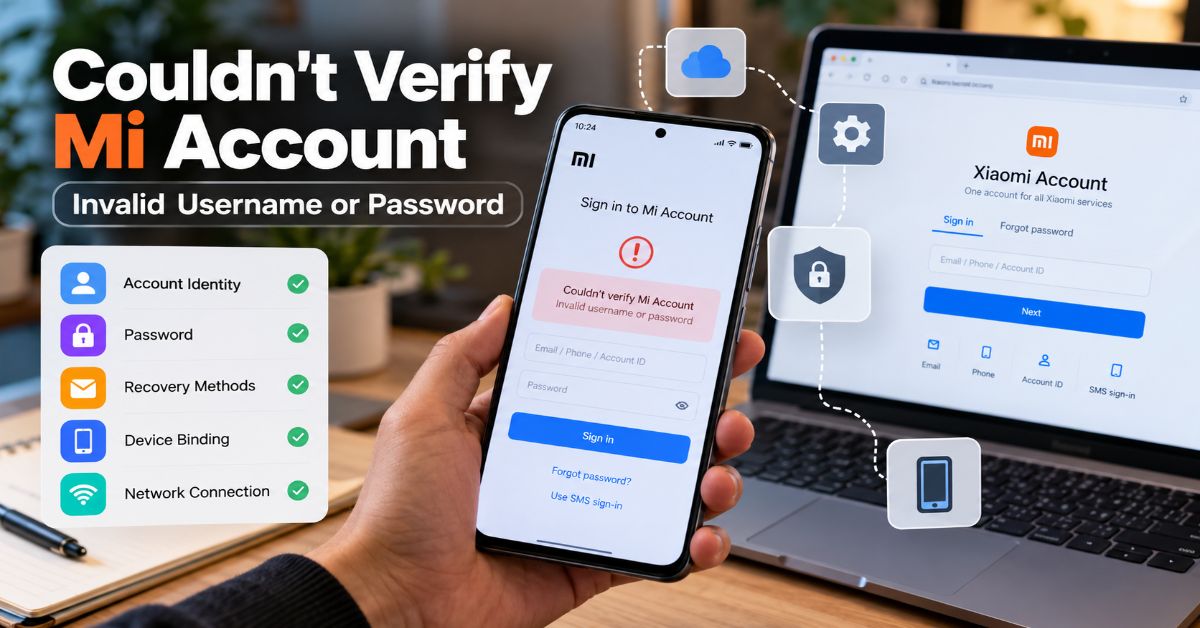
Couldn’t Verify Mi Account – Invalid Username or Password does not always mean the password is wrong. The same screen can appear when Xiaomi cannot match the identifier being entered, when the phone cannot complete an authentication request, when the account is temporarily restricted, or when a reset phone is asking for the Xiaomi Account that was previously bound to it. That is why simply changing the password again and again can waste time without changing the result.
The useful question is not “Which password should I try next?” It is “Which layer is failing?” Xiaomi treats the account identity, password, recovery methods, device binding, and network connection as separate parts of the sign-in process. A clean troubleshooting process tests those parts one at a time and avoids destructive steps until the account itself has been proven to work.
Xiaomi’s current account manual says a user can sign in with a recovery email, recovery phone, or Xiaomi Account ID. Official Xiaomi sign-in guidance also allows SMS sign-in and password recovery. That detail matters because many “invalid username” cases are identity mismatches rather than password failures.
This guide therefore separates three problems that many search results mix together: an account problem, a phone/network problem, and a post-reset ownership-verification problem. That structure also makes it easier to decide what not to do, especially when a phone contains data that has not been backed up.
The Three Failure Modes to Identify First
Before changing settings, classify the situation. The table below is the shortest route to the right branch of troubleshooting.
| What you see | What it usually points to | Best first test |
| Login fails in browser and on phone | Wrong identifier, wrong password, lost recovery method, or account restriction | Use the official recovery flow and verify the exact account identity |
| Browser login works, phone login fails | Phone session, network, time, region, device binding, or software issue | Restart, change network, set automatic time, then retry the same verified account |
| Error appears after reset or on a used phone | Previously bound Xiaomi Account / device activation | Recover the original linked account or use official ownership support |
| SMS code never arrives | Wrong number format, old number, carrier delay, region mismatch, or delivery issue | Confirm country code and try another official recovery method |
| Error followed many failed attempts | Temporary anti-abuse restriction | Stop retrying; wait before using official recovery again |
1. Confirm Which Xiaomi Account the Phone Actually Wants
Xiaomi Account ID, email, phone number, and IMEI are not interchangeable
A Xiaomi Account ID is an account identifier. A recovery email and recovery phone can also act as usernames. An IMEI, by contrast, identifies a device and cannot be substituted for the Xiaomi Account username. This distinction matters after a reset because a phone may display a masked account ID or phone number that does not match the account a user just recovered.
Try the known identities separately: the full recovery email, the recovery phone with the correct international country code, and the Xiaomi Account ID. If the account was originally created through a supported third-party provider, use the same provider where Xiaomi offers that option. Check old Xiaomi emails, SMS messages, cloud sign-ins, and any other Xiaomi device that is still logged in before assuming the account is lost.
For a broader example of why identity systems can fail even when a password is correct, see Aperplexity’s NCEdCloud login and MFA guide. The underlying lesson is the same: a login depends on the account identity and the authentication state, not on the password alone.
Check phone-number formatting before resetting anything
A recovery phone should be entered in the format Xiaomi expects for the registered account. A Pakistani number, for example, may need the +92 country code rather than a local leading zero, depending on the screen. If Xiaomi cannot find the account under one form, do not immediately conclude that the password is invalid. Test the registered email and Xiaomi Account ID as separate identifiers.
2. Use the Browser Test Before Touching the Phone
If the browser login also fails
Open Xiaomi’s official account site and use Forgot password. Xiaomi’s support documentation says the reset flow can use the Xiaomi Account number, bound email, or mobile number, followed by a verification code. If the bound phone is unavailable, the recovery flow can offer another verification method or recovery-info reset where supported.
Do not keep guessing. Xiaomi’s account help says too many incorrect attempts can temporarily block sign-in and recommends trying again later. A temporary restriction can make a correct new password look ineffective if the user immediately repeats the same failed workflow.
If the browser login works but the phone still rejects it
This is one of the most important diagnostic results. A successful browser login proves that Xiaomi recognizes the account credentials at the web layer. The remaining problem is more likely to involve the phone’s connectivity, cached account state, time settings, device binding, region, or activation state. It does not prove which of those is wrong, but it sharply narrows the search.
This “verified account, failing client” distinction also appears in other login systems. Aperplexity’s Availity provider portal guide separates credential recovery from portal and permission problems, which is a useful troubleshooting habit for Xiaomi as well.
3. Fix the Connection Path Without Erasing Data
Prove that the phone can actually reach Xiaomi
A Wi-Fi icon is not proof of working internet. Captive portals, filtered networks, broken DNS, VPNs, private DNS settings, router problems, or an incorrect clock can stop authentication even while the phone appears connected. Xiaomi’s official sign-in FAQ lists lack of internet access as a sign-in failure cause.
- Open a normal website if the browser is available.
- Switch between Wi-Fi and mobile data.
- Temporarily disable VPN or private DNS.
- Try a different trusted network.
- Set date and time to automatic.
- Restart the phone and router before retrying.
The order matters. These checks are reversible and do not delete data. A factory reset is not a sensible response to a network-level authentication failure, especially because a reset can trigger device activation and make the phone require the previously bound Xiaomi Account again.
4. Recover the Account Through Xiaomi, Not a Bypass Tool
Password reset when the recovery phone or email still works
If Xiaomi recognizes the account and you still control its recovery phone or email, use the official password-reset flow. Complete the verification code step, create the new password, and sign in successfully in a browser before returning to the phone. This avoids confusing a failed phone session with a failed password change.
Recovery-info reset when the old phone number is gone
If the bound number is no longer active, Xiaomi provides recovery-info reset paths in its account system. The exact screen can vary by region and account history. Xiaomi may ask for historical account and device information during review, so the useful preparation is evidence, not repeated password attempts.
Xiaomi’s official password recovery instructions describe recovery by SMS, secure email, and an account-appeal route when normal verification is unavailable.
5. Understand Why Factory Reset Changes the Problem
Normal account login vs. device activation
A normal Xiaomi Account sign-in asks whether a person knows valid account credentials. Post-reset device activation asks a different question: whether the person can verify the Xiaomi Account previously associated with the phone. Creating a new Xiaomi Account does not normally replace that ownership relationship.
Xiaomi’s account manual says a locked device can require the username and password, password recovery, recovery-method reset, or an appeal when the account is not the user’s. This is why a phone that works perfectly before a wipe can become unusable after the reset if Find device or account binding was still active.
Second-hand phones need the previous owner or proof of ownership
If a used phone asks for someone else’s Xiaomi Account, the cleanest solution is for the previous owner to remove the device from the relevant Xiaomi account or complete the official ownership process. If that cannot be done, contact Xiaomi support with proof of purchase. A seller who cannot provide the account or ownership proof is not a technical puzzle to solve with a random APK; it is an ownership problem.
Xiaomi explains the official route in its locked-device appeal guidance, including cases where a device was marked lost or flashed while Find device was enabled.
6. Clear Temporary Account State Only After the Account Is Verified
Restart first; clear cache second
If the verified account works in a browser and the phone is accessible, restart the device, install pending system updates, and retry on a stable network. Only then consider clearing cache for relevant Xiaomi account services. Cache clearing should be treated as a secondary device-side step, not as account recovery.
Avoid clearing all app data or resetting the phone simply because a cache option exists. Clearing data can remove sessions and local state without repairing the underlying account or ownership binding. On a device that is already difficult to verify, destructive troubleshooting can make the situation worse.
Aperplexity’s Quick Links guide makes a related point about authentication flows: stable account destinations matter more than transient session screens. For Xiaomi recovery, return to the canonical account portal instead of trusting a stale recovery tab or third-party link.
A Safer Decision Tree
Use this sequence from top to bottom. It deliberately postpones anything destructive.
| Step | Question | Action |
| 1 | Have there been many failed attempts? | Stop retrying and wait before the next official sign-in attempt. |
| 2 | Do you know the exact Xiaomi Account identity? | Test email, recovery phone with country code, and Xiaomi Account ID separately. |
| 3 | Does the account work in a web browser? | If no, recover the account. If yes, move to phone/network checks. |
| 4 | Can the phone reach the internet reliably? | Change network, disable VPN/private DNS temporarily, and enable automatic time. |
| 5 | Did the problem start after a reset or on a used phone? | Treat it as device activation/ownership verification, not a normal login. |
| 6 | Do you still control the recovery phone/email? | Use official password reset or SMS/email verification. |
| 7 | Are recovery methods unavailable? | Use Xiaomi recovery-info reset, support, or the official appeal path. |
| 8 | Are you being offered an unofficial bypass? | Do not provide credentials or install unknown APKs; return to official recovery. |
What Not to Do
Do not install unknown Mi Account bypass APKs
Search results for locked Xiaomi phones often lead to bypass utilities, modified APKs, remote-unlock services, or flashing instructions. Those tools can ask for passwords, SMS codes, payment, USB debugging access, or software installation from unknown sources. Even when a tool claims success, it can introduce malware, leave the phone unstable, or undermine later support.
Aperplexity’s BOMBitUP safety guide explains why sideloaded Android software and verification-code flows deserve extra scrutiny. The same security rule applies here: never trade an account lock for an unverified app with deeper device access.
Do not share passwords, SMS codes, or the full IMEI publicly
A repair shop or seller may legitimately need the device in hand, but they should not need to know a reusable Xiaomi password or SMS verification code. Treat those as account secrets. An IMEI may be requested by official support for ownership verification, but posting the full number publicly is unnecessary.
For the broader credential-security principle, Aperplexity’s defensive guide to exposed login logs shows why passwords, tokens, and session identifiers should not be exposed simply because a troubleshooting workflow asks for “proof.”
Symptoms, Likely Causes, and Next Actions
This table maps common user reports to the most useful next step without pretending that one symptom has only one cause.
| Symptom | Likely explanation | Next action |
| Password fails everywhere | Wrong password, wrong account, or restriction | Use official recovery and stop repeated guesses |
| Browser works, phone fails | Phone session, network, time, region, or device binding | Restart, change network, automatic time, then retry |
| SMS code never arrives | Wrong number format, old number, carrier delay, or region mismatch | Confirm country code; use recovery email or alternate verification |
| Error starts after factory reset | Previously linked Xiaomi Account required | Recover the original account or contact Xiaomi |
| Used phone asks for another account | Previous owner binding | Ask seller/owner to remove it or provide proof of purchase to support |
| Correct password gives “Couldn’t unlock” | Activation or device-side problem rather than simple password rejection | Verify the same account on web, then follow device/ownership path |
| Password changed recently | Phone may have stale account state | Confirm web sign-in, restart, and retry on a trusted network |
What Xiaomi May Ask for During Manual Recovery
Manual recovery is easier when the account history is consistent. Xiaomi’s older and current support material indicates that review can involve account and device history. Prepare the information you actually know rather than inventing details.
- Original receipt or invoice
- IMEI or serial number
- Recovery email and phone number
- Approximate country or region of account registration
- Previous passwords you genuinely remember
- Xiaomi, Redmi, or POCO devices previously used with the account
- A screenshot or exact transcription of the error
- Other proof that the device belongs to you
Not every case will require every item. The goal is to give Xiaomi enough consistent information to distinguish an owner who lost access from someone trying to remove another person’s account protection.
Why Current Search Results Still Miss the Core Diagnostic Split
A current SERP sample for this error includes dedicated recovery explainers, general Xiaomi lock articles, forum threads, Reddit reports, and videos. Many pages move quickly from the error message to a password reset, or from a reset phone directly to “unlock” methods. That skips the most useful evidence: whether the account works outside the phone and whether the screen is ordinary sign-in or device activation.
The search results also contain anecdotal fixes such as removing a device from Find device, changing network state, or retrying after a delay. Those reports can be useful clues, but they should not be promoted to universal fixes without official support. The safer editorial rule is to use community reports to identify failure patterns and Xiaomi documentation to define the recovery path.
The Future of Xiaomi Account Recovery in 2027
The likely direction in 2027 is stronger separation between identity recovery and device ownership verification, not weaker protection. Xiaomi already exposes several recovery layers: password reset, recovery-phone or email methods, recovery-info reset, and a device-unlock appeal. As device theft protections become more important across mobile platforms, reset-based ownership checks are unlikely to disappear.
What may improve is the clarity of the workflow. The most frustrating cases today are those in which a valid password works on the web but the phone does not explain whether it is failing network authentication, account synchronization, Find device state, or activation. Better error codes and clearer account-binding status would reduce unnecessary resets and support contacts. Xiaomi has not published a universal 2027 roadmap for this specific error, so that is an analytical expectation rather than a confirmed product promise.
Key Takeaways
- Treat the error as a diagnostic problem, not automatic proof of a wrong password.
- Verify the exact Xiaomi Account identity before changing the password again.
- Use a browser sign-in to separate an account problem from a phone problem.
- Check network, VPN/private DNS, and automatic time before destructive steps.
- After a factory reset, expect the previously linked Xiaomi Account to matter.
- For second-hand devices, ownership resolution is more important than technical bypasses.
- Use Xiaomi’s official recovery and appeal paths; avoid unknown bypass tools and credential-sharing services.
Conclusion
The fastest way to solve Couldn’t Verify Mi Account – Invalid Username or Password is to stop treating every instance as the same password error. First identify the account Xiaomi expects. Then prove whether those credentials work in a browser. If they do, move to network, time, session, and device-binding checks. If the problem appeared after a reset, treat it as ownership verification rather than ordinary sign-in.
That sequence protects two things at once: the user’s data and the integrity of the account. It also prevents the most common escalation mistake—resetting, flashing, or installing a bypass tool before the account itself has been verified. When normal recovery is unavailable, Xiaomi’s recovery-info and locked-device appeal processes are the appropriate next step, supported by proof of ownership rather than another round of password guessing.
Frequently Asked Questions
Why does Xiaomi say invalid username or password when the password is correct?
The phone may be using the wrong account identifier, failing to reach Xiaomi reliably, holding stale account state, or asking for a previously linked account during device activation. Test the same account in a browser first. If web sign-in works, the password itself is less likely to be the problem.
How do I fix Couldn’t Verify Mi Account – Invalid Username or Password after a reset?
Recover the Xiaomi Account that was linked to the phone before the reset. Verify it on Xiaomi’s official account website, then use the same account for device activation. If recovery phone and email access are gone, use Xiaomi’s recovery-info or official device-unlock appeal process.
Can I use my phone number instead of the Xiaomi Account ID?
Yes, if it is the recovery phone registered to the account. Xiaomi also accepts a recovery email or Xiaomi Account ID for password sign-in. Use the correct country code and test each known identifier separately.
Why does my Xiaomi Account work on the website but not on the phone?
That result points away from a simple password problem. Check the phone’s internet connection, VPN or private DNS, automatic date and time, current system software, cached account state, region, and whether the phone is in a device-activation flow.
Will another factory reset remove the Mi Account lock?
Normally, no. A reset can erase local data but it does not prove ownership of the previously linked Xiaomi Account. Repeated resets may leave the phone at the same activation screen while creating more risk for unsaved data.
What if I bought the Xiaomi phone second-hand?
Ask the previous owner to remove the phone from the relevant Xiaomi account and Find device relationship. If that is not possible, use Xiaomi support and provide valid proof of purchase. A new Xiaomi Account usually cannot replace the prior ownership binding.
Are Mi Account bypass tools safe?
They should not be treated as a normal recovery method. Unknown APKs, flashing tools, remote-unlock services, and credential-sharing requests can expose account secrets, introduce malware, or leave the phone unstable. Official Xiaomi recovery and ownership verification are safer.
Methodology
Research for this article was completed on October 1, 2026. The competitive review used a current search sample around the exact error and close variants, including Xiaomi’s own help pages, Octopis, iMobie, Wondershare/Dr.Fone, MagFone, XDA, Reddit threads, an Android forum, and video results. Search order varies by country, device, personalization, and index freshness, so the sample is used to identify recurring coverage and gaps rather than to claim a permanent ranking order.
Primary factual validation relied on Xiaomi Account Help Center and Xiaomi Global Support pages covering sign-in methods, incorrect passwords, failed sign-in, password reset, account recovery, and locked-device appeals. Community reports were used only as evidence of recurring user scenarios, such as a web login working while device activation still fails; they were not treated as universal technical fixes.
References
- Xiaomi. (2026). How do I sign in to my Xiaomi Account? Xiaomi Account User Manual.
- Xiaomi. (2026). Why am I notified that my username or password is incorrect? Xiaomi Account User Manual.
- Xiaomi. (2026). Why can’t I sign in to my account? Xiaomi Account User Manual.
- Xiaomi. (2026). Recover or reset the password of Mi account. Xiaomi Global Support.
- Xiaomi. (2026). How do appeals work? Xiaomi Account User Manual.
-

 Technology1 month ago
ThomsonKids.com: Website Guide, Topics & Trust Check
-

 Technology1 month ago
Hitomi la in 2026: Domain Status, Safety and Risks
-

 General1 month ago
Voozon.com: What It Is and How the Platform Works
-

 Business1 month ago
incabizgrowth.com Review: Content, Trust & Use
-

 Technology1 month ago
thesindi com Review: What TheSindi.com Really Offers
-

 Technology2 weeks ago
Scrolller in 2026: How It Works, Risks and Alternatives
-

 Business1 month ago
5starsstocks.com Review: Features, Trust and Safety
-

 Technology3 weeks ago
Web Development Best Practices: A 2026 Quality System