
Technology
Tech Giants Envision Future Beyond Smartphones

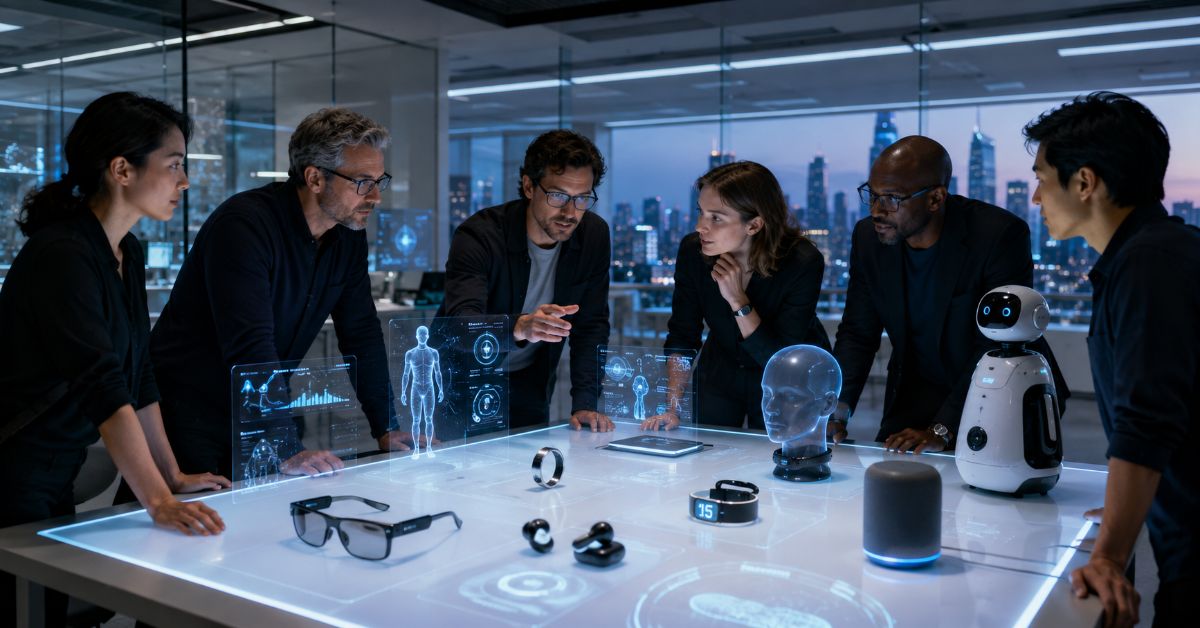
The most revealing moment in personal computing may be the one when you stop reaching for your phone. A translation appears in your line of sight, an assistant remembers what you just looked at, or a message is handled with a glance and a small finger movement. I see the phrase “tech giants envision future beyond smartphones” as less of a prediction that the phone will vanish and more as a description of an interface shift already underway. Apple is pushing spatial computing, Meta is turning ordinary-looking eyewear into AI hardware, Google and Samsung are building an Android XR ecosystem, and OpenAI is investing in AI-native devices and new interface research.
For a reader trying to understand what comes after the smartphone, the important question is not which gadget will “kill” the iPhone or Android handset. The useful question is which jobs can move off the phone first. Navigation, translation, capture, notifications, visual search, conversational assistance, remote collaboration, and lightweight computing are all being redistributed across glasses, headsets, watches, earbuds, and ambient AI systems.
That transition is becoming measurable. Apple updated Vision Pro with its M5 chip in October 2025. Samsung launched the $1,799.99 Galaxy XR the same month. Meta sells display-equipped AI glasses and, in 2026, expanded its mainstream glasses lineup starting at $299. Google says its first Android XR audio glasses from partners are arriving in fall 2026. The smartphone is still the center of personal computing, but the industry is clearly testing a future in which it is no longer the screen you must touch for every digital task.
Are tech giants really planning a future beyond smartphones?
Yes. Major technology companies are building a post-smartphone computing layer based on AI glasses, spatial headsets, voice, cameras, gesture control, and context-aware assistants. The near-term goal is not to eliminate smartphones, but to reduce how often people need to look down, open an app, and manually navigate a screen Tech giants envision future beyond smartphones as AI glasses, XR headsets and ambient assistants reshape how we interact with computingTech giants envision future beyond smartphones as AI glasses, XR headsets and ambient assistants reshape how we interact with computingTech giants envision future beyond smartphones as AI glasses, XR headsets and ambient assistants reshape how we interact with computing Tech Giants Envision Future Beyond Smartphones.
The smartphone remains hard to replace because it combines a bright display, cameras, battery, secure payments, connectivity, mature apps, and social acceptance in one pocketable object. What is changing is the assumption that every interaction must begin there Tech Giants Envision Future Beyond Smartphones.
What does “beyond smartphones” actually mean?
“Beyond smartphones” describes a shift from phone-first computing to environment-aware computing. Instead of treating the phone as the single interface for communication, search, navigation, media, and AI, companies are distributing those functions across devices that can see, hear, display, and respond with less manual input Tech Giants Envision Future Beyond Smartphones.
A future device does not need to reproduce the entire smartphone. It only needs to handle enough high-frequency tasks better than a phone does.
The following comparison shows how the interaction model is changing.
| Computing model | Primary input | Primary output | Best advantage | Main limitation |
| Smartphone-first | Touchscreen, typing | Handheld display | Versatile and mature | Requires attention and a free hand |
| AI glasses | Voice, camera, gestures | Audio or in-lens display | Hands-free, context-aware help | Privacy, battery, social acceptance |
| Spatial headset | Eyes, hands, voice | Immersive spatial display | Large virtual workspace and 3D computing | Weight, price, isolation |
| Ambient AI device | Voice, sensors, context | Audio, subtle visual cues | Low-friction assistance | Trust, reliability, unclear ideal form |
| Wearables ecosystem | Sensors, taps, voice | Haptics, audio, small displays | Continuous health and notification layer | Limited display and input capacity |
The strategic shift is from “one device does everything” to “the right interface appears when the task demands it.”
Why is AI accelerating the move beyond smartphones?
Generative AI changes what a computer needs from the user. Traditional software expects precise input: open an app, find a feature, type a query, choose a menu, and confirm an action. A multimodal assistant can interpret natural language, images, location, recent context, and what a camera sees.
Context is becoming more valuable than another app icon
Glasses can potentially understand what is in front of the wearer. A headset can understand a physical room and place digital objects inside it. Earbuds can offer voice access while the user walks, drives, cooks, or works.
Meta’s glasses can answer questions about surroundings. Google describes Android XR glasses as devices that can share the user’s vantage point with Gemini. Apple’s Vision Pro maps the surrounding environment with cameras and sensors so digital content can coexist with physical space.
The better AI becomes at interpreting messy real-world input, the less computing has to wait for a carefully typed command.
Multimodal AI changes both input and output
The post-smartphone race is also an interface race. Voice is fast but not private everywhere. Visual overlays are discreet but can distract the eye. Hand gestures are natural but must be reliable. Electromyography, or EMG, offers another path by reading electrical activity generated by muscles.
Meta’s Ray-Ban Display pairs with a Neural Band that translates subtle muscle signals into controls. A user can look at something, ask a question by voice, confirm with a finger movement, and receive a short visual answer without opening a phone.
How do tech giants envision a future beyond smartphones today?
As of August 2026, the biggest companies are testing different answers to the same problem: how to make computing more immediate, contextual, and less dependent on a handheld screen.
Apple is betting on spatial computing as a new workspace
Apple calls Vision Pro a spatial computer, not a phone replacement. Vision Pro moves apps from a rectangular screen into a three-dimensional workspace controlled by eyes, hands, and voice.
Apple upgraded Vision Pro in October 2025 with the M5 chip. The company says the device uses 12 cameras, five sensors, and six microphones, while the M5 version can render 10 percent more pixels than the earlier model and raise refresh rate to 120Hz in supported situations. It starts at $3,499 in the United States and offers up to two and a half hours of general battery use. (Apple Newsroom, October 15, 2025.)
Those specifications show both opportunity and constraint. Vision Pro can replace multiple monitors, create immersive media experiences, and support specialized enterprise workflows, but it remains a premium headset rather than an all-day everyday computer.
Meta is pushing glasses toward an all-day AI layer
Meta is taking the opposite form-factor approach: start with familiar eyewear and add intelligence gradually.
That strategy now has scale behind it. EssilorLuxottica’s 2025 Universal Registration Document reported more than 7 million AI-glasses units sold during 2025 across Ray-Ban Meta and Oakley Meta products. In June 2026, Meta and EssilorLuxottica introduced a broader Meta Glasses line with 26 styles, prescription compatibility, and prices starting at $299. (EssilorLuxottica, 2025 annual filing; Meta Newsroom, June 23, 2026.)
Meta also sells Ray-Ban Display, introduced in September 2025, which adds a private color display and the Neural Band. It starts at $799 and is designed for brief visual interactions such as messages, translations, photos, and AI assistance. (Meta Newsroom, September 17, 2025.)
The progression is revealing: first make glasses useful without a display, then add a small display without turning them into a bulky headset.
Google and Samsung are building a platform, not one device
Android XR is intended to support headsets, display glasses, audio glasses, and wired XR glasses across multiple manufacturers.
Samsung’s Galaxy XR became the first Android XR headset in October 2025. It launched at $1,799.99 in the United States with 16GB of memory, 256GB of storage, and micro-OLED displays totaling 27 million pixels. Gemini is built into the platform so users can ask questions about what they see and control experiences using voice, hands, and eyes. (Samsung Newsroom, October 21, 2025.)
At Google I/O 2026, Google said the first Android XR audio glasses made with partners including Gentle Monster, Warby Parker, and Samsung would arrive in fall 2026 and work with both Android and iOS devices. That cross-platform approach suggests Google wants AI glasses to become an ecosystem layer, not merely an accessory for one phone brand. (Google, May 19, 2026.)
OpenAI is treating AI-native devices as part of the full stack
OpenAI has not publicly released a consumer device as of August 2026, but its direction is clear. The io Products team merged with OpenAI in July 2025, with Jony Ive and LoveFrom taking deep design and creative responsibilities. OpenAI has since described AI-native devices as part of an integrated stack that also includes models, infrastructure, developer products, and custom hardware. (OpenAI, July 9, 2025; August 25, 2026.)
In January 2026, OpenAI also announced an investment in Merge Labs and described brain-computer interfaces as a long-term path toward more direct interaction with AI. The practical point is not that a brain interface will replace a phone soon. It is that leading AI companies increasingly view the interface itself as strategic.
This table summarizes the most visible bets.
| Company | Current or announced direction | Verified milestone | What it moves off the phone |
| Apple | Vision Pro spatial computing | M5 model released October 2025, from $3,499 | Multiscreen work, immersive media, 3D apps |
| Meta | AI glasses and display glasses | Meta Glasses from $299; Ray-Ban Display from $799 | Capture, AI queries, messages, translation |
| Google and Samsung | Android XR headsets and glasses | Galaxy XR launched October 2025 at $1,799.99; audio glasses due fall 2026 | Gemini assistance, spatial apps, hands-free tasks |
| OpenAI | AI-native devices and new interfaces | io merged with OpenAI in July 2025 | Conversational and context-driven AI interactions |
| Broader market | Pins, earbuds, rings, wearables | Multiple experiments with mixed outcomes | Notifications, sensing, voice, health, simple actions |
Which technologies are most likely to reduce phone dependence?
The strongest candidates are not equally suited to every task. Their value depends on whether they make a common action faster without creating a new inconvenience.
1. AI glasses can take over quick, contextual interactions such as capture, translation, directions, reminders, calls, and visual questions.
2. Earbuds can handle voice conversations, notifications, translation, and assistant access without a visible screen.
3. Watches and rings can absorb authentication, health sensing, payments, alerts, and simple controls.
4. Spatial headsets can replace monitors and specialized workstations for focused sessions, especially where 3D visualization matters.
5. Ambient devices in homes, cars, and workplaces can handle commands and automation without requiring a personal screen.
The smartphone may coordinate these devices in the background. That still represents a post-smartphone shift if the phone stops being the default interface.
Why are smartphones not going away soon?
A replacement has to beat the phone on convenience, not merely novelty. That is a much higher bar than demonstrating an impressive prototype.
Battery, heat, and weight still set hard limits
Glasses must stay light enough for hours of wear, yet cameras, microphones, radios, processors, and displays consume power and produce heat. Headsets can carry larger batteries and cooling systems, but weight becomes a comfort problem.
Vision Pro can deliver a rich spatial environment but requires a large head-worn device and external battery. Meta’s display glasses are far lighter, but they are designed for short visual interactions rather than a desktop-class workspace.
Privacy has to work for people around the wearer too
A phone camera is obvious when someone raises it. A camera on glasses can be continuously available. People nearby need clear signals about recording, while wearers need predictable controls over what is captured, stored, or sent to cloud services.
A device that feels socially awkward will not become an all-day interface regardless of its AI quality.
Apps, payments, identity, and reliability favor the phone
Smartphones benefit from nearly two decades of ecosystem development. Banking, authentication, messaging, rides, maps, cameras, password managers, payments, and millions of apps already work in a familiar pattern.
Any post-smartphone device must connect to that ecosystem or rebuild enough of it to feel dependable. That is one reason Meta and Google currently position many glasses experiences as phone companions rather than isolated replacements.
The table below captures the remaining barriers.
| Barrier | Why it matters | What progress would look like |
| Battery and thermals | All-day wear requires low heat and long runtime | Efficient chips, lighter batteries, more local AI |
| Privacy and trust | Cameras and microphones affect bystanders | Clear recording indicators, local processing, granular controls |
| Input accuracy | Voice and gestures fail in noisy or complex settings | Multimodal input across voice, gaze, touch, and EMG |
| Display comfort | Eyestrain and limited field of view reduce daily use | Brighter, smaller, more efficient optics |
| Ecosystem depth | Users need apps, payments, identity, and services | Shared standards and strong developer platforms |
| Social acceptance | A useful device can still feel awkward | Normal-looking designs and predictable behavior |
What did the Humane Ai Pin failure teach the industry?
The Humane Ai Pin is a useful counterexample because it tried to move major smartphone tasks into a new AI-first form factor before the surrounding ecosystem was ready.
Humane stopped selling the consumer Ai Pin in February 2025 and shut down its server-dependent functionality on February 28, 2025. HP acquired Humane’s Cosmos AI platform, technical talent, and intellectual property, including more than 300 patents and patent applications. (Humane Support, February 2025; HP, February 18, 2025.)
The lesson is not that AI hardware cannot work. A new device must outperform the phone at a specific job before asking users to abandon familiar workflows. It also needs durable cloud support, predictable latency, acceptable battery life, strong connectivity, and a clear reason to exist when the phone is already nearby.
Meta’s glasses offer a contrasting strategy. They started from an object people already wear and added features incrementally, reducing the behavior change required.
What will the transition beyond smartphones probably look like?
The most plausible transition is layered rather than abrupt.
First, wearables handle quick interactions while the phone remains nearby. The user asks a question, captures a photo, hears a message, follows directions, or checks a small visual cue without opening the phone.
Next, more processing moves onto wearables. Displays improve, batteries last longer, and AI becomes more capable at interpreting context. The phone becomes less necessary for routine actions.
Eventually, personal computing could become a collection of coordinated interfaces. Glasses may handle vision and information, earbuds handle audio, watches or rings handle identity and sensing, and an AI agent connects the system.
The smartphone won by consolidating many devices. The post-smartphone era may emerge by distributing those functions again around a shared AI layer.
What should consumers and businesses watch next?
The best signal is not another concept video. Watch for repeated daily use.
Consumers should look for devices that save measurable time on tasks they already perform, work reliably, and have privacy controls they can explain in plain language.
Businesses should watch hands-free workflows where phones are already inconvenient. Field service, logistics, manufacturing, training, remote inspection, and accessibility can justify wearable computing earlier because the value of keeping both hands free is concrete.
Developers should watch platform maturity: distribution, APIs, app stores, identity, payments, enterprise management, and sensor access. Hardware becomes a computing platform when third parties can build useful experiences without one-off integrations.
Conclusion
The phrase “tech giants envision future beyond smartphones” is no longer just a futuristic headline. Apple, Meta, Google, Samsung, and OpenAI are spending real engineering effort on interfaces that reduce dependence on the handheld screen.
The next era will probably not begin with everyone throwing away a phone. It will begin when people stop noticing how often they no longer need to pick it up. The company that wins may not build a single replacement device. It may build the AI layer that makes every surrounding device feel like part of one computer.
FAQs
Will AI glasses replace smartphones?
AI glasses are more likely to replace specific interactions first. Navigation, capture, translation, calls, quick messages, and AI questions fit glasses well, while banking, long-form typing, complex apps, and high-quality photography still favor phones.
What is the biggest advantage of post-smartphone devices?
The main advantage is lower interaction friction. A wearable can respond while the user keeps walking, working, cooking, or looking at the real world instead of switching attention to a handheld screen.
Are smart glasses the same as augmented reality glasses?
No. Some smart glasses use cameras, microphones, speakers, and AI without showing graphics in the wearer’s view. Augmented reality glasses add visual information to the field of view and require more complex optics and power.
Why are companies adding AI to glasses?
Glasses sit close to the eyes and ears and can capture the wearer’s perspective. That makes them useful for multimodal AI that can listen, see what the user sees, provide spoken guidance, and sometimes display contextual information.
Could a smartwatch become the main device instead of a phone?
A smartwatch can replace payments, health sensing, authentication, alerts, and short communications. Its small screen and limited input make it more likely to remain one part of a multi-device system.
What should I look for before buying a post-smartphone device?
Check whether it solves a repeated problem better than your phone, realistic battery life, cloud or subscription dependencies, data handling, and whether the product has a credible app and support ecosystem.
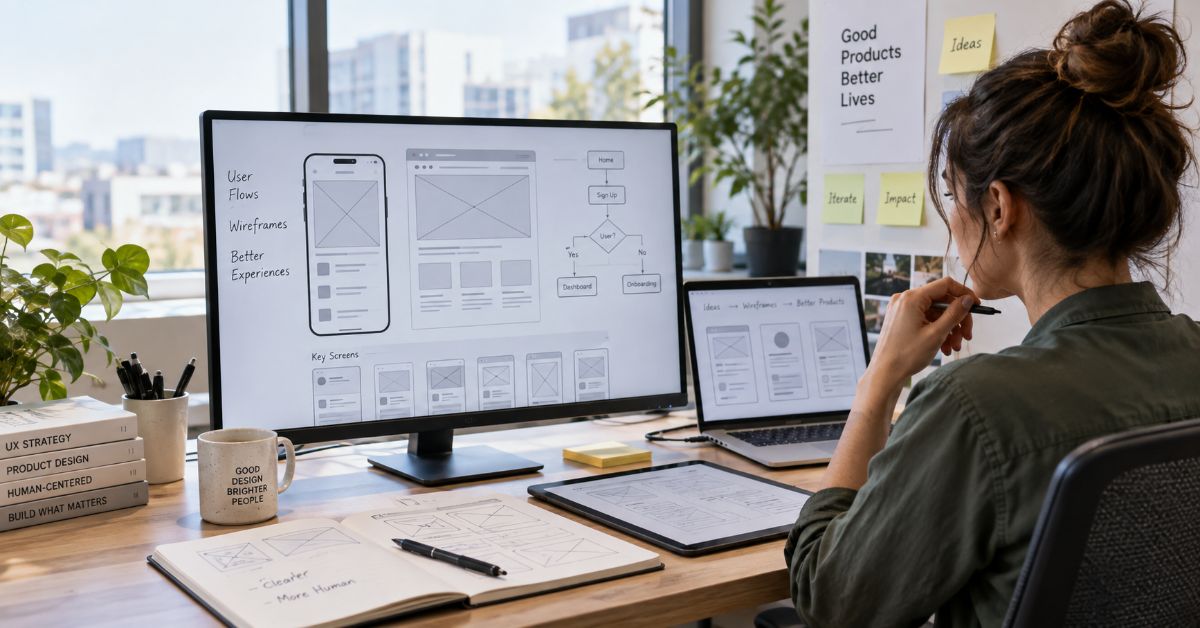
The best Wireframing tools in 2026 are not the ones with the longest feature lists: Figma is strongest when a rough layout must grow into production design, Balsamiq is better when deliberate low fidelity keeps discussion focused, and AI-first products such as Uizard and Visily are useful when speed matters more than deep interaction logic. The expensive mistake is choosing a tool for the first ten minutes of sketching instead of the next ten weeks of product work.
I reviewed ten high-visibility guides for this query, then checked vendor pricing, product changes, and recent design-industry research. Most ranking pages do a decent job naming popular apps. The gap is decision context. A founder, UX designer, product manager, and enterprise design team can all search the same keyword while needing different levels of fidelity, collaboration, governance, and developer handoff.
I treat a wireframe as a decision artifact, not a mini mockup. It should answer questions about hierarchy, navigation, content priority, task flow, and system behavior before visual polish makes changes expensive. When navigation is the problem, information scent matters more than button color. The same principle appears in Aperplexity’s guide to shortcut navigation: labels and task priority should reduce search cost rather than create another layer of confusion.
The shortlist below compares ten current products, but I do not force a universal winner. I rank them by the uncertainty they can resolve, the distance between wireframe and handoff, and the cost of switching tools later. That creates a more useful answer than another feature-count contest.
What should a wireframing tool actually help you decide?
A wireframing tool should make structure cheap to change. At minimum, it needs reusable interface elements, fast rearrangement, comments or sharing, and enough prototyping to expose a broken flow before engineering starts. The right fidelity depends on the question. If I am debating information architecture, polished typography is noise. If I am testing permissions, validation, or branching states, a static sketch is too weak.
Visual polish can create commitment before the structure is stable. I call that fidelity debt: time spent making an unresolved idea look final, plus the cost of persuading people to discard it later.
How I ranked these wireframing tools
I weighted seven factors: speed to first useful screen, control over fidelity, collaboration, interaction depth, AI assistance, developer handoff, and current paid-seat cost. I also checked platform constraints and product lifecycle risk. I did not award extra points simply because a product can do more.
The key test is reversibility. An early artifact should be cheap to change and still have a credible path forward. A fast draft that must be rebuilt before testing or handoff may not be fast overall.
Match the tool to the uncertainty, not the job title
This is the framework I found most useful after comparing the SERP. Start by naming the uncertainty that could still invalidate the design. Then choose the lowest fidelity that can answer it. The result is often different from choosing by team size or by a generic “best overall” score.
This matrix turns the decision into a testable design question rather than a popularity ranking.
| Uncertainty | Useful fidelity | Strong fit | Main risk |
| Navigation or content hierarchy | Low fidelity | Balsamiq, Whimsical | Premature visual detail |
| Workshop alignment | Shared low fidelity | Miro, Whimsical | A board that becomes an unowned archive |
| Fast concept exploration | AI-assisted low to mid | Uizard, Visily | Accepting generated conventions without review |
| Design system continuity | Mid to high | Figma, Sketch | Polishing before core flow is stable |
| Complex states or business rules | Interactive logic | Axure RP | Overbuilding simple flows |
| Production component behavior | Code-backed prototype | UXPin, Penpot | Tooling complexity before the system is mature |
Best wireframing options at a glance
Prices below are public starting rates checked on September 11, 2026. They are snapshots, not permanent quotes.
| Tool | Best for | Free entry | Starting paid price | Main trade-off |
| Figma | Wireframe to production design | Free | From $16/full seat/mo annually | Easy to polish too early |
| Balsamiq | Deliberate low fidelity | Trial | From $16/editor/mo annually | Limited visual and interaction depth |
| Whimsical | Wireframes plus flows/docs | Free | From $10/editor/mo annually | Not a full production UI tool |
| Miro | Discovery workshops | Free | From $8/member/mo annually | General canvas can become messy |
| Uizard | Prompt-to-screen speed | Free | From $12/mo annually | AI output needs strong review |
| Visily | Non-designers and AI drafts | Free | From $11/editor/mo annually | Less depth for complex systems |
| UXPin | Code-backed design systems | Free/trial varies | From $29/seat/mo annually | Higher cost and learning curve |
| Axure RP | Logic-heavy prototypes | Trial | From $29/user/mo | Overkill for simple layout questions |
| Penpot | Open-source and self-hosting | Free | From $7/user/mo cloud | Smaller ecosystem than Figma |
| Sketch | Mac-native product design | Trial | From $12/editor/mo annually | macOS editor constraint |
Figma: best when the wireframe must become the final design
I would choose Figma when continuity matters more than enforced simplicity. The Professional Full seat is $16 per month on annual billing, and one file can move from gray-box structure to components, prototypes, and handoff. The risk is premature polish: an uncertain flow can look settled before it earns that confidence.
Balsamiq: best for deliberately low-fidelity alignment
Balsamiq is strongest when roughness is a feature. Its sketch-like components help keep reviews on hierarchy and flow, and current Starter pricing is $16 per editor per month billed annually. Lifecycle matters here: Balsamiq’s official transition timeline says Desktop sales end December 31, 2026, with support continuing through December 31, 2027. New projects should therefore favor its cloud product rather than a fresh Desktop dependency.
Whimsical: best for product teams mixing flows and screens
Whimsical works well when flows, diagrams, docs, and wireframes need to stay close together. Pro starts at $10 per editor per month billed annually. It bridges workshop thinking and structured screens, but its ceiling appears when the work needs detailed production design or advanced interaction logic.
Miro: best for collaborative discovery workshops
Miro fits when the wireframe is one artifact inside a broader discovery session. Starter is $8 per member per month on annual billing, and one board can hold research, journey maps, votes, notes, and rough UI. Governance still matters because an infinite canvas can become a storehouse of stale alternatives.
Uizard: best for turning prompts into fast first drafts
Uizard is useful when a founder, marketer, or product manager needs screens before a designer is available. Pro is $12 per month billed annually. I would use the generated screen as a hypothesis, not a specification. Generation compresses drawing time, but it does not validate task priority, edge cases, accessibility, or product fit.
Visily: best AI-assisted option for non-designers
Visily combines prompt generation, screenshot conversion, editable UI, and Figma import/export. Pro starts at $11 per editor per month billed annually. It suits cross-functional teams that want visual output without a steep learning curve. The trade-off is generated plausibility: each screen still needs a review tied to the assumption it is supposed to test.
UXPin: best for code-backed design-system prototypes
UXPin is strongest when the team already has a design system and wants prototypes closer to production behavior. Core starts at $29 per seat per month billed annually, making it materially more expensive than most list-first wireframing choices. The premium makes sense only when real components, state behavior, and handoff accuracy reduce downstream rebuilds.
Axure RP: best for complex states and business rules
Axure RP remains the specialist for variables, conditional logic, repeaters, and specification-heavy interaction. Pro is listed at $29 per user per month. I would reach for it when the risk sits in the behavior rather than the layout, such as enterprise approvals, permissions, calculators, or multi-step forms. For a basic landing-page wireframe, that complexity buys little useful evidence.
Penpot: best open-source and self-hostable option
Penpot is the strongest choice here for open source, self-hosting, and a standards-oriented path between design and code. Cloud Unlimited starts at $7 per user per month, while Professional self-hosting is free. Teams leaving Figma should still audit plugins, libraries, integrations, and migration effort before treating license savings as total savings.
Sketch: best for Mac-native interface design
Sketch still makes sense for Mac-centered teams that value a native editor and a mature design workflow. Standard pricing is $12 per editor per month billed annually. Its wireframes can mature into polished product UI without a tool change, but the editor remains tied to macOS. For mixed-device organizations, that platform boundary may matter more than the monthly price.
What does a five-person team actually pay?
Sticker price is easier to compare in one unit. The table multiplies the public starting rate by five editors and 12 months. It is a September 11, 2026 planning snapshot, not a quote; taxes, enterprise terms, AI overages, and billing choices can change the total.
| Plan | Rate used | Five-seat annualized cost |
| Penpot Unlimited | $7 | ~$420 |
| Miro Starter | $8 | ~$480 |
| Whimsical Pro | $10 | ~$600 |
| Visily Pro | $11 | ~$660 |
| Sketch Standard | $12 | ~$720 |
| Uizard Pro | $12 | ~$720 |
| Figma Professional Full | $16 | ~$960 |
| Balsamiq Starter | $16 | ~$960 |
| UXPin Core | $29 | ~$1,740 |
The calculation is rate x five paid editors x 12 months. It does not monetize migration time, training, or AI overages.
What are the biggest risks and trade-offs?
The first risk is fidelity debt. A polished frame can attract feedback on finish before hierarchy or task flow is settled. My workaround is simple: write the decision question above the canvas and refuse detail that cannot help answer it.
The second risk is AI anchoring. In Figma’s 2025 survey of 2,500 users, 78% said AI significantly enhanced work efficiency, but only 32% said they could rely on AI output. The same report found successful AI-product teams were more likely to explore multiple design or technical approaches, 60% versus 39% among unsuccessful teams. I read that as a strong argument for generating alternatives, not merely generating faster.
The third risk is migration cost. Files, components, comments, prototypes, permissions, and team habits all have switching costs that a monthly price table misses. Before changing platforms, I use the same assumption-testing discipline described in Aperplexity’s critical-thinking exercises: state the expected benefit, list evidence, and name the condition that would make the switch a bad decision.
How should you choose the right tool?
For a founder-led MVP, I would start with the product uncertainty, not the design brand. If the main question is scope, a low-fidelity tool plus a clear feature boundary is often enough; Aperplexity’s Startup Booted guide makes a related point about keeping founder decisions tied to practical deliverables and constraints.
For a product team, I would optimize for handoff distance: how many times the artifact must be recreated before it reaches the person who builds it. Figma, Sketch, UXPin, and Penpot can shorten that distance. Balsamiq, Miro, and Whimsical can still be better when the early decision is cheap enough that preserving the artifact is less important than preserving clarity.
For AI-generated drafts, I use one rule: generation may propose the first arrangement, but a human must own the final hierarchy, states, accessibility, and evidence. That is consistent with Aperplexity’s analysis of AI detector limits, where automated output is treated as a signal to inspect rather than a verdict to accept.
The Future of Wireframing Tools in 2027
I expect wireframing in 2027 to become less about drawing rectangles and more about controlling the transition from intent to testable behavior. AI generation is already moving from blank-canvas assistance toward editable prototypes, code-aware components, and agentic workflows. The important constraint will be review quality, not raw generation speed.
That direction has measurable momentum. Figma reported in its August 2026 results that more than 80% of paid customers above $10,000 in annual recurring revenue were consuming AI credits weekly as of June 30, 2026. Dylan Field also argued at Config 2025 that “design is a differentiator that will make great companies and products stand out” (Figma, 2025b). I therefore expect the winning products to combine faster generation with stronger systems, governance, and handoff rather than eliminate design judgment.
Key Takeaways
- Choose fidelity according to the uncertainty that can still invalidate the product decision.
- Use low fidelity to keep navigation and hierarchy reversible; use richer prototypes only when behavior needs evidence.
- AI is valuable for option generation, but the efficiency gain is not the same as trustworthy output.
- Calculate seat cost and migration cost together because the cheaper subscription can still create a more expensive workflow.
- Check lifecycle risk before adopting a tool, especially when a desktop product or legacy workflow is being retired.
- Minimize handoff distance when a wireframe is expected to mature into production design or code-backed components.
Conclusion
The best choice is the one that makes the next important decision cheaper and clearer. I would use Balsamiq when roughness protects the conversation, Figma when continuity to production matters, Miro or Whimsical when discovery is collaborative, Uizard or Visily when fast visual generation unlocks discussion, and Axure or UXPin when behavior is the real uncertainty. Penpot deserves special attention when open source or self-hosting is a requirement, while Sketch remains practical for Mac-native teams.
What I would not do is pick from a feature checklist alone. A low monthly price can hide rebuild work, and an impressive AI demo can hide weak reasoning. The durable approach is to name the uncertainty, choose the lowest useful fidelity, compare the cost of the whole path, and set a clear review threshold before the artifact becomes expensive to change. That keeps wireframing what it should be: a fast way to learn before implementation locks the answer in.
Frequently Asked Questions
What are the best free wireframing tools?
Figma, Miro, Whimsical, Visily, Uizard, and Penpot all offer some form of free entry, although limits differ by files, boards, projects, AI credits, or collaboration. Penpot is especially notable because its Professional self-hosted edition is free. Always check the current plan page before standardizing a team workflow.
Which wireframing tool is best for beginners?
Balsamiq is one of the easiest choices when a beginner needs to communicate layout without learning a full interface-design system. Whimsical is also approachable for teams that need flows and diagrams. AI-first tools can create a faster first draft, but beginners still need to review hierarchy and task logic.
Is Figma good for wireframing?
Yes. Figma is particularly strong when the wireframe is expected to mature into high-fidelity UI, components, prototypes, and developer handoff in the same workspace. Its main drawback is that access to polished design features can encourage teams to increase fidelity before the product structure is stable.
Should I use low-fidelity or high-fidelity wireframes?
Use low fidelity when the question is structure, navigation, scope, or content priority. Increase fidelity when the question depends on interaction, visual hierarchy, component behavior, or usability details. The right level is the cheapest one that can produce credible evidence for the decision you need to make.
Can AI create usable wireframes?
Yes, AI can generate useful first drafts from prompts, screenshots, or sketches, especially in Uizard, Visily, and increasingly broader design platforms. I would treat those drafts as alternatives to evaluate. AI can accelerate arrangement, but it does not know your product constraints, research evidence, accessibility obligations, or edge cases unless you supply and verify them.
What is the difference between wireframing and prototyping?
A wireframe primarily represents structure, hierarchy, and flow. A prototype adds enough interaction to simulate behavior and support testing. The boundary can blur because modern tools support both, but the decision rule is simple: add interaction only when a static frame cannot answer the question under review.
Methodology
I researched this article through September 11, 2026. I reviewed ten high-visibility ranking pages for the focus query and close variants, then validated current prices and lifecycle details against vendor pages. For market context, I used Figma’s 2025 AI report and August 2026 financial results. Internal links were selected only from live aperplexity.com pages where the surrounding idea was directly relevant.
The main SERP gap I targeted was not another longer list. Several leading pages already organize products by use case or fidelity. I therefore added an uncertainty-to-fidelity framework, five-editor annualized cost math, fidelity debt, AI anchoring, and lifecycle risk. Prices are snapshots, and search rankings vary by location, personalization, and date. I did not conduct fresh hands-on product testing, so first-person language describes research, comparison, and editorial analysis rather than fabricated usage.
AI assistance was used to research, organize, and draft this article. A human editor must review the final text before publication, verify named claims and APA references against the original sources, click every internal and outbound link, and confirm that all first-person statements accurately describe the author’s real editorial process.
References
Figma, Inc. (2025a, April 24). Figma’s 2025 AI report: Perspectives from designers and developers.
Figma, Inc. (2026, August 5). Figma announces second quarter 2026 financial results.
Balsamiq Studios. (2025, June 6). The future of Balsamiq for Desktop.
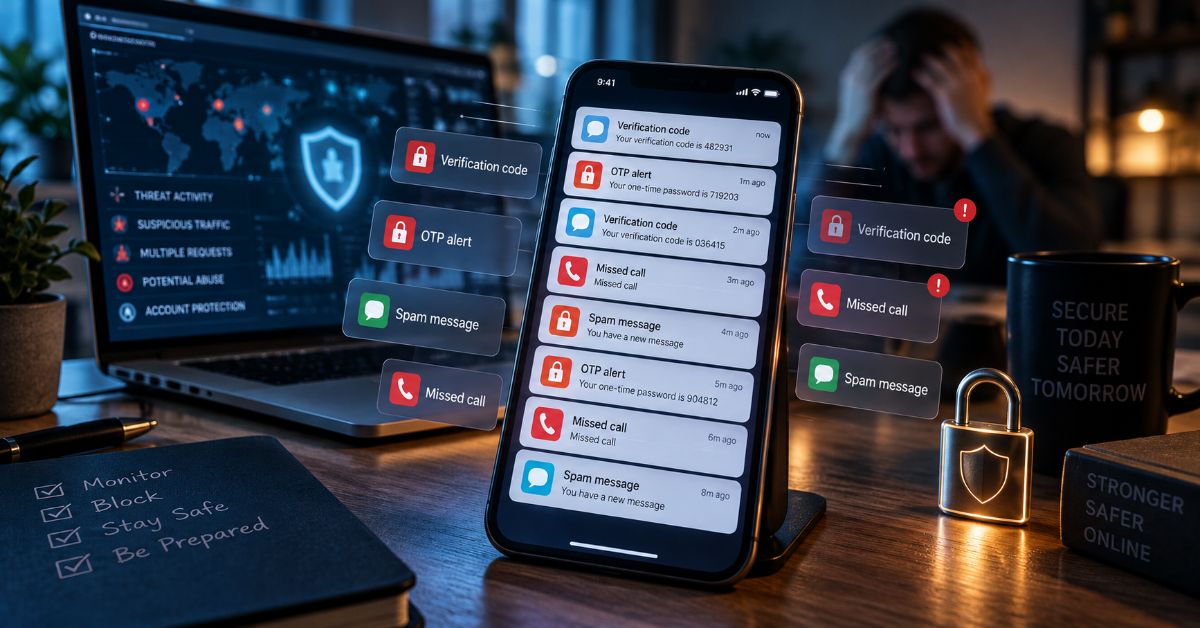
BOMBitUP is an Android app associated with bulk SMS, repeated calls, and email bursts, but the most important fact is not how many messages it can send. It is that the same mechanism marketed as a prank can become spam, harassment, or a way to bury legitimate security alerts when the recipient never agreed to it. I reviewed the project’s current public documentation, its release history, ten high-visibility pages ranking for the keyword, Android security guidance, and telecom reporting guidance before writing this guide.
If you searched for this tool, you are likely trying to answer several questions at once: what the app is, whether a download is genuine, whether it is safe, whether its “Protect Me” feature works, or how to stop an OTP flood. Most ranking pages answer the download question first. I think that order is backwards. Before anyone installs an APK or enters a phone number into a protection form, they should understand the source, data trade-off, and legal risks.
The project’s own materials describe the software as an Android application created by RomReviewer, with SMS, call, and email modes connected to changing online integrations. The GitHub release history shows active versioning in 2026, while mirrors display conflicting version numbers and large download claims that I could not independently verify. That inconsistency changes how a reader should judge “official” pages.
My aim here is defensive and verification-focused. I did not install the app, send test traffic, or reproduce bombing behavior. I checked what can be verified from public sources and built a practical response for people deciding whether to trust the software or already receiving unwanted OTPs and calls.
What Does the App Actually Do?
It is a third-party Android utility that automates requests through online service integrations. The project documents SMS, call, and email modes. Those integrations can change, fail, or be blocked, so claims that a particular carrier, country, speed, or message count is guaranteed deserve caution (RomReviewer, 2026a).
A typical OTP flood can repeatedly trigger legitimate services that normally send verification codes, alerts, or callbacks. The recipient may then see messages from many unrelated brands. I am intentionally not reproducing operational steps because those details can make harassment easier.
For readers trying to understand authentication rather than prank tools, Aperplexity’s NCEdCloud MFA guide shows a legitimate use of one-time codes inside an identity workflow. That contrast matters: an OTP should confirm a real account action, not become background noise.
The project is also not a native iPhone app. An APK is an Android package. Pages claiming universal browser access are separate web implementations or mirrors, not proof of an official iOS release.
Why Are BOMBitUP Search Results So Confusing?
The search landscape mixes a project website, GitHub, APK distributors, review sites, and multiple domains calling themselves official. I found pages showing versions across the 4.x and 5.x series, plus mirror claims of 10 million, 63 million, 64 million, or 71 million downloads. I could not verify those totals.
The GitHub release history is more useful for chronology. Current search data lists version 5.0.1 in August 2026, while older cached pages and the repository README can still show older versions (RomReviewer, 2026b). A search snippet, mirror badge, or stale README should not be treated as a single source of truth.
I use this source hierarchy when software branding is fragmented.
Source-verification hierarchy for fragmented software branding.
| Source type | What it can establish | Main weakness | My trust level |
| Versioned project release history | Release tags, dates, publisher account | Does not prove harmless behavior | Highest for version history |
| Project privacy/terms pages | Declared data handling and rules | Self-published claims | High for stated policy |
| Major APK distributor | File metadata and historical versions | May lag the publisher | Medium |
| Mirror claiming “official” status | Current landing-page claims | Identity and download claims may be unverified | Low until verified |
| Random review/download page | Common questions and search intent | Often repeats secondary claims | Low for verification |
Aperplexity’s ChromiumFX guide applies the same source-first method to software version history and package status rather than trusting the first download page.
Is the APK Safe to Install or Use?
I would not give a blanket “safe” verdict. Technical file safety and behavioral safety are different questions. A clean APK could still enable abusive use, while a mirror could distribute a modified APK with risks not present in the publisher’s release.
Google says apps downloaded from unknown sources can put a device and personal information at risk. Play Protect checks apps from outside the Play Store and may warn, block, disable, or remove harmful software (Google, 2026a).
I would keep Google Play Protect guidance enabled and avoid weakening device security just because a download page asks me to.
What Does the Protection List Really Do?
The protection feature deserves more scrutiny than most ranking pages give it. The current project privacy policy says it asks for a first name and mobile number, and that a version 5.0.1 protection entry expires after two weeks (RomReviewer, 2026c). Project guidance also says the protection list applies only to its own ecosystem, not unrelated bombing tools.
That creates a trade-off. Submitting your number may reduce requests from that ecosystem, but you are also giving the service your number so it can maintain the block. I would only submit a number I control and would not assume the entry creates carrier-level protection.
Several ranking pages describe protection as instant, permanent, or universal. The project’s current policy is narrower, and that distinction matters more than a promotional feature list.
What Should You Do If Your Number Is Being Bombed?
If dozens of OTPs or calls arrive within minutes, focus on containment and account security rather than retaliation. A flood can be a prank, but it can also make a genuine fraud alert or password-reset message easier to miss.
I would use this order:
- Do not click links or reply to unfamiliar messages. Open important services from official apps or saved bookmarks.
- Check high-value accounts directly for sign-in alerts, password resets, or transactions you did not initiate.
- Preserve a few representative screenshots, sender names or headers, timestamps, and call-log entries.
- Use built-in spam controls and report suspicious messages through your messaging app.
- Contact your carrier if the flood persists and ask about spam filtering and abuse reporting.
- Treat the project protection list only as a limited extra measure, not a universal block.
- Escalate threats, stalking, extortion, or signs of account compromise to the appropriate local authority.
When OTP noise overlaps with suspicious sign-ins, I treat the messages as security evidence, not merely clutter. Aperplexity’s defensive guide to exposed logs and credentials applies the same principle: an automated signal should trigger verification, not unauthorized counter-action.
Country Reporting Options for OTP and Spam Abuse
Reporting systems differ, and a carrier may classify a bombing incident differently from ordinary commercial spam. This table gives a starting point, not legal advice.
Country-level reporting starting points for OTP and spam abuse.
| Country | First route | Official guidance | Note |
| India | Mobile provider and TRAI | 1909 and approved DND channels | Keep sender/header, date, time, and message details |
| United Kingdom | Mobile provider and 7726 | Ofcom scam-message guidance | Do not reply to unknown senders |
| United States | Mobile provider and FCC/FTC | Unwanted call/text complaint channels | Use official account channels, not message links |
| Pakistan | Mobile provider and relevant cybercrime authority | FIA cybercrime guidance | Repeated unwanted contact may raise harassment concerns |
For UK readers, Ofcom’s scam-call and message guidance recommends not engaging with suspicious messages and using 7726 for SMS reporting. TRAI’s current spam-reporting guidance says Indian consumers can report spam through 1909 or approved DND channels (TRAI, 2026).
Is BOMBitUP Legal?
There is no single global law for the app. Legality depends on consent, purpose, volume, impact, and jurisdiction. I would avoid claims that the app itself is automatically legal or illegal everywhere.
The project’s own documentation makes prior consent central and says not to harass, threaten, disrupt services, or contact strangers. A disclaimer does not turn unwanted traffic into consent.
Telecom, privacy, anti-spam, harassment, and computer-misuse rules can all matter. The UK regulates electronic marketing under PECR (Information Commissioner’s Office, 2026). India provides formal UCC complaint mechanisms. The FCC regulates illegal robocalls and robotexts in the United States. Pakistan’s FIA guidance addresses repeated unwanted electronic contact in cyber-harassment contexts.
The practical rule is clearer than a legal slogan: if the recipient did not clearly agree, do not send automated floods.
How Does Bombing-Style Messaging Compare With Legitimate Bulk Messaging?
Bulk communication is not inherently abusive. Businesses, schools, banks, and emergency systems send messages at scale. The difference is authorization, identity, rate limits, and accountability.
How bombing-style traffic differs from legitimate bulk messaging and testing.
| Factor | Bombing-style use | Legitimate messaging/testing |
| Recipient consent | Often absent in abuse | Explicit consent or controlled test |
| Sender identity | May be fragmented across services | Identifiable sender |
| Volume | Designed to create bursts | Rate-limited to need |
| Purpose | Prank, disruption, or testing | Alerts, transactions, support, agreed tests |
| Protection | Project-specific | Provider, carrier, campaign, or account controls |
| Audit trail | Fragmented | Central logs and policies |
Authentication is also moving away from SMS in some enterprise systems. Microsoft began making passkeys the default Entra ID experience on September 1, 2026 and plans to retire Microsoft-provided SMS and voice authentication on February 1, 2027. Nadim Abdo wrote that passkeys “work better for users and worse for cyberattackers” (Abdo, 2026).
Aperplexity’s Entra Admin Center guide covers that migration. The connection is straightforward: when a channel can be phished, SIM-swapped, or flooded with noise, stronger credentials become more attractive.
The Future of BOMBitUP in 2027
I expect three pressures to shape this topic in 2027.
First, Android is tightening accountability around app distribution. Google’s 2026 developer-verification program expands publisher checks in selected markets, pushing the ecosystem toward stronger identity (Google, 2026b).
Second, authentication providers are reducing dependence on SMS and voice for high-value sign-ins. Microsoft’s February 1, 2027 Entra retirement is one concrete example of the move toward passkeys and other phishing-resistant methods.
Third, anti-abuse limits will keep changing how bombing tools function. The project itself says third-party integrations can change. More rate limits, bot detection, and carrier filtering are more plausible than a permanent promise that one mirror will always work.
Enforcement will remain uneven across countries, and mirror domains can change quickly. I therefore expect source verification, device security, and carrier reporting to stay more useful than claims that a particular site is permanently “working.”
Key Takeaways
- The project has a public Android release history, but mirrors often disagree on versions and “official” status.
- The project’s protection policy says it collects a first name and mobile number and that the block expires after two weeks.
- A technically clean APK is not the same as safe behavior. Non-consensual automated messaging can still become harassment.
- Play Protect matters because sideloaded apps sit outside the normal Play Store distribution path.
- An unexpected OTP flood should trigger a direct review of important accounts.
- Carrier and regulator reporting paths differ, but timestamps, sender headers, and call logs are useful evidence.
- The 2027 direction favors stronger app-source verification and phishing-resistant authentication.
Conclusion
I would not judge the app by a single “safe” or “dangerous” label. The more useful judgment separates four questions: who published the file, what the release record shows, what data a protection feature asks you to submit, and whether the intended use has the recipient’s clear consent.
The search results make that harder than it should be. Multiple domains use “official” language, mirror pages publish conflicting versions and large download totals, and many articles focus on installation before they explain the risks. The verifiable picture is narrower: the RomReviewer project has a public release history, the current policy describes a time-limited protection list, and Android warns that unknown-source apps deserve extra scrutiny.
If you are already receiving OTP spam, do not retaliate with another bomber. Check important accounts directly, preserve evidence, use device and carrier spam controls, and report persistent abuse. That protects the one thing a message flood tries to take away: your ability to distinguish a real security event from noise.
Frequently Asked Questions
What Is This App Used For?
The Android utility is associated with automated SMS, call, and email requests. Its current documentation frames these as consent-based testing or prank features. The same automation can become spam or harassment without consent.
Is the APK Safe for Android?
No universal verdict applies to every APK or mirror. Google warns that unknown-source apps can expose devices or personal data to risk. Verify the publisher and release source, keep Play Protect enabled, and review permissions.
What Is the Latest BOMBitUP Version?
Current GitHub search data shows version 5.0.1 in the project’s 2026 release history, but cached pages and mirrors can show older versions. Use the versioned release history for chronology rather than a mirror’s “latest” badge.
Does the Protection List Protect My Number Permanently?
The current project privacy policy says a protection entry includes a first name and mobile number and expires after two weeks. It applies to that ecosystem, not every unrelated bombing service.
Can OTP Bombing Hide a Real Hack?
It can create enough noise to make a genuine password-reset, sign-in, or fraud alert easier to miss. A flood does not prove compromise, but it is a reason to review important accounts directly.
Is This App Legal in India, Pakistan, the UK, or the US?
There is no single global status. Consent, purpose, impact, and local law matter. Telecom, privacy, anti-spam, harassment, and computer-misuse rules can apply differently.
Is There a Native iPhone App?
The project is distributed as an Android APK and does not describe a native iOS app. Browser-based pages are separate web tools or mirrors, not proof of an official iPhone application.
Methodology
I researched this article through September 9, 2026. I reviewed ten high-visibility results for the keyword, including the project website, GitHub, mirrors, APK distributors, and review pages. Exact search order can vary by country, personalization, and index freshness, so I treated the set as a current SERP sample.
For validation, I prioritized the RomReviewer release history and privacy policy, Google Android security guidance, Microsoft’s 2026 passkey announcement, TRAI, Ofcom, FCC, FTC, ICO, and FIA guidance. I verified four internal Aperplexity pages through current search results.
I did not install or operate the app, trigger messages, reverse-engineer its APIs, or test mirror APKs. I also could not independently verify the large download totals claimed by several mirrors. Legal outcomes vary by jurisdiction and facts, so this article is not legal advice.
AI assistance was used to support research organization and drafting. A human editor must verify named claims, references, link destinations, and final wording before publication.
References
Abdo, N. (2026, July 13). Microsoft Entra ID security updates: Passkeys are the default authentication method in Entra ID. Microsoft Security Blog.
Federal Communications Commission. (n.d.). Unwanted calls/texts: Phone. Consumer Inquiries and Complaints Center.
Federal Trade Commission. (2025, April). Is that unexpected text a scam? Consumer Advice.
Federal Investigation Agency. (2025). Cyber crimes: Risks, prevention and legal remedies. Government of Pakistan.
Google. (2026a). Use Google Play Protect to help keep your apps safe and your data private. Android Help.
Google. (2026b). Learn about Android developer verification. Android Help.
Information Commissioner’s Office. (2026, April 28). Guidance on direct marketing using electronic mail.
Ofcom. (2026, July 15; updated August 24, 2026). What to do about a scam call, text or message.
RomReviewer. (2026a). BOMBitUP official project website and responsible-use documentation.
RomReviewer. (2026b). BOMBitUP releases. GitHub.
RomReviewer. (2026c, August 23). Privacy policy. BOMBitUP.
Telecom Regulatory Authority of India. (2026, August 25). Complain or report against unsolicited commercial communications.
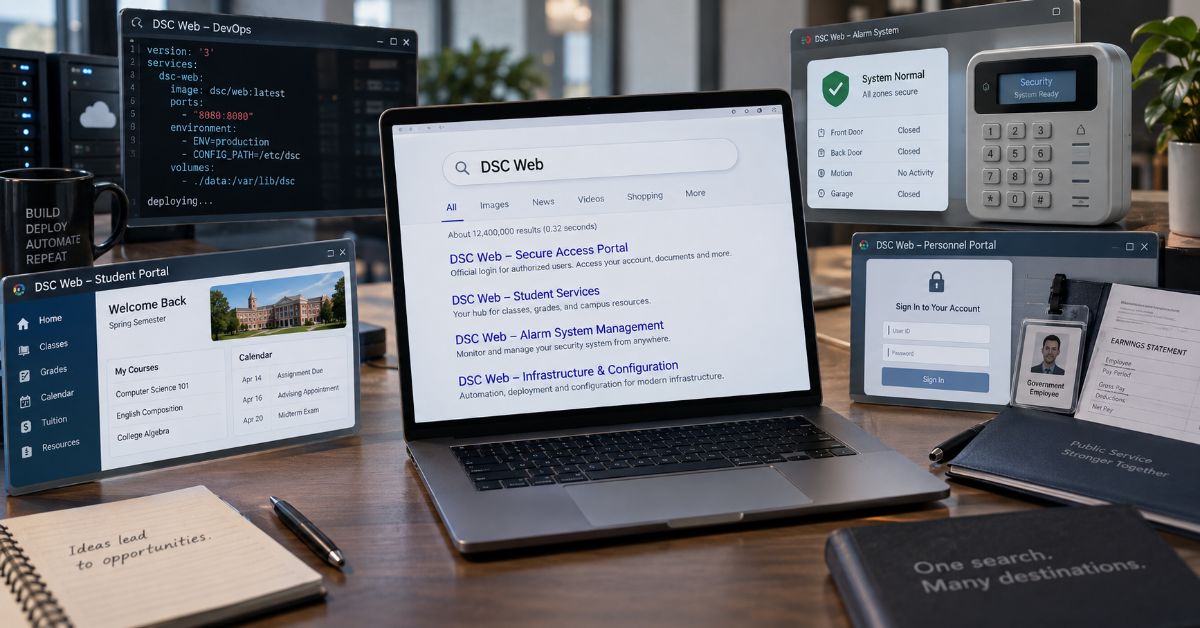
If you searched for DSC Web, the most useful answer is that there is no single DSC website. The phrase currently points to several unrelated destinations, including Microsoft Desired State Configuration, a live DSC alarm-communicator testing site, the Defence Security Corps portal in India, Daytona State College services, and other organizations that share the initials. I reviewed current search results on September 9, 2026, and that ambiguity is exactly why a one-definition article can send a reader to the wrong system.
I treat this query as an intent problem before I treat it as a definition problem. If you are a Windows or DevOps administrator, you probably need Microsoft DSC documentation, and the biggest trap is version drift: modern Microsoft DSC 3 is a standalone cross-platform command-line platform, while older ranking pages still describe the classic PowerShell pull server and report service. If you work with DSC security hardware, the browser destination has a completely different job. The public test site is designed for IP communicator testing, not as a general homeowner dashboard. If you are a Defence Security Corps user, the official portal is for service records, pay information, forms, grievances, and role-specific logins.
My goal here is to help you identify the right entity in under a minute, then give you enough context to avoid an outdated Microsoft workflow, an unrelated company, or a risky lookalike login. I also separate official portals from tools that merely use DSC in their names. Once you know which branch matches your task, the rest of the article gives you the correct workflow, current 2026 context, and a practical verification checklist.
What Does This DSC Search Actually Mean?
The phrase behaves like a crossroads. The fastest answer comes from the task around the initials, not from the initials alone. I use this map to route the search before opening a login or technical guide.
| Your Clue | Likely Entity | Correct Context |
| Configure systems declaratively | Microsoft DSC 3 | Current dsc CLI and configuration documents |
| LCM, MOF, pull/report server | Classic PowerShell DSC | Legacy Windows architecture |
| Export Microsoft 365 tenant settings | Microsoft365DSC | Browser-assisted export workflow |
| Test an alarm communicator | Digital Security Controls | Installer testing environment |
| Pay slip, Form 16, veteran login | Defence Security Corps | Official personnel portal |
| Classes, tuition, grades, Falcon | Daytona State College | Student portal |
| Convention or club events | Dallas Safari Club / Detroit Sportsmen’s Congress | Organization websites |
If You Mean Microsoft DSC, Start With the Version
For new infrastructure work, I would start with Microsoft’s current Desired State Configuration overview. Microsoft describes DSC as a declarative platform whose standalone dsc command runs on Windows, Linux, and macOS. It separates the desired state from the logic used by resources to reach that state (Microsoft, 2025).
Current configuration documents support operations such as dsc config get, test, and set. The platform can use resources implemented in different languages and is designed to integrate with higher-order orchestration tools. That makes the modern mental model an engine and resource system, not a mandatory browser console.
Release context also matters. GitHub marks v3.2.3, released July 16, 2026, as the latest stable build, while v3.3.0-rc.2 was released August 24 as a pre-release. Microsoft senior product manager Jason Helmick said v3.2 was shaped by real-world use, partner feedback, and community contributions. The release added built-in Windows resources, experimental Bicep integration over gRPC, version constraints, richer expressions, and adapter improvements (Helmick, 2026; PowerShell, 2026).
I also keep configuration separate from identity administration. Aperplexity’s Entra Admin Center guide covers the Microsoft browser control plane for users, authentication, roles, and Conditional Access. A sign-in or identity-policy failure is a different layer from a DSC resource failure.
Why do classic pull-server pages still rank?
Windows PowerShell DSC 1.1 used a Local Configuration Manager and could retrieve configurations from an IIS-based pull server. Microsoft’s report-server page still documents that model, but it also says the Windows Feature DSC-Service pull server has no planned new features or capabilities (Microsoft, 2023). The document can therefore be authentic and still be the wrong blueprint for a new DSC 3 design.
Where does the Microsoft365DSC browser UI fit?
Microsoft365DSC documents a browser interface launched with Export-M365DSCConfiguration -LaunchWebUI to help select Microsoft 365 components and generate an export command. I treat that as separate Microsoft 365 configuration tooling, not as the core DSC 3 interface (Microsoft365DSC, n.d.).
If a Windows node behaves unpredictably, I also separate drift from operating-system corruption. The DISM RestoreHealth guide is a practical boundary check before rewriting configuration to solve a damaged servicing layer.
| Technology | Execution Model | Best Fit |
| Microsoft DSC 3 | Standalone dsc CLI | Current cross-platform configuration as code |
| PowerShell DSC 1.1 | LCM + MOF + pull/report services | Legacy Windows deployments |
| Microsoft365DSC | PowerShell module + optional browser generator | Microsoft 365 tenant capture and drift workflows |
If You Mean DSC Alarm Systems
Digital Security Controls uses DSC for electronic security. Its official manufacturer site provides product, technical-library, owner, installer, software, and professional-login paths.
Its IP Communicator Live Interactive Testing Site is narrower. The page identifies itself as a 24/7 test environment for DSC IP communicators and says its live table refreshes every 30 seconds (Digital Security Controls, 2026). I reviewed the public page but do not reproduce live account, network, or event values because they add risk without helping the reader.
A test receiver is not a general homeowner dashboard. Owners should start from their installed product, monitoring provider, supported app, or installer. Installers testing communicator delivery should use the test environment and model-specific guides.
For accounts that expose devices or professional services, I would also use the strongest supported login protection. Aperplexity’s 2FA guide explains factor strength and recovery without assuming that a familiar login page is safe by itself.
If You Mean the Defence Security Corps Portal
The official Defence Security Corps portal serves personnel and veterans in India. Current pages list pay slips, Form 16, grievances, posting information, and separate individual, unit, veteran, administrative, and directorate login paths (Defence Security Corps, 2026).
This is mainly navigational intent. Verify the government hostname and correct role before entering service credentials. The portal also states that unauthorized access or misuse of personnel information is prohibited.
I would then save a verified canonical bookmark. That matches the principle in Aperplexity’s Quick Links guide: stable destinations beat repeatedly trusting whichever login-looking result ranks first.
Other Common Meanings You Should Not Ignore
Daytona State College uses DSC as an institutional abbreviation. Its support material says Falcon Self-Service / MyDaytonaState handles registration, tuition, holds, grades, financial aid, graduation, and profile updates after acceptance (Daytona State College, 2026).
Dallas Safari Club uses the initials for a very different audience. Its official convention page lists the 2027 Convention and Sporting Expo for January 7-10, 2027, at the Georgia World Congress Center in Atlanta (Dallas Safari Club, 2026). Detroit Sportsmen’s Congress is another legitimate organization using the initials. Search clues such as Falcon, tuition, convention, exhibitor, or club events resolve these meanings quickly.
How Do You Verify the Right Page Before You Sign In?
- Name the task first: configuration, alarm testing, service records, college access, or event information.
- Check the organization and hostname before credentials or downloads.
- On Microsoft pages, check version labels and architecture terms. LCM, MOF, ReportServerWeb, and xDscWebService signal the older generation.
- Prefer a canonical landing page over a deep login result when sensitive records or administrative tools are involved.
- Do not republish operational identifiers from live status or test pages merely because they are publicly visible.
That final rule reflects the same distinction in Aperplexity’s defensive log-exposure guide: public discoverability and safe handling are not the same thing.
| Clue Words | Likely Destination | Verification |
| dsc config, YAML, resource | Microsoft DSC 3 | Check current docs and release |
| LCM, MOF, pull server | Classic PowerShell DSC | Check “Applies To” and version |
| T-Link, communicator, receiver | Digital Security Controls | Use installer/product context |
| Pay slip, Form 16, veteran | Defence Security Corps | Verify government hostname |
| Falcon, tuition, grades | Daytona State College | Use college portal |
What the Current Ranking Pages Commonly Miss
- The real problem is entity collision. Individually correct pages can collectively create a poor result because they answer different intents.
- Microsoft version drift is part of the search answer. Old pull-server documentation can be authoritative yet inappropriate for a new DSC 3 project.
- A browser page is not automatically an account dashboard. The alarm test receiver, Microsoft365DSC generator, and government personnel portal all use the web for different jobs.
The trade-off is that a broad intent guide cannot replace every product manual or deployment tutorial. Its value is earlier in the journey: get the reader onto the right branch, label legacy versus current architecture, and reduce unsafe or irrelevant clicks. Once the branch is known, specialist documentation should take over.
The Future of DSC Web in 2027
For Microsoft, the verified direction is continued development of the standalone v3 engine, not a return to the classic always-on pull-server model. DSC 3.2 reached general availability in April 2026, v3.2.3 became the latest stable patch in July, and v3.3 reached release-candidate status in August. I found no Microsoft announcement that the core product is becoming a hosted browser dashboard.
The more defensible 2027 expectation is deeper integration. Version 3.2 already added experimental Bicep orchestration over gRPC, more built-in Windows resources, version constraints, extensions, and adapter improvements. The wider search will remain ambiguous because the alarm, military, education, convention, and club meanings continue independently. A ranking page should therefore keep its intent map and official destinations current instead of betting on one definition.
Key Takeaways
- Identify the entity before choosing a result.
- For new Microsoft work, start with DSC 3 and check the latest stable release.
- Treat classic pull-server pages as generation-specific documentation, not the default modern architecture.
- Keep the alarm test environment, Microsoft365DSC generator, and personnel portals in their documented roles.
- Verify official hostnames before logins, downloads, or bookmarks.
- Refresh the guide as releases and portal paths change.
Conclusion
I would not define this search with one sentence and stop. Several valid answers coexist, and choosing the wrong one can mean wasted time, an outdated infrastructure design, or credentials entered into the wrong service.
For Microsoft administrators, the key correction is architectural. Current DSC 3 is a standalone, cross-platform configuration platform centered on the dsc command, resources, and configuration documents. Classic PowerShell pull-server and report-server material can still matter in systems that intentionally run that generation, but it should not silently become the blueprint for new work. Microsoft365DSC’s browser generator is another separate tool with a Microsoft 365 tenant-export purpose.
For everyone else, context wins. Alarm installers, Defence Security Corps personnel, Daytona State students, convention visitors, and club members each need a different destination. My rule is consistent: identify the entity, verify the official hostname and role, then bookmark the canonical page. That small sequence turns an ambiguous search into a much safer and faster path.
Frequently Asked Questions
What does this DSC search usually refer to?
It can refer to Microsoft Desired State Configuration, Digital Security Controls alarm tooling, the Defence Security Corps portal in India, Daytona State College services, Dallas Safari Club, Detroit Sportsmen’s Congress, or other organizations. Context words such as PowerShell, alarm, veteran, Falcon, or convention usually identify the intended entity.
Does Microsoft DSC have a browser dashboard?
The core Microsoft DSC 3 platform is centered on the standalone dsc command, resources, and configuration documents. Microsoft365DSC separately offers a browser-assisted export generator, while classic PowerShell DSC used web-hosted pull and report services. Those are distinct architectures and projects.
What is a DSC pull server?
In classic Windows PowerShell DSC, a pull server is a centralized service that nodes can use to retrieve configurations and resources. Microsoft still documents that older architecture, but its report-server page says the Windows Feature DSC-Service pull server has no planned new capabilities. Check the generation before deploying it.
Is the DSC alarm testing site a homeowner login?
No. The public page identifies itself as an IP communicator live testing environment. Homeowners should start with their specific product, monitoring provider, supported app, or installer. Installers can use the test environment according to the manufacturer’s application and installation guidance.
What is the Defence Security Corps portal used for?
The official Indian portal provides services for personnel and veterans, including pay slips, Form 16, grievances, posting information, and role-specific logins. Verify the official government hostname and the correct account role before entering credentials.
How do Daytona State students access online services?
Daytona State College directs students to MyDaytonaState and Falcon Self-Service for registration, tuition, holds, grades, financial aid, graduation, and profile tasks. Clues such as Falcon, classes, tuition, or student email point to the college meaning rather than Microsoft or alarm systems.
Methodology
I researched this article on September 9, 2026, after reviewing ten prominent current results and close variants. I used that benchmark to identify entity collision, Microsoft version drift, and missing decision support without copying competitor structure or wording.
For validation, I prioritized Microsoft Learn, PowerShell/DSC releases, the PowerShell Team, Digital Security Controls, Defence Security Corps, Daytona State College, Dallas Safari Club, and Microsoft365DSC. I also verified every Aperplexity internal link used in the body.
Rankings vary by location, personalization, device, and time. I did not deploy DSC, alter an alarm communicator, sign into personnel records, or access a private student account. First-person statements describe research and editorial analysis, not invented testing.
AI assistance was used to organize research and draft the article. A human editor must verify claims, APA references, links, portal paths, and first-person statements before publishing.
References
- Microsoft. (2025, June 9). Microsoft Desired State Configuration overview. Microsoft Learn.
- Helmick, J. (2026, April 29). Announcing Microsoft Desired State Configuration v3.2.0. PowerShell Team.
- PowerShell. (2026). DSC releases. GitHub.
- Microsoft. (2023, June 21). Using a DSC report server. Microsoft Learn.
- Microsoft365DSC. (n.d.). Taking a snapshot of existing tenant.
- Digital Security Controls. (2026). Official security site and IP communicator test site.
- Defence Security Corps. (2026). Official portal for serving personnel and veterans.
- Daytona State College. (2026, June 30). What is Falcon Self-Service/MyDaytonaState?
- Dallas Safari Club. (2026). 2027 Convention and Sporting Expo.
-

 Technology3 weeks ago
ThomsonKids.com: Website Guide, Topics & Trust Check
-

 General2 weeks ago
Voozon.com: What It Is and How the Platform Works
-

 Technology2 weeks ago
thesindi com Review: What TheSindi.com Really Offers
-

 Technology2 weeks ago
Cambro.tv: Status, Safety & Technical Guide
-

 Business3 weeks ago
5starsstocks.com Review: Features, Trust and Safety
-

 General3 weeks ago
My Reading Manga: What MyReadingManga Is, Safety, Legality and Better Alternatives
-

 Guide3 weeks ago
Thothub Safety Guide: What the Name Means, Link Risks and Legal Concerns
-

 Technology4 weeks ago
Iwara: What iwara.tv Is, How It Works and What to Know