
Technology
Application.Calculate in Excel VBA: Complete Guide

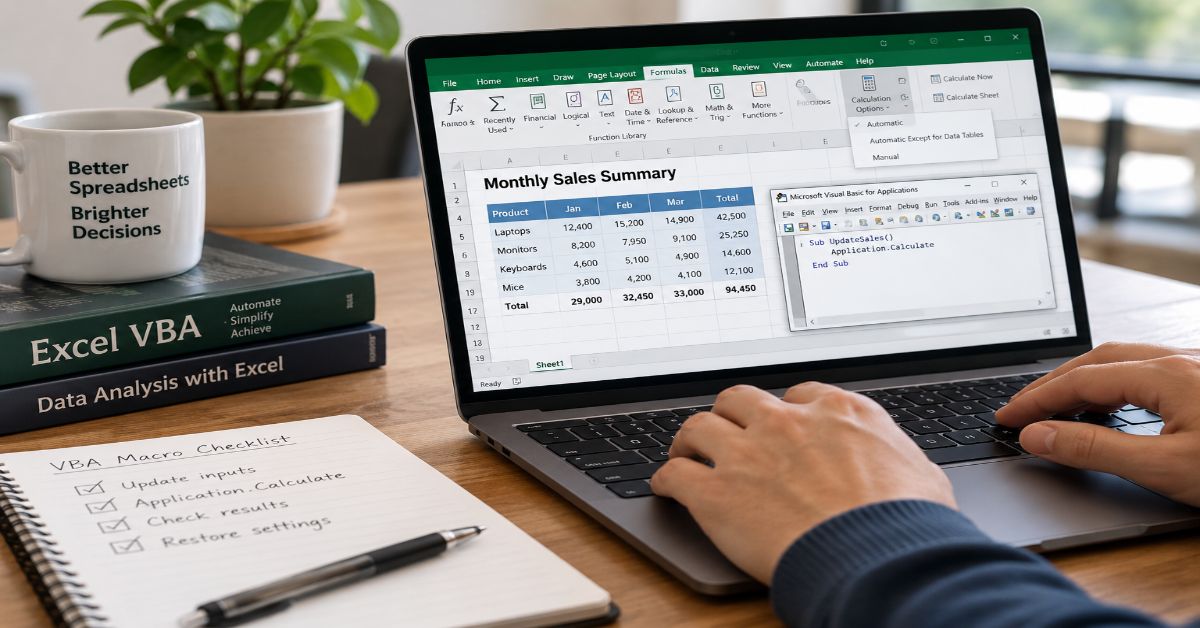
I use Application.Calculate when a VBA macro has changed enough workbook inputs that Excel needs a controlled recalculation, but I do not want to pay for a brute-force rebuild of every formula. The method asks Excel to perform its normal smart recalculation across all open workbooks, which is effectively the programmatic counterpart of pressing F9. That distinction matters because a calculation-heavy macro can feel slow even when the VBA itself is fast: Excel may be recalculating dependent formulas after every cell change unless calculation is managed deliberately.
Microsoft describes Excel calculation as a dependency-driven process. It tracks precedents, marks affected formulas as dirty, maintains a calculation chain, and recalculates changed cells, their dependents, and volatile formulas at the next recalculation. In other words, the useful performance question is not simply, “How many formulas are in this workbook?” It is, “How much of the dependency graph did my macro invalidate?” That is why smart calculation can be dramatically cheaper than a full calculation in a well-designed workbook.
I also treat calculation scope as a correctness decision, not just a speed setting. An application-level calculation is appropriate when changes can affect formulas across open workbooks. A worksheet calculation can be better when the dependency boundary is known. A range calculation can be useful for tightly controlled manual-mode workflows, but it deserves extra care because range-level behavior is narrower and depends on calculation mode.
This guide explains what the method actually recalculates, how it differs from CalculateFull and CalculateFullRebuild, when manual calculation helps, where volatile formulas change the cost, and how I structure VBA so Excel settings are restored even after an error.
What Does Application.Calculate Actually Do?
At application scope, the method recalculates all cells Excel has marked for calculation across open workbooks. Microsoft’s Application.Calculate method documentation shows the basic syntax as `Application.Calculate`, with worksheet and range variants available through their own objects. The broader recalculation documentation explains that F9 and the application method recalculate dirty dependents, volatile functions, and cells explicitly marked dirty rather than blindly evaluating every formula.
Application.Calculate
‘ or, in a standard module:
Calculate
How does Excel decide which formulas are dirty?
Excel first builds dependency information that connects formulas to their precedents. When a value or formula changes, Excel marks direct and indirect dependents as needing calculation. I find the easiest mental model is a dependency graph: a change at one node propagates to formulas that rely on it. That idea is also familiar in event-driven systems, where one event can feed several downstream consumers, as described in Aperplexity’s Kafka topic guide. Excel’s calculation chain is not Kafka, but both models reward thinking about downstream work rather than only the source change.
What does the F9 equivalence mean in practice?
The F9 comparison is useful because it separates recalculation from full calculation. A normal recalculation uses Excel’s smart recalculation logic. Ctrl+Alt+F9 forces a full calculation of every formula in all open workbooks. Shift+Ctrl+Alt+F9 goes further by rebuilding the dependency information before calculating. If a macro merely changed input values, the normal recalculation is usually the first method I would test.
This scope table shows the practical choices available to a VBA macro.
| Scope | VBA example | What it targets | Typical use |
| All open workbooks | Application.Calculate | Dirty cells, dependents, volatile formulas across open workbooks | Macro can affect cross-sheet or cross-workbook formulas |
| One worksheet | Worksheets(“Sheet1”).Calculate | Dirty cells and dependents on the specified sheet | Changes are known to stay inside one worksheet boundary |
| One range | Range(“B1:B20”).Calculate | A specified range, with mode-specific behavior | Manual-mode tuning, timing, or tightly bounded calculations |
When Should You Use application.calculate in VBA?
I reach for it most often after a macro has performed a batch of edits under manual calculation. The point is to prevent Excel from recalculating after every write, then request one smart recalculation when the data changes are complete. This mirrors a general optimization principle: avoid repeated work, batch related changes, and measure the final operation. Aperplexity’s ETL process optimization guide applies the same principle to data pipelines, where reducing unnecessary reads and reruns usually matters more than adding brute-force compute.
The same waste-reduction idea appears in the ETL process optimization guide, where the strongest gains come from removing unnecessary work before scaling resources.
Use the narrowest correct calculation scope
If the macro changes values on one sheet and no external dependents need immediate results, worksheet calculation can reduce work. If only a tightly bounded range matters and the workbook is in manual mode, Range.Calculate can be useful. Microsoft’s calculation guidance notes an important nuance: in manual mode, Range.Calculate recalculates the specified cells regardless of whether they are dirty; in automatic modes, range calculation behaves differently and does not simply force the selected range. That is one reason I avoid treating range calculation as a universal substitute for application-level recalculation.
Worksheets(“Sheet1”).Calculate
Worksheets(“Sheet1”).Range(“A1:B20”).Calculate
Use manual calculation around large batches of edits
The strongest macro pattern is not to set manual mode and forget it. I save the existing calculation setting, disable only the features the macro does not need, perform the edits, calculate deliberately, and restore the original settings in a cleanup path. This matters because Excel calculation mode is application-level. A macro that leaves Excel in manual mode can silently affect other workbooks the user opens later.
Sub UpdateModelSafely()
Dim oldCalc As XlCalculation
Dim oldScreen As Boolean
Dim oldEvents As Boolean
On Error GoTo CleanUp
oldCalc = Application.Calculation
oldScreen = Application.ScreenUpdating
oldEvents = Application.EnableEvents
Application.ScreenUpdating = False
Application.EnableEvents = False
Application.Calculation = xlCalculationManual
‘ … batch edits here …
Application.Calculate
CleanUp:
Application.Calculation = oldCalc
Application.ScreenUpdating = oldScreen
Application.EnableEvents = oldEvents
If Err.Number <> 0 Then
MsgBox Err.Description, vbExclamation
End If
End Sub
How Does Application.Calculate Compare With Full Calculation Methods?
The three application-level methods solve different problems. Smart recalculation is the normal choice after ordinary edits. Full calculation is a diagnostic or correctness tool when you need every formula reevaluated. A full rebuild is the heaviest option and is appropriate when dependency information itself may be stale or after version-related calculation issues.
The comparison below makes the escalation path explicit.
| Method | Scope | Dependency behavior | Relative cost | Best fit |
| Application.Calculate | All open workbooks | Uses current dependency tree and smart recalculation | Usually lowest of the three | Routine controlled recalculation |
| Application.CalculateFull | All open workbooks | Forces every formula to calculate | Higher | Validation, version changes, suspected stale formula results |
| Application.CalculateFullRebuild | All open workbooks | Rebuilds dependencies, then fully calculates | Highest | Suspected dependency-chain corruption or deep troubleshooting |
Application.Calculate versus CalculateFull
CalculateFull does not ask whether a formula is dirty. It forces a full calculation of the data in all open workbooks. That can be valuable when correctness is more important than latency, but using it after every macro run defeats the performance benefit of Excel’s smart recalculation engine. I would only promote a routine macro from smart recalculation to full calculation after a reproducible test shows that ordinary recalculation is not producing the required state.
Application.Calculate versus CalculateFullRebuild
CalculateFullRebuild is more disruptive because it rebuilds dependency information as well as recalculating every formula. Microsoft describes it as similar to re-entering all formulas from a dependency perspective. It is a troubleshooting tool, not a performance optimization. If a workbook has ordinary dirty formulas, a full rebuild is unnecessary work.
How Can You Make Excel VBA Recalculation Faster?
Microsoft’s Excel calculation performance guidance emphasizes smart recalculation, multithreaded calculation, smaller formula ranges, efficient functions, and measurement. I use the same hierarchy when tuning macros: first remove repeated recalculations, then narrow the scope, then inspect formula design. VBA cannot compensate for a workbook that repeatedly evaluates expensive formulas over oversized ranges.
Reduce volatile and single-threaded calculation pressure
Volatile functions such as NOW, RAND, TODAY, OFFSET, INDIRECT, CELL, and INFO can recalculate even when their obvious inputs did not change. Some functions and VBA user-defined functions can also reduce the benefit of multithreaded calculation. The hidden cost is that a small input change can trigger a larger recalculation path than expected. I therefore inspect volatility before blaming the macro itself.
Measure before and after changing the calculation method
Microsoft recommends high-resolution timing because the second calculation can be faster than the first. Excel reuses calculation ordering, takes advantage of caches, and can improve thread allocation based on previous runs. A fair test should therefore use representative data and several repeated measurements. One fast run is not enough evidence to replace a reliable calculation method.
Do not optimize only the VBA loop
A common mistake is to optimize cell-writing code while leaving formula work untouched. If a macro writes 20,000 cells in automatic mode and each write dirties a large dependency chain, calculation can dominate total runtime. Switching to arrays and bulk writes helps, but the bigger win may be controlling when calculation occurs. This is the spreadsheet equivalent of systems optimization: reduce the amount of work before trying to make each unit of work marginally faster.
I use the following symptom map when a macro is slow or formula results seem stale.
| Symptom | Likely cause | First action | Escalation |
| Macro slows after many cell writes | Automatic recalculation after repeated edits | Batch edits in manual mode, then smart recalculate | Profile formula hotspots |
| One worksheet is the bottleneck | Localized dependency chain | Calculate the worksheet when correct | Refactor formulas or reduce volatile references |
| Results differ after version changes | Full recalculation may be required | Run CalculateFull and retest | Use CalculateFullRebuild if dependency state is suspect |
| Excel remains in manual mode after an error | Macro failed before restoring settings | Use a cleanup handler that restores state | Add logging and regression tests |
| Range results are unexpected | Scope or dependency assumptions are wrong | Use worksheet or application scope | Review precedents and calculation mode |
What Are the Main Risks and Trade-Offs?
The first risk is stale data caused by calculating too narrow a scope. A range may be correct in isolation while formulas elsewhere still depend on its outputs. The second risk is user-state leakage: calculation mode, events, and screen updating are global or application-wide behaviors that should be restored. The third is hiding a formula-design problem with an unnecessarily expensive full rebuild.
I also watch for cross-workbook links. Application-level recalculation is broad by design, so another open workbook with volatile or expensive formulas can increase the time of a macro that appears unrelated. If a production process needs predictable performance, controlling which workbooks are open can be as important as changing one line of VBA.
Charles Williams, a Microsoft Excel MVP known for Excel performance work, summarized the distinction succinctly: “Application.Calculate recalculates all the open workbooks using the multi-threaded smart recalc engine.” I treat that as a useful reminder that the method is global in scope but selective in the formulas it actually recalculates.
What Does This Look Like in Real-World Macros?
Consider a forecasting workbook where a macro imports new assumptions, writes them to an input sheet, updates scenario flags, and then exports a report. In automatic mode, every write can cause dependent formulas to recalculate. A better pattern is to switch to manual calculation, write all assumptions in bulk, run one controlled recalculation, verify the output state, and only then export the report.
The same principle applies to operational workbooks that combine Excel with databases, APIs, or file imports. The important boundary is the handoff between data mutation and calculation. If the macro changes inputs in several waves, calculate only at points where downstream results are actually needed. That reduces redundant work and makes failures easier to diagnose because each recalculation corresponds to a meaningful stage.
For developers expanding beyond VBA into broader automation, I see value in understanding systems concepts such as batching, idempotency, observability, and dependency management. Aperplexity’s guide to software engineering and AI certifications frames this well by emphasizing implementation evidence rather than credentials alone. The same mindset improves spreadsheet automation: reliable behavior matters more than clever syntax.
For readers building a broader technical path, the software engineering and AI certification guide is a useful adjacent resource because it connects automation skills with deployment, observability, and system design.
The Future of Application.Calculate in 2027
I do not expect the core VBA method to become obsolete in 2027. In the official Microsoft material I reviewed through September 5, 2026, I found no announcement that changes its basic semantics. The more important trend is that calculation control is appearing across newer Excel automation surfaces rather than remaining a VBA-only concern.
Microsoft’s Office Scripts calculation-mode sample updated December 31, 2025, shows the same operational pattern in TypeScript: set calculation mode, perform work, then invoke a chosen calculation type. Python in Excel adds another calculation-aware workload with its own performance considerations. My 2027 expectation is therefore continuity in the principle, not a dramatic API break: automated Excel workflows will increasingly need explicit control over when expensive calculations happen.
The practical implication is that VBA developers should learn the concept rather than memorize one command. Smart recalculation, full calculation, dependency rebuilds, manual mode, and scoped calculation are durable mental models that transfer to newer Excel automation environments. Technical discussion and release tracking also matter when behavior changes between builds; Aperplexity’s Threads versus X comparison for technical creators notes that X remains particularly useful for real-time software and developer conversations, while Threads is more conversational and feed-driven.
For release-monitoring and developer-community context, see the Threads versus X comparison for technical creators. It is not Excel documentation, but it is useful when deciding where to follow fast-moving technical discussions before verifying them against primary sources.
Key Takeaways
- Treat smart recalculation as the default escalation after ordinary VBA edits; full calculation is a heavier correctness tool.
- Save and restore Application.Calculation because calculation mode applies beyond the macro that changed it.
- Use worksheet or range scope only when the dependency boundary is genuinely understood.
- Volatile functions, cross-workbook links, data tables, and user-defined functions can make recalculation cost much larger than the changed input suggests.
- Measure repeated runs because Excel can reuse calculation ordering and optimize later calculations.
- Use CalculateFullRebuild for dependency troubleshooting, not as a routine “make sure everything is fresh” command.
Conclusion
I treat application.calculate as a control point between VBA data changes and Excel’s dependency engine. It is broad enough to recalculate dirty work across open workbooks, but it still preserves smart recalculation, which is why it is usually a better default than forcing every formula to run. The important skill is choosing the correct scope and restoring Excel’s state afterward.
For a slow macro, I would first measure the current behavior, batch cell changes under manual calculation, run one smart recalculation, and compare the result. If the workbook only needs a sheet-level calculation, narrow the scope. If results remain suspect after a version change or a dependency problem, escalate deliberately to CalculateFull or CalculateFullRebuild. That sequence keeps performance work evidence-based and reduces the chance of masking a deeper workbook-design issue.
The method itself is simple. The engineering judgment around when, where, and how much to calculate is where most of the value sits.
Frequently Asked Questions
Is Application.Calculate the same as pressing F9?
At application scope, yes in practical terms. Both trigger Excel smart recalculation across open workbooks. Excel recalculates formulas marked dirty, their dependents, volatile formulas, and other items flagged for calculation rather than forcing every formula to run.
Does Application.Calculate recalculate every formula?
No. It uses smart recalculation. If you need every formula in all open workbooks to run, use Application.CalculateFull. If you also need Excel to rebuild the dependency tree and calculation chain, use Application.CalculateFullRebuild.
Can I calculate only one worksheet in VBA?
Yes. Use a worksheet object such as Worksheets(“Sheet1”).Calculate. This is useful when the required dependency scope is known, but formulas on other worksheets that depend on the result may still need their own recalculation.
Can I calculate only a range in Excel VBA?
Yes, with Range.Calculate. Microsoft notes that range calculation is especially useful in manual mode and resolves dependencies within the range. Because behavior differs by calculation mode, test it carefully before using it as a performance shortcut.
Why is my VBA macro still slow after switching calculation to manual?
Calculation may not be the only bottleneck. Screen updates, events, row-by-row cell access, volatile formulas, user-defined functions, external links, file I/O, and inefficient formulas can all dominate runtime. Measure each stage rather than assuming recalculation is the only cause.
Should I always restore automatic calculation at the end of a macro?
Restore the user’s previous calculation mode, not blindly automatic mode. Save Application.Calculation before changing it and restore that saved value in a cleanup block so the macro respects the state the user had before it ran.
Methodology
I gathered and cross-checked information against Microsoft’s Excel VBA method documentation, Microsoft’s January 24, 2024 calculation-performance guidance, its November 11, 2025 VBA performance guidance, and the December 31, 2025 Office Scripts calculation sample. I also reviewed practitioner commentary from Excel MVP Charles Williams for an independent performance perspective. Internal links were verified as live Aperplexity pages during research on September 5, 2026.
The main limitation is that calculation performance is workbook-specific. Formula design, volatile functions, cross-workbook links, data tables, user-defined functions, hardware, Excel build, open workbooks, and calculation mode can all change timing. I therefore avoid claiming a universal speedup for any one method. A narrower scope can be faster, but only when it still produces the correct dependency state.
A balanced counterpoint is that full calculation can be the correct choice when certainty matters more than runtime, and a dependency rebuild can be justified during deep troubleshooting. Smart recalculation is a performance mechanism, not a reason to ignore correctness checks. AI assistance was used in drafting and organizing this article, and a human editor must review the final content, verify references and firsthand claims, and own the article before publishing.
References
Microsoft. (2021). Application.Calculate method (Excel). Microsoft Learn.
Microsoft. (2021). Application.CalculateFull method (Excel). Microsoft Learn.
Microsoft. (2021). Application.CalculateFullRebuild method (Excel). Microsoft Learn.
Microsoft. (2024). Excel performance: Improving calculation performance. Microsoft Learn.
Microsoft. (2025). Excel performance: Tips for optimizing performance obstructions. Microsoft Learn.
Microsoft. (2025). Manage calculation mode in Excel. Microsoft Learn.
Williams, C. (2015). Timing Excel formula calculations. Excel and UDF Performance Stuff.

The best Wireframing tools in 2026 are not the ones with the longest feature lists: Figma is strongest when a rough layout must grow into production design, Balsamiq is better when deliberate low fidelity keeps discussion focused, and AI-first products such as Uizard and Visily are useful when speed matters more than deep interaction logic. The expensive mistake is choosing a tool for the first ten minutes of sketching instead of the next ten weeks of product work.
I reviewed ten high-visibility guides for this query, then checked vendor pricing, product changes, and recent design-industry research. Most ranking pages do a decent job naming popular apps. The gap is decision context. A founder, UX designer, product manager, and enterprise design team can all search the same keyword while needing different levels of fidelity, collaboration, governance, and developer handoff.
I treat a wireframe as a decision artifact, not a mini mockup. It should answer questions about hierarchy, navigation, content priority, task flow, and system behavior before visual polish makes changes expensive. When navigation is the problem, information scent matters more than button color. The same principle appears in Aperplexity’s guide to shortcut navigation: labels and task priority should reduce search cost rather than create another layer of confusion.
The shortlist below compares ten current products, but I do not force a universal winner. I rank them by the uncertainty they can resolve, the distance between wireframe and handoff, and the cost of switching tools later. That creates a more useful answer than another feature-count contest.
What should a wireframing tool actually help you decide?
A wireframing tool should make structure cheap to change. At minimum, it needs reusable interface elements, fast rearrangement, comments or sharing, and enough prototyping to expose a broken flow before engineering starts. The right fidelity depends on the question. If I am debating information architecture, polished typography is noise. If I am testing permissions, validation, or branching states, a static sketch is too weak.
Visual polish can create commitment before the structure is stable. I call that fidelity debt: time spent making an unresolved idea look final, plus the cost of persuading people to discard it later.
How I ranked these wireframing tools
I weighted seven factors: speed to first useful screen, control over fidelity, collaboration, interaction depth, AI assistance, developer handoff, and current paid-seat cost. I also checked platform constraints and product lifecycle risk. I did not award extra points simply because a product can do more.
The key test is reversibility. An early artifact should be cheap to change and still have a credible path forward. A fast draft that must be rebuilt before testing or handoff may not be fast overall.
Match the tool to the uncertainty, not the job title
This is the framework I found most useful after comparing the SERP. Start by naming the uncertainty that could still invalidate the design. Then choose the lowest fidelity that can answer it. The result is often different from choosing by team size or by a generic “best overall” score.
This matrix turns the decision into a testable design question rather than a popularity ranking.
| Uncertainty | Useful fidelity | Strong fit | Main risk |
| Navigation or content hierarchy | Low fidelity | Balsamiq, Whimsical | Premature visual detail |
| Workshop alignment | Shared low fidelity | Miro, Whimsical | A board that becomes an unowned archive |
| Fast concept exploration | AI-assisted low to mid | Uizard, Visily | Accepting generated conventions without review |
| Design system continuity | Mid to high | Figma, Sketch | Polishing before core flow is stable |
| Complex states or business rules | Interactive logic | Axure RP | Overbuilding simple flows |
| Production component behavior | Code-backed prototype | UXPin, Penpot | Tooling complexity before the system is mature |
Best wireframing options at a glance
Prices below are public starting rates checked on September 11, 2026. They are snapshots, not permanent quotes.
| Tool | Best for | Free entry | Starting paid price | Main trade-off |
| Figma | Wireframe to production design | Free | From $16/full seat/mo annually | Easy to polish too early |
| Balsamiq | Deliberate low fidelity | Trial | From $16/editor/mo annually | Limited visual and interaction depth |
| Whimsical | Wireframes plus flows/docs | Free | From $10/editor/mo annually | Not a full production UI tool |
| Miro | Discovery workshops | Free | From $8/member/mo annually | General canvas can become messy |
| Uizard | Prompt-to-screen speed | Free | From $12/mo annually | AI output needs strong review |
| Visily | Non-designers and AI drafts | Free | From $11/editor/mo annually | Less depth for complex systems |
| UXPin | Code-backed design systems | Free/trial varies | From $29/seat/mo annually | Higher cost and learning curve |
| Axure RP | Logic-heavy prototypes | Trial | From $29/user/mo | Overkill for simple layout questions |
| Penpot | Open-source and self-hosting | Free | From $7/user/mo cloud | Smaller ecosystem than Figma |
| Sketch | Mac-native product design | Trial | From $12/editor/mo annually | macOS editor constraint |
Figma: best when the wireframe must become the final design
I would choose Figma when continuity matters more than enforced simplicity. The Professional Full seat is $16 per month on annual billing, and one file can move from gray-box structure to components, prototypes, and handoff. The risk is premature polish: an uncertain flow can look settled before it earns that confidence.
Balsamiq: best for deliberately low-fidelity alignment
Balsamiq is strongest when roughness is a feature. Its sketch-like components help keep reviews on hierarchy and flow, and current Starter pricing is $16 per editor per month billed annually. Lifecycle matters here: Balsamiq’s official transition timeline says Desktop sales end December 31, 2026, with support continuing through December 31, 2027. New projects should therefore favor its cloud product rather than a fresh Desktop dependency.
Whimsical: best for product teams mixing flows and screens
Whimsical works well when flows, diagrams, docs, and wireframes need to stay close together. Pro starts at $10 per editor per month billed annually. It bridges workshop thinking and structured screens, but its ceiling appears when the work needs detailed production design or advanced interaction logic.
Miro: best for collaborative discovery workshops
Miro fits when the wireframe is one artifact inside a broader discovery session. Starter is $8 per member per month on annual billing, and one board can hold research, journey maps, votes, notes, and rough UI. Governance still matters because an infinite canvas can become a storehouse of stale alternatives.
Uizard: best for turning prompts into fast first drafts
Uizard is useful when a founder, marketer, or product manager needs screens before a designer is available. Pro is $12 per month billed annually. I would use the generated screen as a hypothesis, not a specification. Generation compresses drawing time, but it does not validate task priority, edge cases, accessibility, or product fit.
Visily: best AI-assisted option for non-designers
Visily combines prompt generation, screenshot conversion, editable UI, and Figma import/export. Pro starts at $11 per editor per month billed annually. It suits cross-functional teams that want visual output without a steep learning curve. The trade-off is generated plausibility: each screen still needs a review tied to the assumption it is supposed to test.
UXPin: best for code-backed design-system prototypes
UXPin is strongest when the team already has a design system and wants prototypes closer to production behavior. Core starts at $29 per seat per month billed annually, making it materially more expensive than most list-first wireframing choices. The premium makes sense only when real components, state behavior, and handoff accuracy reduce downstream rebuilds.
Axure RP: best for complex states and business rules
Axure RP remains the specialist for variables, conditional logic, repeaters, and specification-heavy interaction. Pro is listed at $29 per user per month. I would reach for it when the risk sits in the behavior rather than the layout, such as enterprise approvals, permissions, calculators, or multi-step forms. For a basic landing-page wireframe, that complexity buys little useful evidence.
Penpot: best open-source and self-hostable option
Penpot is the strongest choice here for open source, self-hosting, and a standards-oriented path between design and code. Cloud Unlimited starts at $7 per user per month, while Professional self-hosting is free. Teams leaving Figma should still audit plugins, libraries, integrations, and migration effort before treating license savings as total savings.
Sketch: best for Mac-native interface design
Sketch still makes sense for Mac-centered teams that value a native editor and a mature design workflow. Standard pricing is $12 per editor per month billed annually. Its wireframes can mature into polished product UI without a tool change, but the editor remains tied to macOS. For mixed-device organizations, that platform boundary may matter more than the monthly price.
What does a five-person team actually pay?
Sticker price is easier to compare in one unit. The table multiplies the public starting rate by five editors and 12 months. It is a September 11, 2026 planning snapshot, not a quote; taxes, enterprise terms, AI overages, and billing choices can change the total.
| Plan | Rate used | Five-seat annualized cost |
| Penpot Unlimited | $7 | ~$420 |
| Miro Starter | $8 | ~$480 |
| Whimsical Pro | $10 | ~$600 |
| Visily Pro | $11 | ~$660 |
| Sketch Standard | $12 | ~$720 |
| Uizard Pro | $12 | ~$720 |
| Figma Professional Full | $16 | ~$960 |
| Balsamiq Starter | $16 | ~$960 |
| UXPin Core | $29 | ~$1,740 |
The calculation is rate x five paid editors x 12 months. It does not monetize migration time, training, or AI overages.
What are the biggest risks and trade-offs?
The first risk is fidelity debt. A polished frame can attract feedback on finish before hierarchy or task flow is settled. My workaround is simple: write the decision question above the canvas and refuse detail that cannot help answer it.
The second risk is AI anchoring. In Figma’s 2025 survey of 2,500 users, 78% said AI significantly enhanced work efficiency, but only 32% said they could rely on AI output. The same report found successful AI-product teams were more likely to explore multiple design or technical approaches, 60% versus 39% among unsuccessful teams. I read that as a strong argument for generating alternatives, not merely generating faster.
The third risk is migration cost. Files, components, comments, prototypes, permissions, and team habits all have switching costs that a monthly price table misses. Before changing platforms, I use the same assumption-testing discipline described in Aperplexity’s critical-thinking exercises: state the expected benefit, list evidence, and name the condition that would make the switch a bad decision.
How should you choose the right tool?
For a founder-led MVP, I would start with the product uncertainty, not the design brand. If the main question is scope, a low-fidelity tool plus a clear feature boundary is often enough; Aperplexity’s Startup Booted guide makes a related point about keeping founder decisions tied to practical deliverables and constraints.
For a product team, I would optimize for handoff distance: how many times the artifact must be recreated before it reaches the person who builds it. Figma, Sketch, UXPin, and Penpot can shorten that distance. Balsamiq, Miro, and Whimsical can still be better when the early decision is cheap enough that preserving the artifact is less important than preserving clarity.
For AI-generated drafts, I use one rule: generation may propose the first arrangement, but a human must own the final hierarchy, states, accessibility, and evidence. That is consistent with Aperplexity’s analysis of AI detector limits, where automated output is treated as a signal to inspect rather than a verdict to accept.
The Future of Wireframing Tools in 2027
I expect wireframing in 2027 to become less about drawing rectangles and more about controlling the transition from intent to testable behavior. AI generation is already moving from blank-canvas assistance toward editable prototypes, code-aware components, and agentic workflows. The important constraint will be review quality, not raw generation speed.
That direction has measurable momentum. Figma reported in its August 2026 results that more than 80% of paid customers above $10,000 in annual recurring revenue were consuming AI credits weekly as of June 30, 2026. Dylan Field also argued at Config 2025 that “design is a differentiator that will make great companies and products stand out” (Figma, 2025b). I therefore expect the winning products to combine faster generation with stronger systems, governance, and handoff rather than eliminate design judgment.
Key Takeaways
- Choose fidelity according to the uncertainty that can still invalidate the product decision.
- Use low fidelity to keep navigation and hierarchy reversible; use richer prototypes only when behavior needs evidence.
- AI is valuable for option generation, but the efficiency gain is not the same as trustworthy output.
- Calculate seat cost and migration cost together because the cheaper subscription can still create a more expensive workflow.
- Check lifecycle risk before adopting a tool, especially when a desktop product or legacy workflow is being retired.
- Minimize handoff distance when a wireframe is expected to mature into production design or code-backed components.
Conclusion
The best choice is the one that makes the next important decision cheaper and clearer. I would use Balsamiq when roughness protects the conversation, Figma when continuity to production matters, Miro or Whimsical when discovery is collaborative, Uizard or Visily when fast visual generation unlocks discussion, and Axure or UXPin when behavior is the real uncertainty. Penpot deserves special attention when open source or self-hosting is a requirement, while Sketch remains practical for Mac-native teams.
What I would not do is pick from a feature checklist alone. A low monthly price can hide rebuild work, and an impressive AI demo can hide weak reasoning. The durable approach is to name the uncertainty, choose the lowest useful fidelity, compare the cost of the whole path, and set a clear review threshold before the artifact becomes expensive to change. That keeps wireframing what it should be: a fast way to learn before implementation locks the answer in.
Frequently Asked Questions
What are the best free wireframing tools?
Figma, Miro, Whimsical, Visily, Uizard, and Penpot all offer some form of free entry, although limits differ by files, boards, projects, AI credits, or collaboration. Penpot is especially notable because its Professional self-hosted edition is free. Always check the current plan page before standardizing a team workflow.
Which wireframing tool is best for beginners?
Balsamiq is one of the easiest choices when a beginner needs to communicate layout without learning a full interface-design system. Whimsical is also approachable for teams that need flows and diagrams. AI-first tools can create a faster first draft, but beginners still need to review hierarchy and task logic.
Is Figma good for wireframing?
Yes. Figma is particularly strong when the wireframe is expected to mature into high-fidelity UI, components, prototypes, and developer handoff in the same workspace. Its main drawback is that access to polished design features can encourage teams to increase fidelity before the product structure is stable.
Should I use low-fidelity or high-fidelity wireframes?
Use low fidelity when the question is structure, navigation, scope, or content priority. Increase fidelity when the question depends on interaction, visual hierarchy, component behavior, or usability details. The right level is the cheapest one that can produce credible evidence for the decision you need to make.
Can AI create usable wireframes?
Yes, AI can generate useful first drafts from prompts, screenshots, or sketches, especially in Uizard, Visily, and increasingly broader design platforms. I would treat those drafts as alternatives to evaluate. AI can accelerate arrangement, but it does not know your product constraints, research evidence, accessibility obligations, or edge cases unless you supply and verify them.
What is the difference between wireframing and prototyping?
A wireframe primarily represents structure, hierarchy, and flow. A prototype adds enough interaction to simulate behavior and support testing. The boundary can blur because modern tools support both, but the decision rule is simple: add interaction only when a static frame cannot answer the question under review.
Methodology
I researched this article through September 11, 2026. I reviewed ten high-visibility ranking pages for the focus query and close variants, then validated current prices and lifecycle details against vendor pages. For market context, I used Figma’s 2025 AI report and August 2026 financial results. Internal links were selected only from live aperplexity.com pages where the surrounding idea was directly relevant.
The main SERP gap I targeted was not another longer list. Several leading pages already organize products by use case or fidelity. I therefore added an uncertainty-to-fidelity framework, five-editor annualized cost math, fidelity debt, AI anchoring, and lifecycle risk. Prices are snapshots, and search rankings vary by location, personalization, and date. I did not conduct fresh hands-on product testing, so first-person language describes research, comparison, and editorial analysis rather than fabricated usage.
AI assistance was used to research, organize, and draft this article. A human editor must review the final text before publication, verify named claims and APA references against the original sources, click every internal and outbound link, and confirm that all first-person statements accurately describe the author’s real editorial process.
References
Figma, Inc. (2025a, April 24). Figma’s 2025 AI report: Perspectives from designers and developers.
Figma, Inc. (2026, August 5). Figma announces second quarter 2026 financial results.
Balsamiq Studios. (2025, June 6). The future of Balsamiq for Desktop.

BOMBitUP is an Android app associated with bulk SMS, repeated calls, and email bursts, but the most important fact is not how many messages it can send. It is that the same mechanism marketed as a prank can become spam, harassment, or a way to bury legitimate security alerts when the recipient never agreed to it. I reviewed the project’s current public documentation, its release history, ten high-visibility pages ranking for the keyword, Android security guidance, and telecom reporting guidance before writing this guide.
If you searched for this tool, you are likely trying to answer several questions at once: what the app is, whether a download is genuine, whether it is safe, whether its “Protect Me” feature works, or how to stop an OTP flood. Most ranking pages answer the download question first. I think that order is backwards. Before anyone installs an APK or enters a phone number into a protection form, they should understand the source, data trade-off, and legal risks.
The project’s own materials describe the software as an Android application created by RomReviewer, with SMS, call, and email modes connected to changing online integrations. The GitHub release history shows active versioning in 2026, while mirrors display conflicting version numbers and large download claims that I could not independently verify. That inconsistency changes how a reader should judge “official” pages.
My aim here is defensive and verification-focused. I did not install the app, send test traffic, or reproduce bombing behavior. I checked what can be verified from public sources and built a practical response for people deciding whether to trust the software or already receiving unwanted OTPs and calls.
What Does the App Actually Do?
It is a third-party Android utility that automates requests through online service integrations. The project documents SMS, call, and email modes. Those integrations can change, fail, or be blocked, so claims that a particular carrier, country, speed, or message count is guaranteed deserve caution (RomReviewer, 2026a).
A typical OTP flood can repeatedly trigger legitimate services that normally send verification codes, alerts, or callbacks. The recipient may then see messages from many unrelated brands. I am intentionally not reproducing operational steps because those details can make harassment easier.
For readers trying to understand authentication rather than prank tools, Aperplexity’s NCEdCloud MFA guide shows a legitimate use of one-time codes inside an identity workflow. That contrast matters: an OTP should confirm a real account action, not become background noise.
The project is also not a native iPhone app. An APK is an Android package. Pages claiming universal browser access are separate web implementations or mirrors, not proof of an official iOS release.
Why Are BOMBitUP Search Results So Confusing?
The search landscape mixes a project website, GitHub, APK distributors, review sites, and multiple domains calling themselves official. I found pages showing versions across the 4.x and 5.x series, plus mirror claims of 10 million, 63 million, 64 million, or 71 million downloads. I could not verify those totals.
The GitHub release history is more useful for chronology. Current search data lists version 5.0.1 in August 2026, while older cached pages and the repository README can still show older versions (RomReviewer, 2026b). A search snippet, mirror badge, or stale README should not be treated as a single source of truth.
I use this source hierarchy when software branding is fragmented.
Source-verification hierarchy for fragmented software branding.
| Source type | What it can establish | Main weakness | My trust level |
| Versioned project release history | Release tags, dates, publisher account | Does not prove harmless behavior | Highest for version history |
| Project privacy/terms pages | Declared data handling and rules | Self-published claims | High for stated policy |
| Major APK distributor | File metadata and historical versions | May lag the publisher | Medium |
| Mirror claiming “official” status | Current landing-page claims | Identity and download claims may be unverified | Low until verified |
| Random review/download page | Common questions and search intent | Often repeats secondary claims | Low for verification |
Aperplexity’s ChromiumFX guide applies the same source-first method to software version history and package status rather than trusting the first download page.
Is the APK Safe to Install or Use?
I would not give a blanket “safe” verdict. Technical file safety and behavioral safety are different questions. A clean APK could still enable abusive use, while a mirror could distribute a modified APK with risks not present in the publisher’s release.
Google says apps downloaded from unknown sources can put a device and personal information at risk. Play Protect checks apps from outside the Play Store and may warn, block, disable, or remove harmful software (Google, 2026a).
I would keep Google Play Protect guidance enabled and avoid weakening device security just because a download page asks me to.
What Does the Protection List Really Do?
The protection feature deserves more scrutiny than most ranking pages give it. The current project privacy policy says it asks for a first name and mobile number, and that a version 5.0.1 protection entry expires after two weeks (RomReviewer, 2026c). Project guidance also says the protection list applies only to its own ecosystem, not unrelated bombing tools.
That creates a trade-off. Submitting your number may reduce requests from that ecosystem, but you are also giving the service your number so it can maintain the block. I would only submit a number I control and would not assume the entry creates carrier-level protection.
Several ranking pages describe protection as instant, permanent, or universal. The project’s current policy is narrower, and that distinction matters more than a promotional feature list.
What Should You Do If Your Number Is Being Bombed?
If dozens of OTPs or calls arrive within minutes, focus on containment and account security rather than retaliation. A flood can be a prank, but it can also make a genuine fraud alert or password-reset message easier to miss.
I would use this order:
- Do not click links or reply to unfamiliar messages. Open important services from official apps or saved bookmarks.
- Check high-value accounts directly for sign-in alerts, password resets, or transactions you did not initiate.
- Preserve a few representative screenshots, sender names or headers, timestamps, and call-log entries.
- Use built-in spam controls and report suspicious messages through your messaging app.
- Contact your carrier if the flood persists and ask about spam filtering and abuse reporting.
- Treat the project protection list only as a limited extra measure, not a universal block.
- Escalate threats, stalking, extortion, or signs of account compromise to the appropriate local authority.
When OTP noise overlaps with suspicious sign-ins, I treat the messages as security evidence, not merely clutter. Aperplexity’s defensive guide to exposed logs and credentials applies the same principle: an automated signal should trigger verification, not unauthorized counter-action.
Country Reporting Options for OTP and Spam Abuse
Reporting systems differ, and a carrier may classify a bombing incident differently from ordinary commercial spam. This table gives a starting point, not legal advice.
Country-level reporting starting points for OTP and spam abuse.
| Country | First route | Official guidance | Note |
| India | Mobile provider and TRAI | 1909 and approved DND channels | Keep sender/header, date, time, and message details |
| United Kingdom | Mobile provider and 7726 | Ofcom scam-message guidance | Do not reply to unknown senders |
| United States | Mobile provider and FCC/FTC | Unwanted call/text complaint channels | Use official account channels, not message links |
| Pakistan | Mobile provider and relevant cybercrime authority | FIA cybercrime guidance | Repeated unwanted contact may raise harassment concerns |
For UK readers, Ofcom’s scam-call and message guidance recommends not engaging with suspicious messages and using 7726 for SMS reporting. TRAI’s current spam-reporting guidance says Indian consumers can report spam through 1909 or approved DND channels (TRAI, 2026).
Is BOMBitUP Legal?
There is no single global law for the app. Legality depends on consent, purpose, volume, impact, and jurisdiction. I would avoid claims that the app itself is automatically legal or illegal everywhere.
The project’s own documentation makes prior consent central and says not to harass, threaten, disrupt services, or contact strangers. A disclaimer does not turn unwanted traffic into consent.
Telecom, privacy, anti-spam, harassment, and computer-misuse rules can all matter. The UK regulates electronic marketing under PECR (Information Commissioner’s Office, 2026). India provides formal UCC complaint mechanisms. The FCC regulates illegal robocalls and robotexts in the United States. Pakistan’s FIA guidance addresses repeated unwanted electronic contact in cyber-harassment contexts.
The practical rule is clearer than a legal slogan: if the recipient did not clearly agree, do not send automated floods.
How Does Bombing-Style Messaging Compare With Legitimate Bulk Messaging?
Bulk communication is not inherently abusive. Businesses, schools, banks, and emergency systems send messages at scale. The difference is authorization, identity, rate limits, and accountability.
How bombing-style traffic differs from legitimate bulk messaging and testing.
| Factor | Bombing-style use | Legitimate messaging/testing |
| Recipient consent | Often absent in abuse | Explicit consent or controlled test |
| Sender identity | May be fragmented across services | Identifiable sender |
| Volume | Designed to create bursts | Rate-limited to need |
| Purpose | Prank, disruption, or testing | Alerts, transactions, support, agreed tests |
| Protection | Project-specific | Provider, carrier, campaign, or account controls |
| Audit trail | Fragmented | Central logs and policies |
Authentication is also moving away from SMS in some enterprise systems. Microsoft began making passkeys the default Entra ID experience on September 1, 2026 and plans to retire Microsoft-provided SMS and voice authentication on February 1, 2027. Nadim Abdo wrote that passkeys “work better for users and worse for cyberattackers” (Abdo, 2026).
Aperplexity’s Entra Admin Center guide covers that migration. The connection is straightforward: when a channel can be phished, SIM-swapped, or flooded with noise, stronger credentials become more attractive.
The Future of BOMBitUP in 2027
I expect three pressures to shape this topic in 2027.
First, Android is tightening accountability around app distribution. Google’s 2026 developer-verification program expands publisher checks in selected markets, pushing the ecosystem toward stronger identity (Google, 2026b).
Second, authentication providers are reducing dependence on SMS and voice for high-value sign-ins. Microsoft’s February 1, 2027 Entra retirement is one concrete example of the move toward passkeys and other phishing-resistant methods.
Third, anti-abuse limits will keep changing how bombing tools function. The project itself says third-party integrations can change. More rate limits, bot detection, and carrier filtering are more plausible than a permanent promise that one mirror will always work.
Enforcement will remain uneven across countries, and mirror domains can change quickly. I therefore expect source verification, device security, and carrier reporting to stay more useful than claims that a particular site is permanently “working.”
Key Takeaways
- The project has a public Android release history, but mirrors often disagree on versions and “official” status.
- The project’s protection policy says it collects a first name and mobile number and that the block expires after two weeks.
- A technically clean APK is not the same as safe behavior. Non-consensual automated messaging can still become harassment.
- Play Protect matters because sideloaded apps sit outside the normal Play Store distribution path.
- An unexpected OTP flood should trigger a direct review of important accounts.
- Carrier and regulator reporting paths differ, but timestamps, sender headers, and call logs are useful evidence.
- The 2027 direction favors stronger app-source verification and phishing-resistant authentication.
Conclusion
I would not judge the app by a single “safe” or “dangerous” label. The more useful judgment separates four questions: who published the file, what the release record shows, what data a protection feature asks you to submit, and whether the intended use has the recipient’s clear consent.
The search results make that harder than it should be. Multiple domains use “official” language, mirror pages publish conflicting versions and large download totals, and many articles focus on installation before they explain the risks. The verifiable picture is narrower: the RomReviewer project has a public release history, the current policy describes a time-limited protection list, and Android warns that unknown-source apps deserve extra scrutiny.
If you are already receiving OTP spam, do not retaliate with another bomber. Check important accounts directly, preserve evidence, use device and carrier spam controls, and report persistent abuse. That protects the one thing a message flood tries to take away: your ability to distinguish a real security event from noise.
Frequently Asked Questions
What Is This App Used For?
The Android utility is associated with automated SMS, call, and email requests. Its current documentation frames these as consent-based testing or prank features. The same automation can become spam or harassment without consent.
Is the APK Safe for Android?
No universal verdict applies to every APK or mirror. Google warns that unknown-source apps can expose devices or personal data to risk. Verify the publisher and release source, keep Play Protect enabled, and review permissions.
What Is the Latest BOMBitUP Version?
Current GitHub search data shows version 5.0.1 in the project’s 2026 release history, but cached pages and mirrors can show older versions. Use the versioned release history for chronology rather than a mirror’s “latest” badge.
Does the Protection List Protect My Number Permanently?
The current project privacy policy says a protection entry includes a first name and mobile number and expires after two weeks. It applies to that ecosystem, not every unrelated bombing service.
Can OTP Bombing Hide a Real Hack?
It can create enough noise to make a genuine password-reset, sign-in, or fraud alert easier to miss. A flood does not prove compromise, but it is a reason to review important accounts directly.
Is This App Legal in India, Pakistan, the UK, or the US?
There is no single global status. Consent, purpose, impact, and local law matter. Telecom, privacy, anti-spam, harassment, and computer-misuse rules can apply differently.
Is There a Native iPhone App?
The project is distributed as an Android APK and does not describe a native iOS app. Browser-based pages are separate web tools or mirrors, not proof of an official iPhone application.
Methodology
I researched this article through September 9, 2026. I reviewed ten high-visibility results for the keyword, including the project website, GitHub, mirrors, APK distributors, and review pages. Exact search order can vary by country, personalization, and index freshness, so I treated the set as a current SERP sample.
For validation, I prioritized the RomReviewer release history and privacy policy, Google Android security guidance, Microsoft’s 2026 passkey announcement, TRAI, Ofcom, FCC, FTC, ICO, and FIA guidance. I verified four internal Aperplexity pages through current search results.
I did not install or operate the app, trigger messages, reverse-engineer its APIs, or test mirror APKs. I also could not independently verify the large download totals claimed by several mirrors. Legal outcomes vary by jurisdiction and facts, so this article is not legal advice.
AI assistance was used to support research organization and drafting. A human editor must verify named claims, references, link destinations, and final wording before publication.
References
Abdo, N. (2026, July 13). Microsoft Entra ID security updates: Passkeys are the default authentication method in Entra ID. Microsoft Security Blog.
Federal Communications Commission. (n.d.). Unwanted calls/texts: Phone. Consumer Inquiries and Complaints Center.
Federal Trade Commission. (2025, April). Is that unexpected text a scam? Consumer Advice.
Federal Investigation Agency. (2025). Cyber crimes: Risks, prevention and legal remedies. Government of Pakistan.
Google. (2026a). Use Google Play Protect to help keep your apps safe and your data private. Android Help.
Google. (2026b). Learn about Android developer verification. Android Help.
Information Commissioner’s Office. (2026, April 28). Guidance on direct marketing using electronic mail.
Ofcom. (2026, July 15; updated August 24, 2026). What to do about a scam call, text or message.
RomReviewer. (2026a). BOMBitUP official project website and responsible-use documentation.
RomReviewer. (2026b). BOMBitUP releases. GitHub.
RomReviewer. (2026c, August 23). Privacy policy. BOMBitUP.
Telecom Regulatory Authority of India. (2026, August 25). Complain or report against unsolicited commercial communications.
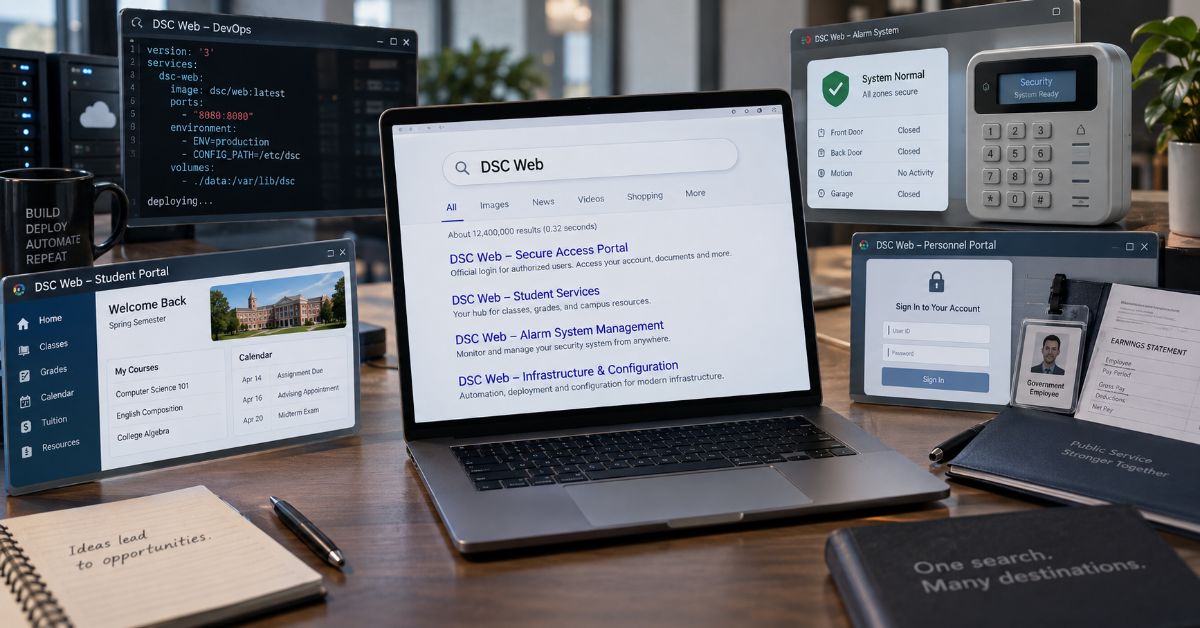
If you searched for DSC Web, the most useful answer is that there is no single DSC website. The phrase currently points to several unrelated destinations, including Microsoft Desired State Configuration, a live DSC alarm-communicator testing site, the Defence Security Corps portal in India, Daytona State College services, and other organizations that share the initials. I reviewed current search results on September 9, 2026, and that ambiguity is exactly why a one-definition article can send a reader to the wrong system.
I treat this query as an intent problem before I treat it as a definition problem. If you are a Windows or DevOps administrator, you probably need Microsoft DSC documentation, and the biggest trap is version drift: modern Microsoft DSC 3 is a standalone cross-platform command-line platform, while older ranking pages still describe the classic PowerShell pull server and report service. If you work with DSC security hardware, the browser destination has a completely different job. The public test site is designed for IP communicator testing, not as a general homeowner dashboard. If you are a Defence Security Corps user, the official portal is for service records, pay information, forms, grievances, and role-specific logins.
My goal here is to help you identify the right entity in under a minute, then give you enough context to avoid an outdated Microsoft workflow, an unrelated company, or a risky lookalike login. I also separate official portals from tools that merely use DSC in their names. Once you know which branch matches your task, the rest of the article gives you the correct workflow, current 2026 context, and a practical verification checklist.
What Does This DSC Search Actually Mean?
The phrase behaves like a crossroads. The fastest answer comes from the task around the initials, not from the initials alone. I use this map to route the search before opening a login or technical guide.
| Your Clue | Likely Entity | Correct Context |
| Configure systems declaratively | Microsoft DSC 3 | Current dsc CLI and configuration documents |
| LCM, MOF, pull/report server | Classic PowerShell DSC | Legacy Windows architecture |
| Export Microsoft 365 tenant settings | Microsoft365DSC | Browser-assisted export workflow |
| Test an alarm communicator | Digital Security Controls | Installer testing environment |
| Pay slip, Form 16, veteran login | Defence Security Corps | Official personnel portal |
| Classes, tuition, grades, Falcon | Daytona State College | Student portal |
| Convention or club events | Dallas Safari Club / Detroit Sportsmen’s Congress | Organization websites |
If You Mean Microsoft DSC, Start With the Version
For new infrastructure work, I would start with Microsoft’s current Desired State Configuration overview. Microsoft describes DSC as a declarative platform whose standalone dsc command runs on Windows, Linux, and macOS. It separates the desired state from the logic used by resources to reach that state (Microsoft, 2025).
Current configuration documents support operations such as dsc config get, test, and set. The platform can use resources implemented in different languages and is designed to integrate with higher-order orchestration tools. That makes the modern mental model an engine and resource system, not a mandatory browser console.
Release context also matters. GitHub marks v3.2.3, released July 16, 2026, as the latest stable build, while v3.3.0-rc.2 was released August 24 as a pre-release. Microsoft senior product manager Jason Helmick said v3.2 was shaped by real-world use, partner feedback, and community contributions. The release added built-in Windows resources, experimental Bicep integration over gRPC, version constraints, richer expressions, and adapter improvements (Helmick, 2026; PowerShell, 2026).
I also keep configuration separate from identity administration. Aperplexity’s Entra Admin Center guide covers the Microsoft browser control plane for users, authentication, roles, and Conditional Access. A sign-in or identity-policy failure is a different layer from a DSC resource failure.
Why do classic pull-server pages still rank?
Windows PowerShell DSC 1.1 used a Local Configuration Manager and could retrieve configurations from an IIS-based pull server. Microsoft’s report-server page still documents that model, but it also says the Windows Feature DSC-Service pull server has no planned new features or capabilities (Microsoft, 2023). The document can therefore be authentic and still be the wrong blueprint for a new DSC 3 design.
Where does the Microsoft365DSC browser UI fit?
Microsoft365DSC documents a browser interface launched with Export-M365DSCConfiguration -LaunchWebUI to help select Microsoft 365 components and generate an export command. I treat that as separate Microsoft 365 configuration tooling, not as the core DSC 3 interface (Microsoft365DSC, n.d.).
If a Windows node behaves unpredictably, I also separate drift from operating-system corruption. The DISM RestoreHealth guide is a practical boundary check before rewriting configuration to solve a damaged servicing layer.
| Technology | Execution Model | Best Fit |
| Microsoft DSC 3 | Standalone dsc CLI | Current cross-platform configuration as code |
| PowerShell DSC 1.1 | LCM + MOF + pull/report services | Legacy Windows deployments |
| Microsoft365DSC | PowerShell module + optional browser generator | Microsoft 365 tenant capture and drift workflows |
If You Mean DSC Alarm Systems
Digital Security Controls uses DSC for electronic security. Its official manufacturer site provides product, technical-library, owner, installer, software, and professional-login paths.
Its IP Communicator Live Interactive Testing Site is narrower. The page identifies itself as a 24/7 test environment for DSC IP communicators and says its live table refreshes every 30 seconds (Digital Security Controls, 2026). I reviewed the public page but do not reproduce live account, network, or event values because they add risk without helping the reader.
A test receiver is not a general homeowner dashboard. Owners should start from their installed product, monitoring provider, supported app, or installer. Installers testing communicator delivery should use the test environment and model-specific guides.
For accounts that expose devices or professional services, I would also use the strongest supported login protection. Aperplexity’s 2FA guide explains factor strength and recovery without assuming that a familiar login page is safe by itself.
If You Mean the Defence Security Corps Portal
The official Defence Security Corps portal serves personnel and veterans in India. Current pages list pay slips, Form 16, grievances, posting information, and separate individual, unit, veteran, administrative, and directorate login paths (Defence Security Corps, 2026).
This is mainly navigational intent. Verify the government hostname and correct role before entering service credentials. The portal also states that unauthorized access or misuse of personnel information is prohibited.
I would then save a verified canonical bookmark. That matches the principle in Aperplexity’s Quick Links guide: stable destinations beat repeatedly trusting whichever login-looking result ranks first.
Other Common Meanings You Should Not Ignore
Daytona State College uses DSC as an institutional abbreviation. Its support material says Falcon Self-Service / MyDaytonaState handles registration, tuition, holds, grades, financial aid, graduation, and profile updates after acceptance (Daytona State College, 2026).
Dallas Safari Club uses the initials for a very different audience. Its official convention page lists the 2027 Convention and Sporting Expo for January 7-10, 2027, at the Georgia World Congress Center in Atlanta (Dallas Safari Club, 2026). Detroit Sportsmen’s Congress is another legitimate organization using the initials. Search clues such as Falcon, tuition, convention, exhibitor, or club events resolve these meanings quickly.
How Do You Verify the Right Page Before You Sign In?
- Name the task first: configuration, alarm testing, service records, college access, or event information.
- Check the organization and hostname before credentials or downloads.
- On Microsoft pages, check version labels and architecture terms. LCM, MOF, ReportServerWeb, and xDscWebService signal the older generation.
- Prefer a canonical landing page over a deep login result when sensitive records or administrative tools are involved.
- Do not republish operational identifiers from live status or test pages merely because they are publicly visible.
That final rule reflects the same distinction in Aperplexity’s defensive log-exposure guide: public discoverability and safe handling are not the same thing.
| Clue Words | Likely Destination | Verification |
| dsc config, YAML, resource | Microsoft DSC 3 | Check current docs and release |
| LCM, MOF, pull server | Classic PowerShell DSC | Check “Applies To” and version |
| T-Link, communicator, receiver | Digital Security Controls | Use installer/product context |
| Pay slip, Form 16, veteran | Defence Security Corps | Verify government hostname |
| Falcon, tuition, grades | Daytona State College | Use college portal |
What the Current Ranking Pages Commonly Miss
- The real problem is entity collision. Individually correct pages can collectively create a poor result because they answer different intents.
- Microsoft version drift is part of the search answer. Old pull-server documentation can be authoritative yet inappropriate for a new DSC 3 project.
- A browser page is not automatically an account dashboard. The alarm test receiver, Microsoft365DSC generator, and government personnel portal all use the web for different jobs.
The trade-off is that a broad intent guide cannot replace every product manual or deployment tutorial. Its value is earlier in the journey: get the reader onto the right branch, label legacy versus current architecture, and reduce unsafe or irrelevant clicks. Once the branch is known, specialist documentation should take over.
The Future of DSC Web in 2027
For Microsoft, the verified direction is continued development of the standalone v3 engine, not a return to the classic always-on pull-server model. DSC 3.2 reached general availability in April 2026, v3.2.3 became the latest stable patch in July, and v3.3 reached release-candidate status in August. I found no Microsoft announcement that the core product is becoming a hosted browser dashboard.
The more defensible 2027 expectation is deeper integration. Version 3.2 already added experimental Bicep orchestration over gRPC, more built-in Windows resources, version constraints, extensions, and adapter improvements. The wider search will remain ambiguous because the alarm, military, education, convention, and club meanings continue independently. A ranking page should therefore keep its intent map and official destinations current instead of betting on one definition.
Key Takeaways
- Identify the entity before choosing a result.
- For new Microsoft work, start with DSC 3 and check the latest stable release.
- Treat classic pull-server pages as generation-specific documentation, not the default modern architecture.
- Keep the alarm test environment, Microsoft365DSC generator, and personnel portals in their documented roles.
- Verify official hostnames before logins, downloads, or bookmarks.
- Refresh the guide as releases and portal paths change.
Conclusion
I would not define this search with one sentence and stop. Several valid answers coexist, and choosing the wrong one can mean wasted time, an outdated infrastructure design, or credentials entered into the wrong service.
For Microsoft administrators, the key correction is architectural. Current DSC 3 is a standalone, cross-platform configuration platform centered on the dsc command, resources, and configuration documents. Classic PowerShell pull-server and report-server material can still matter in systems that intentionally run that generation, but it should not silently become the blueprint for new work. Microsoft365DSC’s browser generator is another separate tool with a Microsoft 365 tenant-export purpose.
For everyone else, context wins. Alarm installers, Defence Security Corps personnel, Daytona State students, convention visitors, and club members each need a different destination. My rule is consistent: identify the entity, verify the official hostname and role, then bookmark the canonical page. That small sequence turns an ambiguous search into a much safer and faster path.
Frequently Asked Questions
What does this DSC search usually refer to?
It can refer to Microsoft Desired State Configuration, Digital Security Controls alarm tooling, the Defence Security Corps portal in India, Daytona State College services, Dallas Safari Club, Detroit Sportsmen’s Congress, or other organizations. Context words such as PowerShell, alarm, veteran, Falcon, or convention usually identify the intended entity.
Does Microsoft DSC have a browser dashboard?
The core Microsoft DSC 3 platform is centered on the standalone dsc command, resources, and configuration documents. Microsoft365DSC separately offers a browser-assisted export generator, while classic PowerShell DSC used web-hosted pull and report services. Those are distinct architectures and projects.
What is a DSC pull server?
In classic Windows PowerShell DSC, a pull server is a centralized service that nodes can use to retrieve configurations and resources. Microsoft still documents that older architecture, but its report-server page says the Windows Feature DSC-Service pull server has no planned new capabilities. Check the generation before deploying it.
Is the DSC alarm testing site a homeowner login?
No. The public page identifies itself as an IP communicator live testing environment. Homeowners should start with their specific product, monitoring provider, supported app, or installer. Installers can use the test environment according to the manufacturer’s application and installation guidance.
What is the Defence Security Corps portal used for?
The official Indian portal provides services for personnel and veterans, including pay slips, Form 16, grievances, posting information, and role-specific logins. Verify the official government hostname and the correct account role before entering credentials.
How do Daytona State students access online services?
Daytona State College directs students to MyDaytonaState and Falcon Self-Service for registration, tuition, holds, grades, financial aid, graduation, and profile tasks. Clues such as Falcon, classes, tuition, or student email point to the college meaning rather than Microsoft or alarm systems.
Methodology
I researched this article on September 9, 2026, after reviewing ten prominent current results and close variants. I used that benchmark to identify entity collision, Microsoft version drift, and missing decision support without copying competitor structure or wording.
For validation, I prioritized Microsoft Learn, PowerShell/DSC releases, the PowerShell Team, Digital Security Controls, Defence Security Corps, Daytona State College, Dallas Safari Club, and Microsoft365DSC. I also verified every Aperplexity internal link used in the body.
Rankings vary by location, personalization, device, and time. I did not deploy DSC, alter an alarm communicator, sign into personnel records, or access a private student account. First-person statements describe research and editorial analysis, not invented testing.
AI assistance was used to organize research and draft the article. A human editor must verify claims, APA references, links, portal paths, and first-person statements before publishing.
References
- Microsoft. (2025, June 9). Microsoft Desired State Configuration overview. Microsoft Learn.
- Helmick, J. (2026, April 29). Announcing Microsoft Desired State Configuration v3.2.0. PowerShell Team.
- PowerShell. (2026). DSC releases. GitHub.
- Microsoft. (2023, June 21). Using a DSC report server. Microsoft Learn.
- Microsoft365DSC. (n.d.). Taking a snapshot of existing tenant.
- Digital Security Controls. (2026). Official security site and IP communicator test site.
- Defence Security Corps. (2026). Official portal for serving personnel and veterans.
- Daytona State College. (2026, June 30). What is Falcon Self-Service/MyDaytonaState?
- Dallas Safari Club. (2026). 2027 Convention and Sporting Expo.
-

 Technology3 weeks ago
ThomsonKids.com: Website Guide, Topics & Trust Check
-

 General2 weeks ago
Voozon.com: What It Is and How the Platform Works
-

 Technology2 weeks ago
thesindi com Review: What TheSindi.com Really Offers
-

 Technology2 weeks ago
Cambro.tv: Status, Safety & Technical Guide
-

 Business3 weeks ago
5starsstocks.com Review: Features, Trust and Safety
-

 General3 weeks ago
My Reading Manga: What MyReadingManga Is, Safety, Legality and Better Alternatives
-

 Guide3 weeks ago
Thothub Safety Guide: What the Name Means, Link Risks and Legal Concerns
-

 Technology4 weeks ago
Iwara: What iwara.tv Is, How It Works and What to Know